6
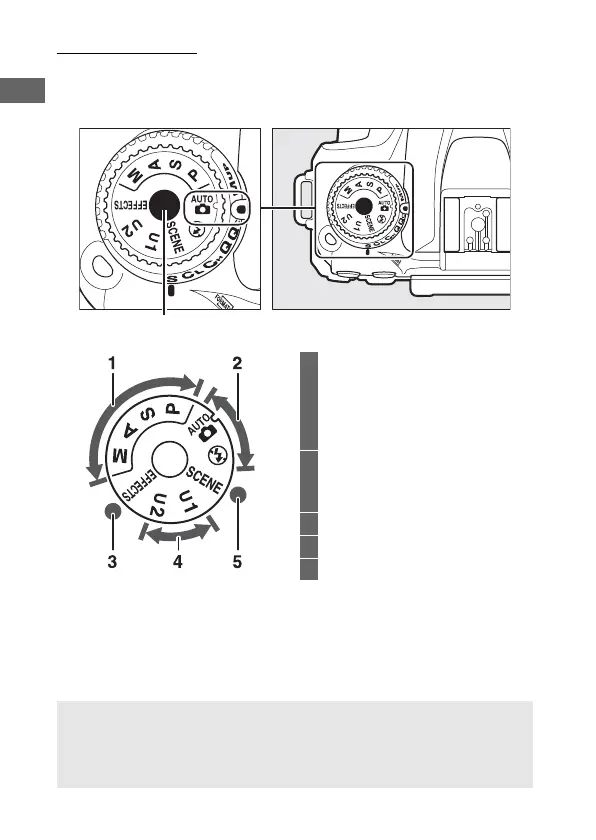
The Mode Dial
The camera offers the modes listed below. To choose a mode,
press the mode dial lock release and rotate the mode dial.
Mode dial
Mode dial lock release
1 P, S, A, and M modes:
P—Programmed auto...........73
S—Shutter-priority auto ......74
A—Aperture-priority auto ...75
M—Manual..............................76
2 Auto modes:
i Auto ......................................48
j Auto (flash off)....................48
3 Special effects modes ..................64
4 U1 and U2 modes..........................83
5 Scene modes..................................61
A Non-CPU Lenses
Non-CPU (0 285) lenses can be used only in mode M. Selecting
another mode when a non-CPU lens is attached disables the shutter
release.



 To Next Page