8
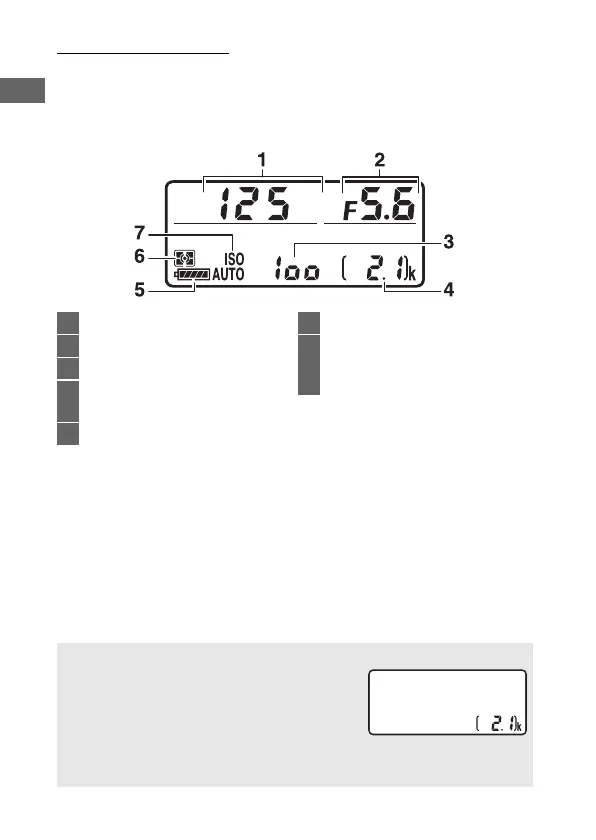
The Control Panel
The control panel shows a variety of camera settings when the
camera is on. The items shown here appear the first time the
camera is turned on; information on other settings can be found
in the relevant sections of this manual.
1 Shutter speed ..........................74, 76
2 Aperture (f-number)..............75, 76
3 ISO sensitivity .............................. 118
4 Number of exposures
remaining.......................................47
5 Battery indicator ............................46
6 Metering....................................... 123
7 ISO sensitivity indicator ............ 118
Auto ISO sensitivity
indicator ...................................... 121
A Camera Off Display
If the camera is turned off with a battery and
memory card inserted, the number of
exposures remaining will be displayed
(some memory cards may in rare cases only
display this information when the camera is
on).



 To Next Page