39
SnapBridge normally connects to the camera via Bluetooth, but
switches to Wi-Fi as required for remote photography or when
downloading high volumes of data. Before switching to Wi-Fi,
SnapBridge will prompt you to enable the Wi-Fi connection on
your iOS device. Follow the steps below.
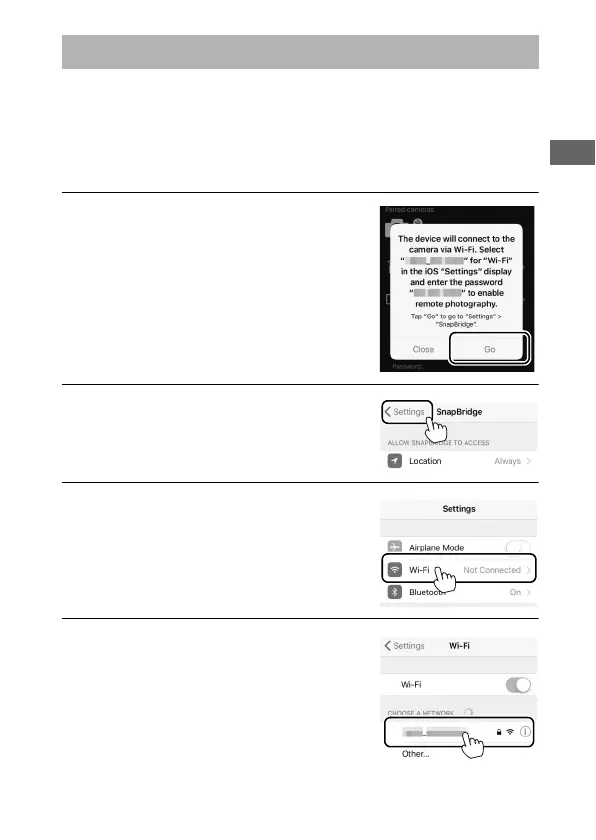
1 Tap Go when prompted. The camera
SSID and password will be displayed;
make a note of the SSID and
password before continuing.
2 Tap <Settings to display iOS
settings.
3 Tap Wi-Fi.
4 Tap the SSID you noted in Step 1.
The Wi-Fi Prompt (iOS)



 To Next Page