38
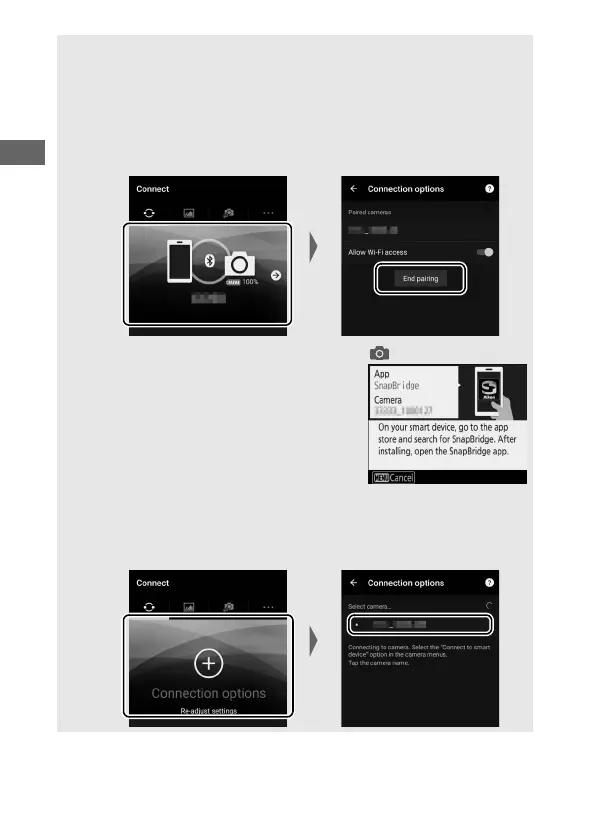
A Trouble Downloading (Android/iOS)?
If download is slow or you experience other problems copying pictures
from the camera to your smart device, try ending and restarting
pairing.
1 Smart device: Open the Connect tab, select Connection options, tap
End pairing, and tap Yes when prompted.
2 Camera: Display the SnapBridge launch
prompt by selecting Connect to smart
device in the setup menu and following
the on-screen instructions.
3 Smart device: Select Connection options in the Connect tab. Tap the
camera name in the Select camera list and follow the on-screen
instructions to re-establish pairing.



 To Next Page