37
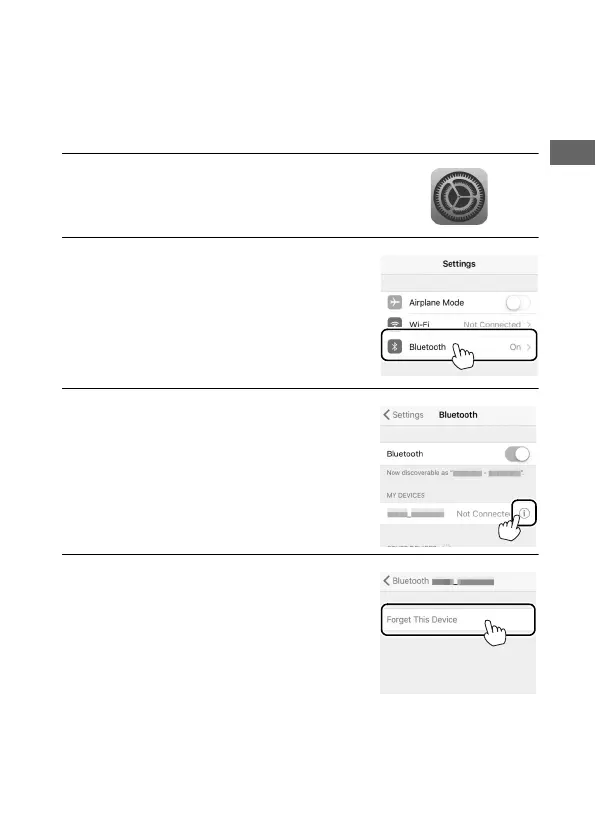
❚❚ Forgetting Bluetooth Devices
If pairing fails in Step 5, you may need to request iOS to “forget”
the camera as described below, as otherwise the camera name
may not be displayed or tapping the camera name will not start
pairing when you return to Step 2.
1 Open iOS settings.
2 Tap Bluetooth.
3 Tap the icon to the right of the
camera name.
4 Tap the “forget” option and repeat
the pairing process from the
beginning.



 To Next Page