197
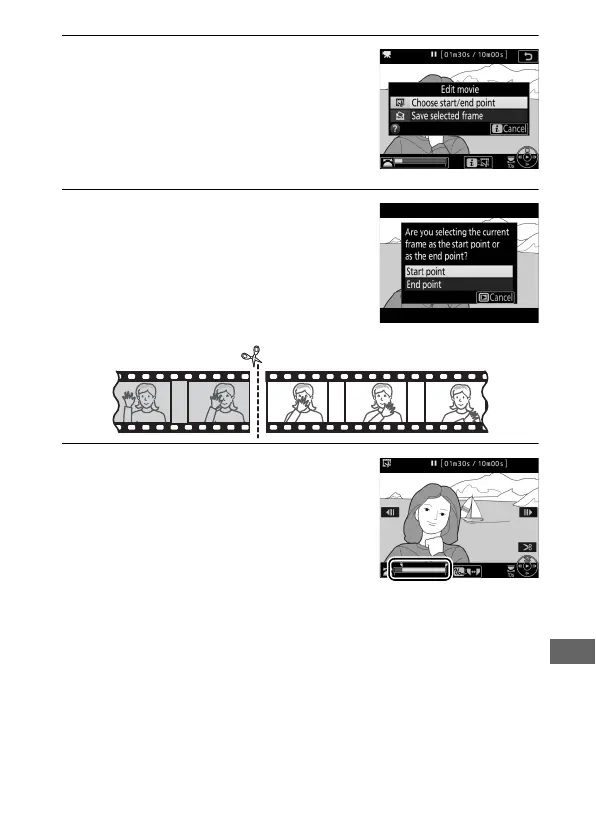
3 Select Choose start/end point.
Press the i button, then highlight
Choose start/end point and press J.
4 Select Start point.
To create a copy that begins from the
current frame, highlight Start point
and press J. The frames before the
current frame will be removed when
you save the copy in Step 9.
5 Confirm the new start point.
If the desired frame is not currently
displayed, press 4 or 2 to advance or
rewind (to skip to 10 s ahead or back,
rotate the main command dial one
stop; to skip to an index, or to the first
or last frame if the movie contains no
indices, rotate the sub-command dial).



 To Next Page