210
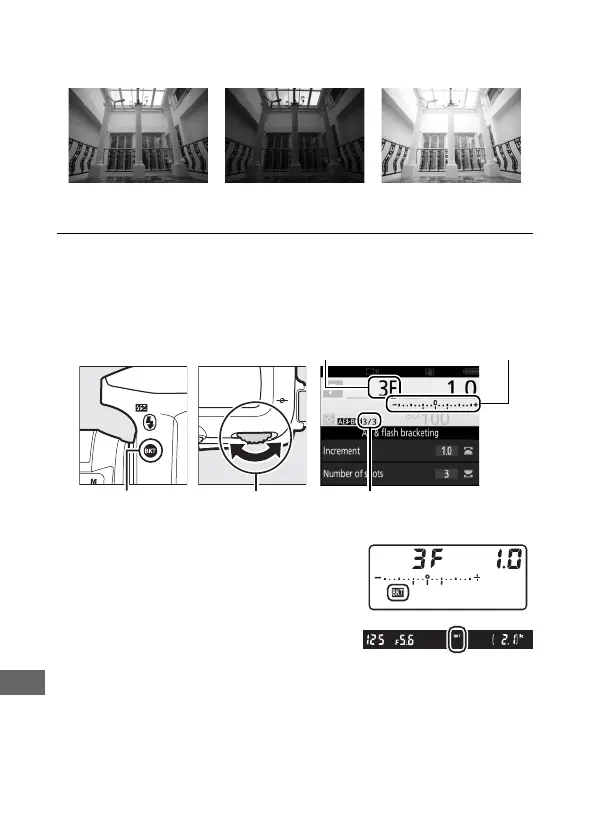
❚❚ Exposure and Flash Bracketing
Vary exposure and/or flash level over a series of photographs.
1 Choose the number of shots.
Pressing the BKT button, rotate the main command dial to
choose the number of shots in the bracketing sequence.
At settings other than zero, a M icon
is displayed in the control panel. D
appears in the viewfinder, while the
information display provides a
bracketing indicator and an icon
showing the type of bracketing:
v (exposure and flash bracketing), w (exposure
bracketing only), or x (flash bracketing only).
Exposure modified by:
0EV
Exposure modified by:
–1 EV
Exposure modified by:
+1 EV
Number of
shots
Exposure and flash
bracketing indicator
BKT button Main command
dial
Shots remaining/number of shots



 To Next Page