342
❚❚ The Lens Hood
The lens hood protects the lens and blocks stray light that would
otherwise cause flare or ghosting.
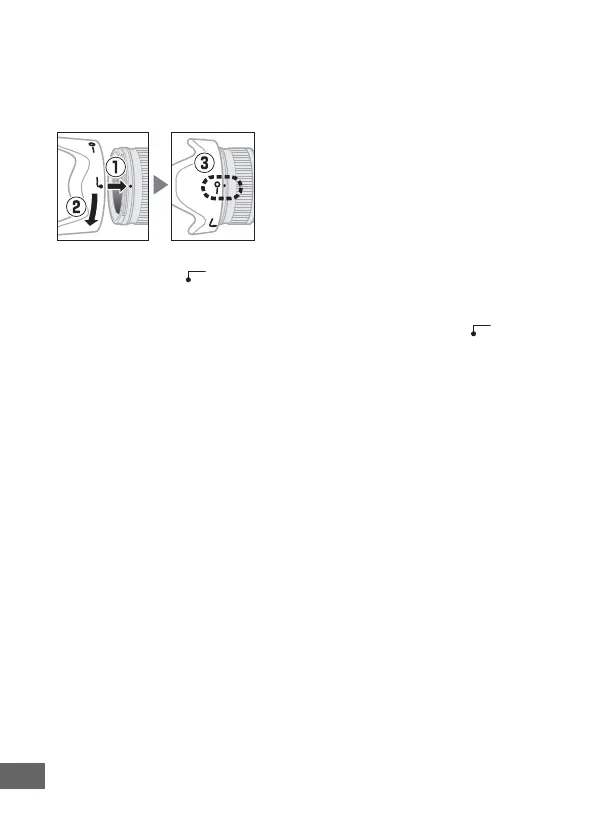
Attaching the Hood
Align the lens hood mounting mark (●) with the lens hood
alignment mark ( ) and then rotate the hood (w) until the ●
mark is aligned with the lens hood lock mark (—).
When attaching or removing the hood, hold it near the
symbol on its base and avoid gripping it too tightly. Vignetting
may occur if the hood is not correctly attached.
The hood can be reversed and mounted on the lens when not in
use.
❚❚ Supplied Accessories
• LC-72 72 mm snap-on Front Lens Cap
• Rear Lens Cap
• HB-35 Bayonet Hood
• CL-1018 Flexible Lens Pouch
❚❚ Compatible Accessories
72 mm screw-on filters



 To Next Page