27
qw
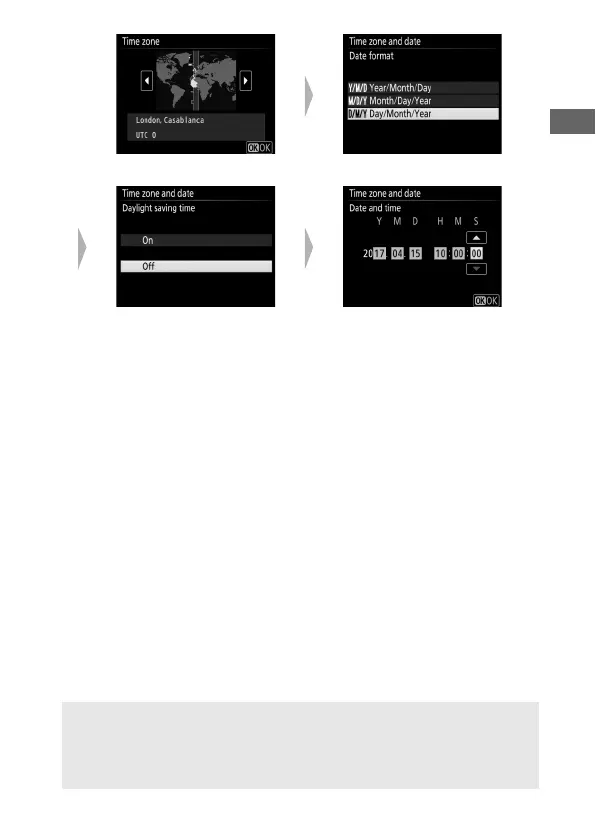
Select time zone Select date format
er
Select daylight saving time
option
Set time and date (note that
camera uses a 24-hour clock)
D Restarting Pairing at a Later Date
If you don’t finish pairing the first time you turn the camera on, you can
start pairing at any time by selecting Connect to smart device in the
camera setup menu (0 272).



 To Next Page