49
Exposure
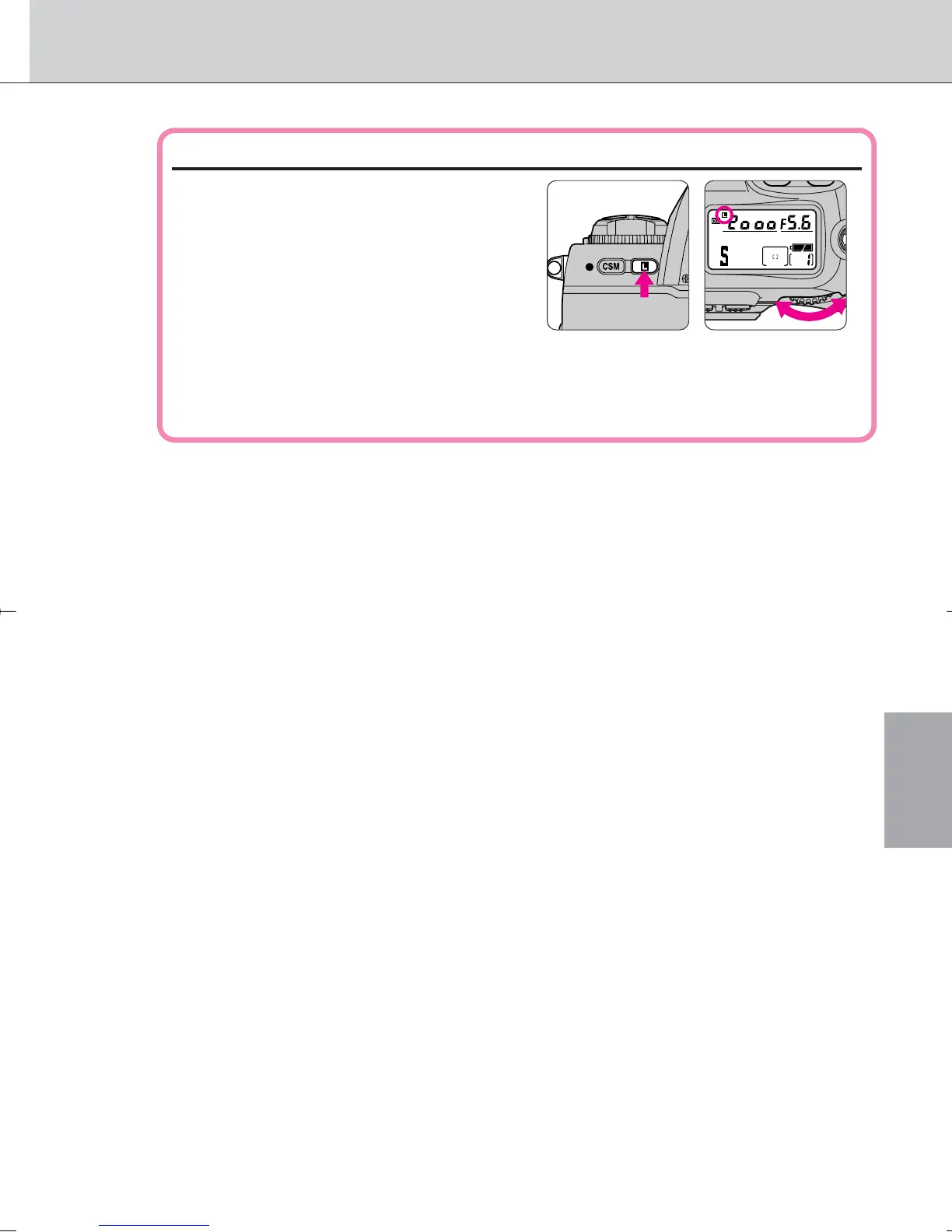
Locking shutter speed
To lock the shutter speed set in step 2,
rotate the Main-Command Dial while
pressing the shutter speed/aperture
lock button — so shutter speed lock
indication ¬ appears in the LCD panel
and viewfinder. To release the lock,
rotate the Main-Command Dial while
pressing the shutter speed/aperture lock button — so shutter speed
lock indication ¬ disappears in the LCD panel and viewfinder.
Compose picture, focus and shoot.
• When the subject is too dark or bright, one of the following warning
indications will appear in the LCD panel or viewfinder. (Electronic analog
exposure display will also indicate the amount of under- or overexposure.)
•
H1: Select higher shutter speed. If the warning indication still remains
on, use ND filter.
•
Lo: Select a slower shutter speed. If the warning indication still remains
on, use Speedlight.
· 2: Shutter speed/aperture value displayed in the LCD panel and
viewfinder can be set to change in steps of 1/2 or one (page 71).
3
F100_En_16 7/8/05 8:06 PM Page 49



 To Next Page