B–9
B
Operation
Basic Operations
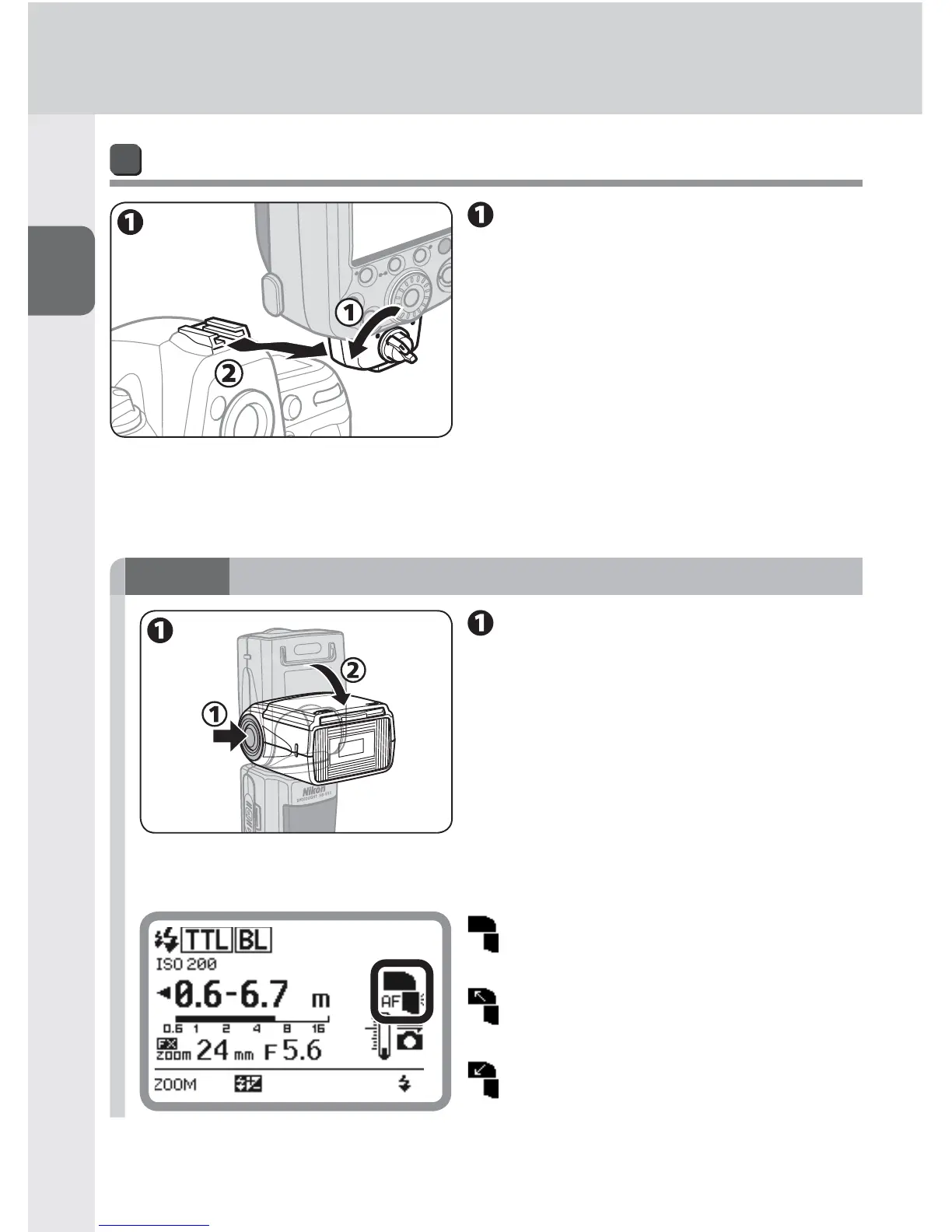
Detaching the SB-910 from the camera
Make sure the SB-910 and
the camera body are turned
off, turn the lock lever 90° to
the left, and then slide the
SB-910’s mounting foot from
the camera’s accessory shoe.
If the SB-910’s mounting foot cannot be removed from the camera’s accessory •
shoe, turn the lock lever 90° to the left again, and slide the SB-910 slowly out.
Do not forcibly remove the SB-910.•
STEP
3
Adjusting the flash head
Adjust the fl ash head to
the forward-facing position
while holding down the fl ash
head tilting/rotating lock
release button.
The flash head is locked when tilted •
90° up or set in the forward-facing
position.
LCD indicator for flash head status
Flash head is set in the forward-facing
position.
Flash head is set at angle. (Flash head
is tilted up or rotated to the right or
left.)
Flash head is tilted down.



 To Next Page