35
NAT(PORT TRIGGERING)
Some applications need some ports to be opened in the firewall for the remote access. When an application initializes a
TCP/UDP to connect to a remote user, port triggering dynamically opens the open ports of the firewall.
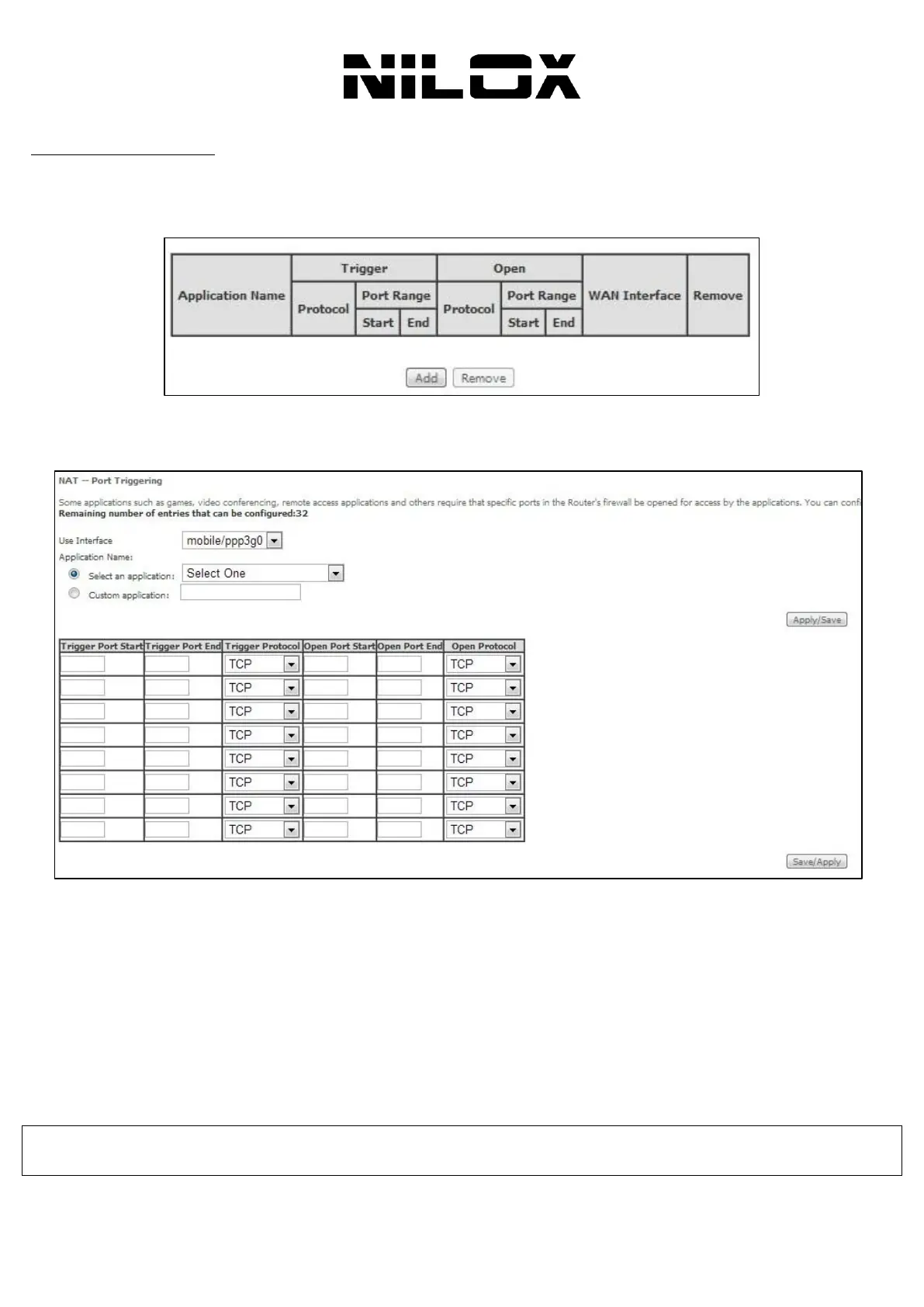
Choose Advanced Setup > NAT > Port triggering, and the following page appears.
In this page, you are allowed to add or remove any entry of port triggering.
To add a virtual server, do as follows:
Step 1 Click the Add button to display the following page.
Use interface: Select an interface that you want to configure.
Select an application: Select a proper application in the drop-down list.
Custom application: Manually define an application.
Trigger port Start: The start port number that LAN uses to trigger the open port.
Trigger port End: The end port number that LAN uses to trigger the open port.
Trigger Protocol: Select the application protocol. You may select TCP/UDP, TCP, or UDP.
Open Port Start: The start port number that is opened to WAN.
Open Port End: The end port number that is opened to WAN.
Open Protocol: Select the proper protocol that is opened to WAN. You may select TCP/UDP, TCP, or UDP.
Step 2 After finishing setting, click Save/Apply to save and apply the settings.
NOTE! You can use a single port number, several port numbers separated by commas, port blocks consisting of two port
numbers separated by a dash, or any combination of these, for example 80, 90-140, 180.


 To Next Page