7
QUICK START GUIDE
Thank you for purchasing Nilox Wireless N ADSL2+ Router that provides the easiest way to wireless networking. This
document describes how to install your Nilox Router. Please keep this User Guide for future reference.
PRODUCT OVERVIEW
ADSL2+ Built-In modem for high-speed Internet Access (up to 24Mbps)
You can connect a 3G/HSDPA USB modem (into USB port), enabling you to use a 3G Internet connection. The auto fail-
over feature ensures maximum connectivity and minimum interruption by quickly and smoothly connecting to a 3G
network in the event that your ADSL line fails
IEEE 802.11n compliant, to support up to 150/300Mbps speed (backward compatibility with 802.11b/g specifications)
USB 2.0 Print Server (Compatible with a wide range of USB (LPR) printers)
4-port Fast Ethernet switch
Strong network security with WEP and WPA/™WPA2™ support
The Quality of Service (QoS) prioritizes traffic to enable a group users/applications to enjoy the benefit of a smooth
network connection without concern of traffic congestion
ADSL Filter included
Easy to install and configure
SYSTEM REQUIREMENTS
Before installing the Adapter, your PC should meet the following:
ADSL Internet service
Ethernet Adapter with TCP/IP Protocol Installed
Internet Explorer v6.0 or later, Mozilla Firefox v1.0 or later, Safari 2.0 or later, Google Chrome 1.0 or later
PACKAGE CONTENTS
Open Nilox Wireless N ADSL2+ Router box and carefully unpack it. The box should contain the following items:
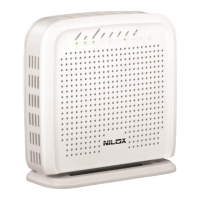
Wireless N ADSL2+ Router
AC/DC Adapter (12V@0.8A)
RJ11 and RJ45 cables
ADSL Filter (RJ11)
One MultiLanguage Quick Start Guide (English, Spanish and Italian)
CD-Rom with Manual (English and Italian)
If any item is found missing or damaged, please contact your local reseller for replacement.
FACTORY DEFAULT SETTINGS
Before you configure this Wireless N ADSL2+ Router, you need to know the following default settings:
Username: admin
Password: nilox
IP address: 192.168.1.1
Subnet Mask: 255.255.255.0
DHCP Server: enable (from 192.168.1.100 to 192.168.1.199)
WAN=PPPoA, VPI=8, VCI=35, VC-Mux
SSID(16NXRW14CQ001): DAS-1410, Encryption: WPA-PSK (AES), WPA Pre-shared Key: Nilox1410
SSID(16NXRW14300011): DAS-2420, Encryption: WPA-PSK (AES), WPA Pre-shared Key: Nilox2420
To reset password or to restore factory settings, press the reset button (5 seconds).This procedure is usually used when
you can’t login to the router, e.g. forgot the password


 To Next Page
