Connect a UPS to a G-2426G-B ONT
3FE-49441-ABAA-TCZZA
Issue 1
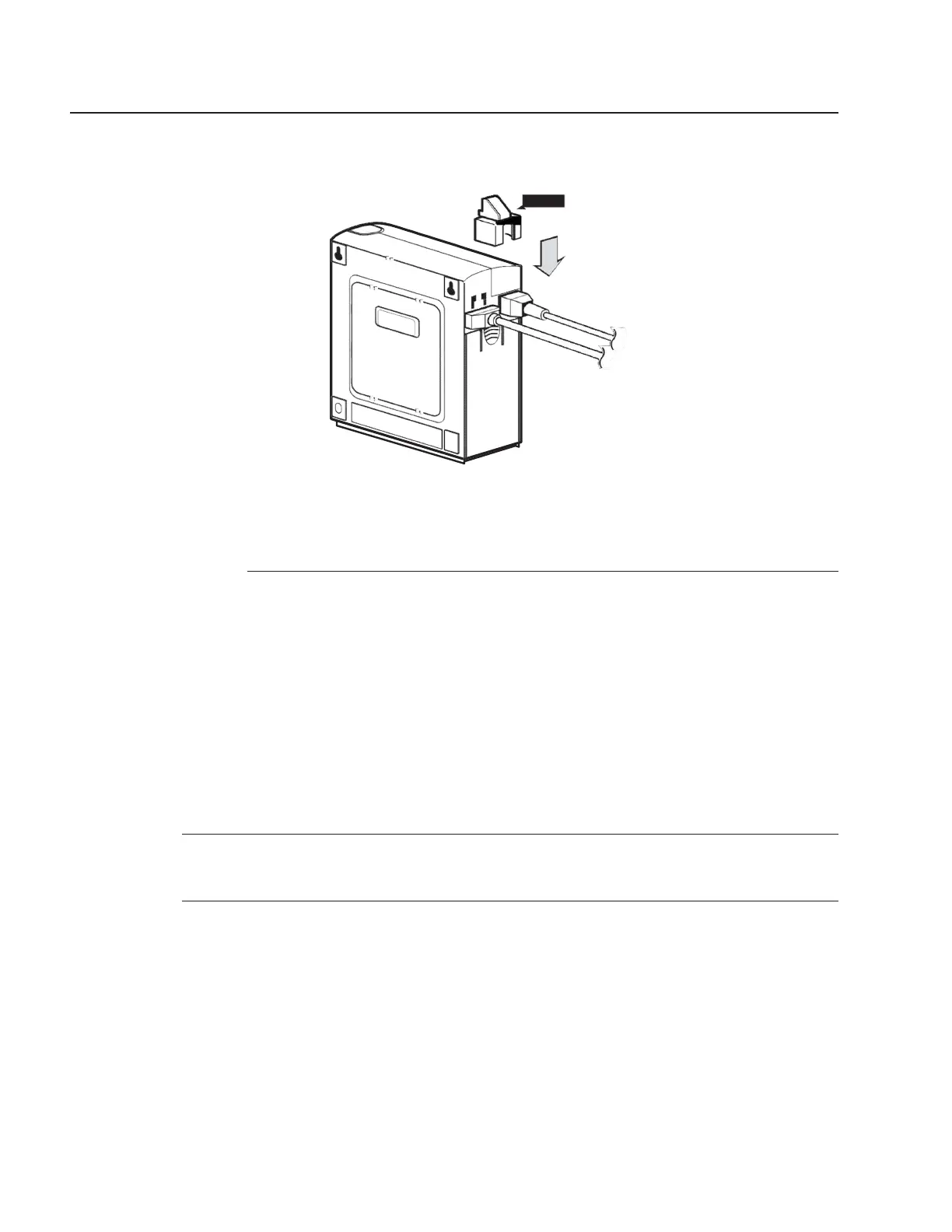
Figure 6-12 Attaching the cable retainer
Cable
retainer
28472
d. Attach the ONT to the wall.
E
ND OF
STEPS
6.9.2 Connect a PSI UPS PS36L-P7
Use this procedure to connect a PSI UPS to a G-2426G-B indoor ONT.
See Table 5-3, “G-2426G-B UPS ordering information” (p. 47) in the Chapter 5, “G-2426G-B unit
data sheet” in the for information about the PSI UPS PS36L-P7 model.
Before starting this procedure, ensure that the following items are available:
• Battery for the PSI UPS PS36L-P7
• Cable to connect the UPS to the ONT
• UPS AC power cable
1
Place the indoor ONT unit and the UPS on a flat surface, such as a desk.
2
Plug the cable into the UPS connector on the G-2426G-B ONT and the output connector on the
UPS, as shown in Figure 6-13, “G-2426G-B ONT and PSI UPS” (p. 83).



 To Next Page