User Interfaces
User Interfaces
30 31
4.1 Selection
The C15 architecture was designed to oer quick access to all items and aspects, pro-
viding one central area representing the current focus. This main principle (of focussing
on one item at a time for further editing) aects each interaction on any available user
interface. As mentioned, the current focus will be shared with all involved devices.
Selection
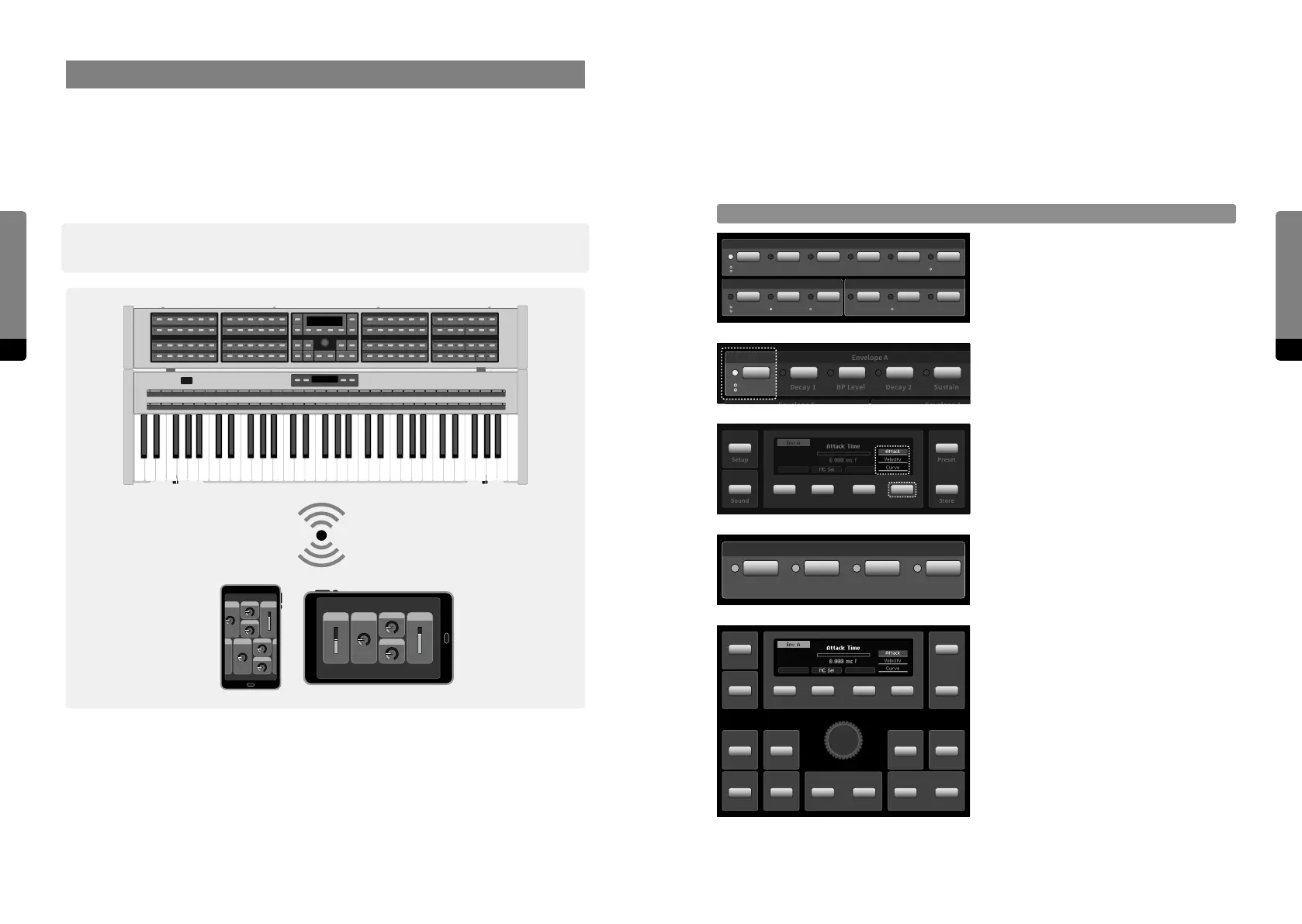
Parameter Panels provide Parameter
Selection Buttons. A lit LED indicates the
current focus.
Multiple parameters can be provided by
one Parameter Selection Button (indi-
cated by circles below the LED).
The Parameter Selection Button or So
Button 4 will cycle through the stack.
Macro Controls appear as a distinct group.
Pressing a Selection Button twice will
redirect to the Hardware Sources.
The Panel Unit Display will provide a
corresponding screen for the selected item.
Buttons of the Edit Panel provide access to
all item aspects.
Envelope C
Envelope A
Envelope A
Attack
Attack
Decay 1 BP Level Decay 2 Sustain Release
GainLevel KTLevel VelDecay 2Decay 1
Envelope A
Attack
Decay 1 BP Level Decay 2 Sustain
Release
GainLevel KTLevel VelDecay 2Decay 1
Envelope C
Setup
Sound
Preset
Store
Attack
Attack
Decay 1
Decay 1
Envelope C
Macro Controls
Info
Shi
Fine
Default
Enter
Undo
Edit
RedoDec (–) Inc (+)
Setup
Sound
Preset
Store
4. User Interfaces
As described, the C15 provides two dierent user interfaces. The Hardware User Interface
consists of both Base Unit and Panel Unit, providing haptic („hands on“) control.
The Graphical User Interface is available on external devices via Wi-Fi connection and pro-
vides a detailed parameter and preset representation. Multiple devices can be connected
in parallel, each focussing on dierent aspects.
߰ Note that all available interfaces operate in a synchronized manner, sharing the same
state and focus.
The following chapters explain how to focus on items and their aspects for further editing.


 To Next Page