User Interfaces
User Interfaces
66 67
4.12 Setup Navigation
This section explains the navigation to and within the setup menu. Refer to chapter
6 Setup (C15 System Settings) for a detailed reference.
Focus on Setup Menu
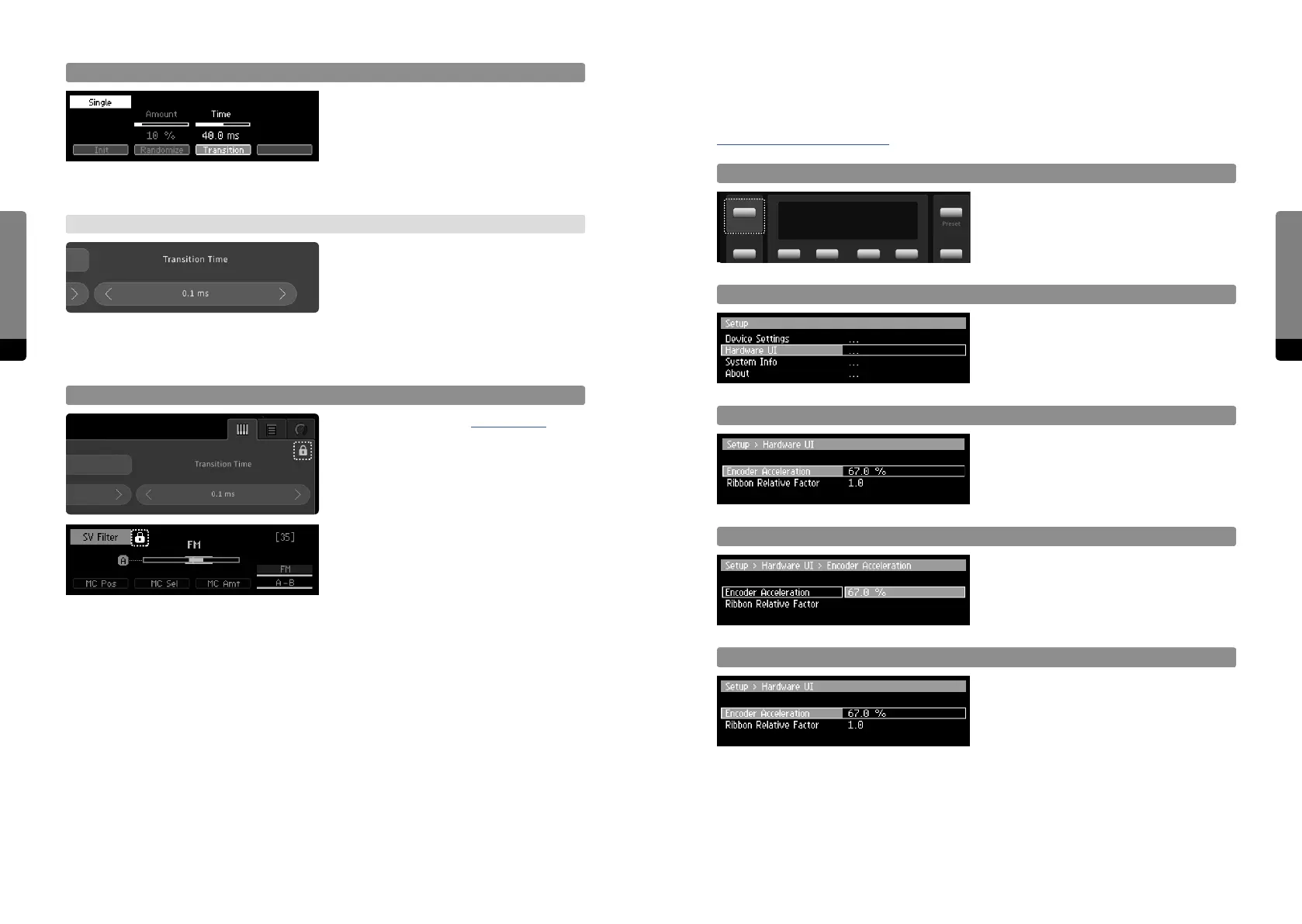
Press the Setup button in order to invoke
the Setup screen. The menu content is
organized in dierent levels which can be
entered.
Scrolling
Scroll the menu by using the Encoder or
the Inc, Dec buttons. The position will be
indicated by a highlighted background.
Enter a Submenu/Property
Press the Enter button or So Buttons 1
or 2 in order to enter a submenu or a menu
property, according to the current position.
Adjust a Property
When focussing on a property, adjustments
can be done like editing a parameter, by
using the Encoder or the Inc, Dec buttons.
Escape a Submenu/Property
So Buttons 3 and 4 can be used to navi-
gate back to the next higher level. When a
property is in focus, the Enter button has
the same eect.
Setup
Preset
Transition Time
Press So Button 3 in order to focus on
the transition time and adjust it like editing
a parameter. The transition time will be
eective when recalling presets, defining
the smoothing time of the parameters as
they approach their new values.
→ Graphical UI
Change the transition time by using drag
gestures on the „Transition Time“ value, like
adjusting a parameter. The transition time
will be eective when recalling presets,
defining the smoothing time of the parame-
ters, approaching their new values.
Sound Manipulation and Locking
As described in chapter 4.6.5 Locking,
parameters of locked groups are not
aected by sound manipulations. For
example, randomizing all parameters may
not be a good idea when considering the
Master, Unison and Scale groups, as the
random change can have too much of an
impact, leading to unwanted, bad sounding
or even harmful results (should the Master
Volume increase considerably). So we rec-
ommend to lock these three groups before
using the randomize function.


 To Next Page