User Interfaces
User Interfaces
40 41
4.5 Hardware Sources
The most common practice of using Hardware Sources would be the modulation
mechanism during user performance, passing movements via Macro Controls to target
parameters.
However, Hardware Sources are available and usable like ordinary parameters. Keep
in mind that adjusting Hardware Sources will cause a modulation, potentially aecting
Macro Controls and target parameters.
4.5.1 Editing a Hardware Source
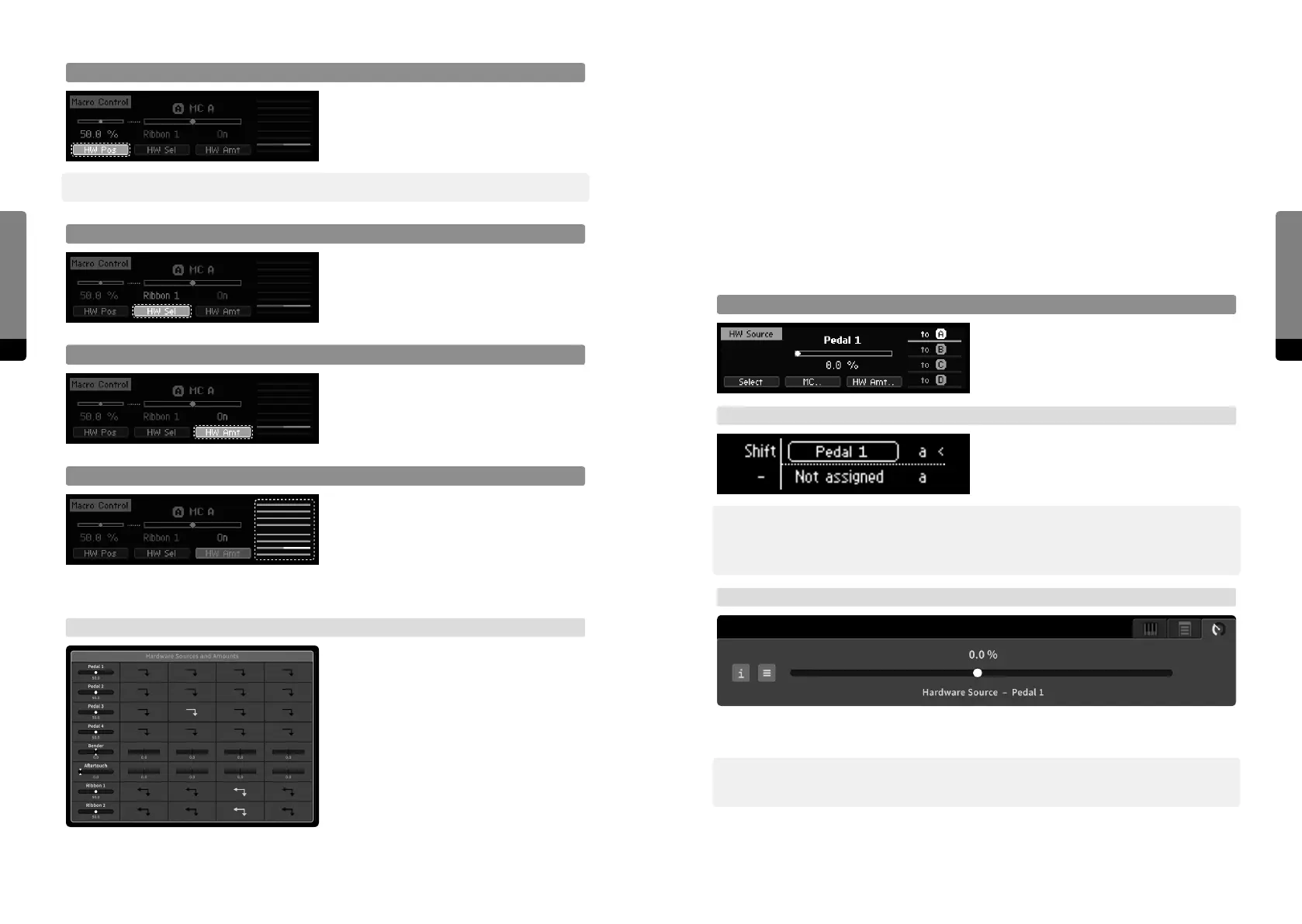
Adjust Hardware Source Position
Adjust selected Hardware Source position
like adjusting a parameter.
Using a Hardware Source has the same
eect as editing the value in the display.
→ Base Unit
In Edit mode, Ribbon 1 can be used to edit
the selected Hardware Source. Use Mode
button to switch modes.
߰ This will cause a modulation and may aect Macro Controls and target parameters. The
source’s return behavior will be simulated when the screen changes, as indicated by an
exclamation mark next to the value in the display.
→ Graphical UI
In the Parameter tab, all parameter aspects of the selected Hardware Source are provided.
Adjust the position like a parameter.
߰ This will cause a modulation and may aect Macro Controls and target parameters. The
source’s return behavior will be simulated when releasing the element.
HW Source Position
Press So Button 1 in order to focus on the
currently selected Hardware Source and
adjust its position like a parameter.
߰ This will cause a modulation and may aect other Macro Controls and parameters as well.
HW Source Selector
Press So Button 2 in order to focus on
the Hardware Source selector. One of the
eight Hardware Sources can be selected by
adjusting the selector like a parameter.
HW Source Amount
Press So Button 3 in order to focus on the
amount of the currently selected Hardware
Source on the selected Macro Control.
Adjust the amount like a parameter.
HW Source Selection Stack
Pressing So Button 4 moves the focus to
the rightmost stack of Hardware Sources
and cycles it. The eight sliders indicate the
amounts of each Hardware Source on the
selected Macro Control. The selected element of the stack represents the corresponding
amount and can be adjusted like a parameter.
→ Graphical UI
The top-center parameter group „Hardware
Sources and Amounts“ provides access to
all Hardware Sources and their amounts on
Macro Controls, represented as a modu-
lation matrix. Items of interest can be
selected and adjusted like a parameter.


 To Next Page