User Interfaces
User Interfaces
56 57
4.8 Overviews
There are dierent Overviews provided on the Panel Unit, enabling the user to quickly
get an impression of the inner workings of a particular sound, just by a brief glance at the
Parameter Panels. Without listening to the sound or studying parameter values, certain
assumptions on signal flow and modulation assignments can be easily made.
Active Overview (Panel Unit only)
At any time, when the Preset screen is in focus, active overview will be provided. Sig-
nalflow related parameters that are not zero (‘active’) will have lit LEDs (see chapter
9.Parameter Reference for further details). When Macro Controls are mapped to at least
one parameter, they will show lit LEDs as well.
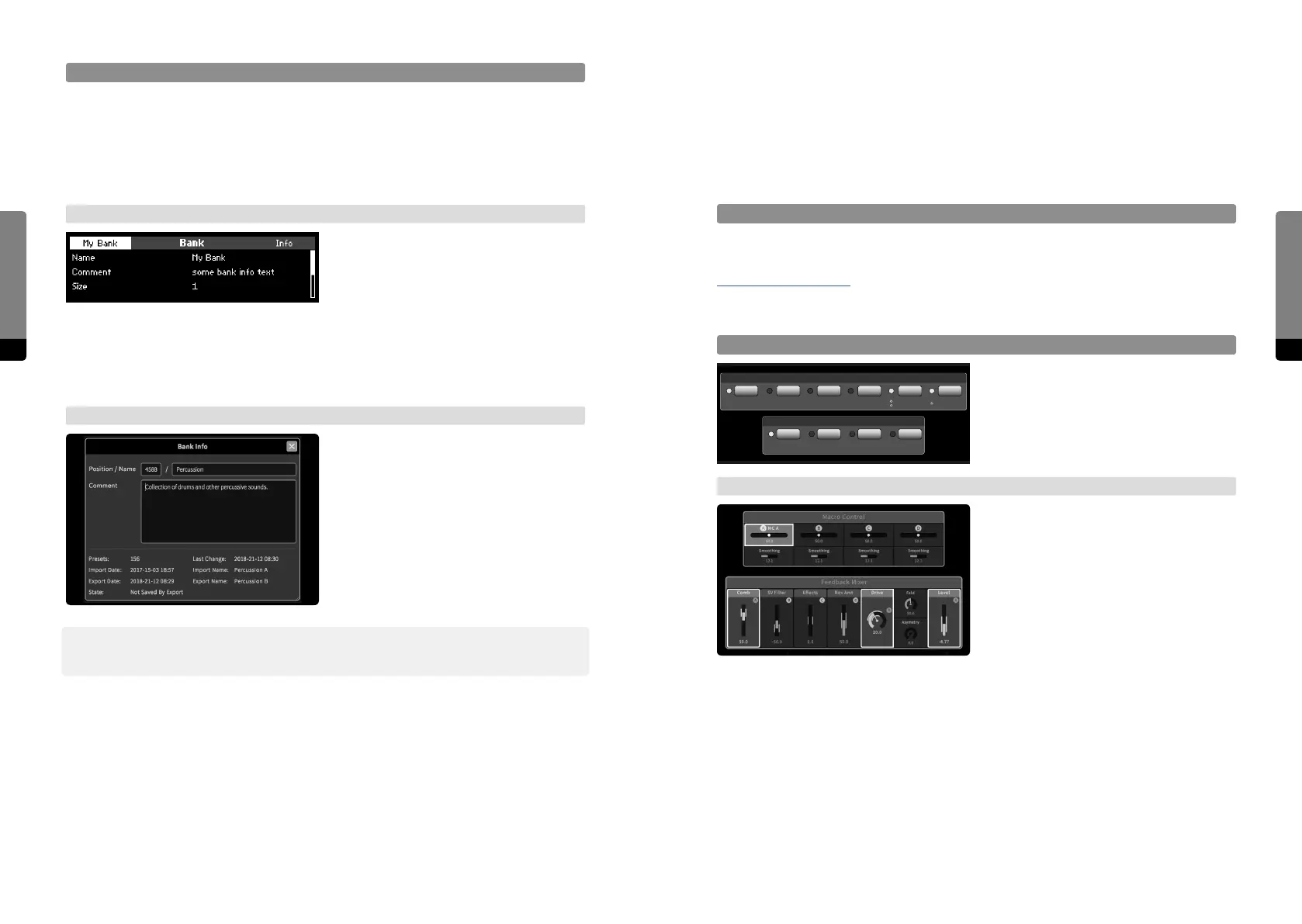
MC Target Overview
When a Macro Control is selected, all
assigned target parameters will show their
assignment by blinking LEDs.
→ Graphical UI
When a Macro Control is selected, it will be
surrounded by a red rectangle. All assigned
target parameters show their assignment
by surrounding red rectangles as well.
Comb S.V.F. Eects Reverb Drive Level
Feedback Mixer
Macro Controls
Bank Info
Banks contain a collection of metadata, some of which can be edited. The metadata col-
lection includes: the bank number (position in the bank list), the bank name, a comment
text, the bank size (number of contained presets), a state (indicating if unsaved changes
occurred since the last export) as well as information about the last change (date), import
(date, filename) and export (date, filename).
→ Panel Unit
When in the Bank screen (available when
pressing So Button 1 while in the Preset
screen), the Info button invokes the Info
screen for the currently selected bank. The
screen can be scrolled by the Encoder or
Inc, Dec buttons. When pressing the Edit
button, the comment text can be edited in
the Rename screen.
→ Graphical UI
The bank Info window can be made visible
when clicking on the Bank Info icon in the
Preset tab or by selecting „show info“ in the
context menu provided by the bank menu
icon or in other bank context menus. The
window can be le visible and will update
when selecting other banks. In addition,
the global View menu also provides a
visibility option for the Bank Info window.
߰ In the Graphical User Interface, the Bank Info Window allows for editing the bank number
(position in the bank list), name and comment text.


 To Next Page