Setting up the C15
Setting up the C15
16 17
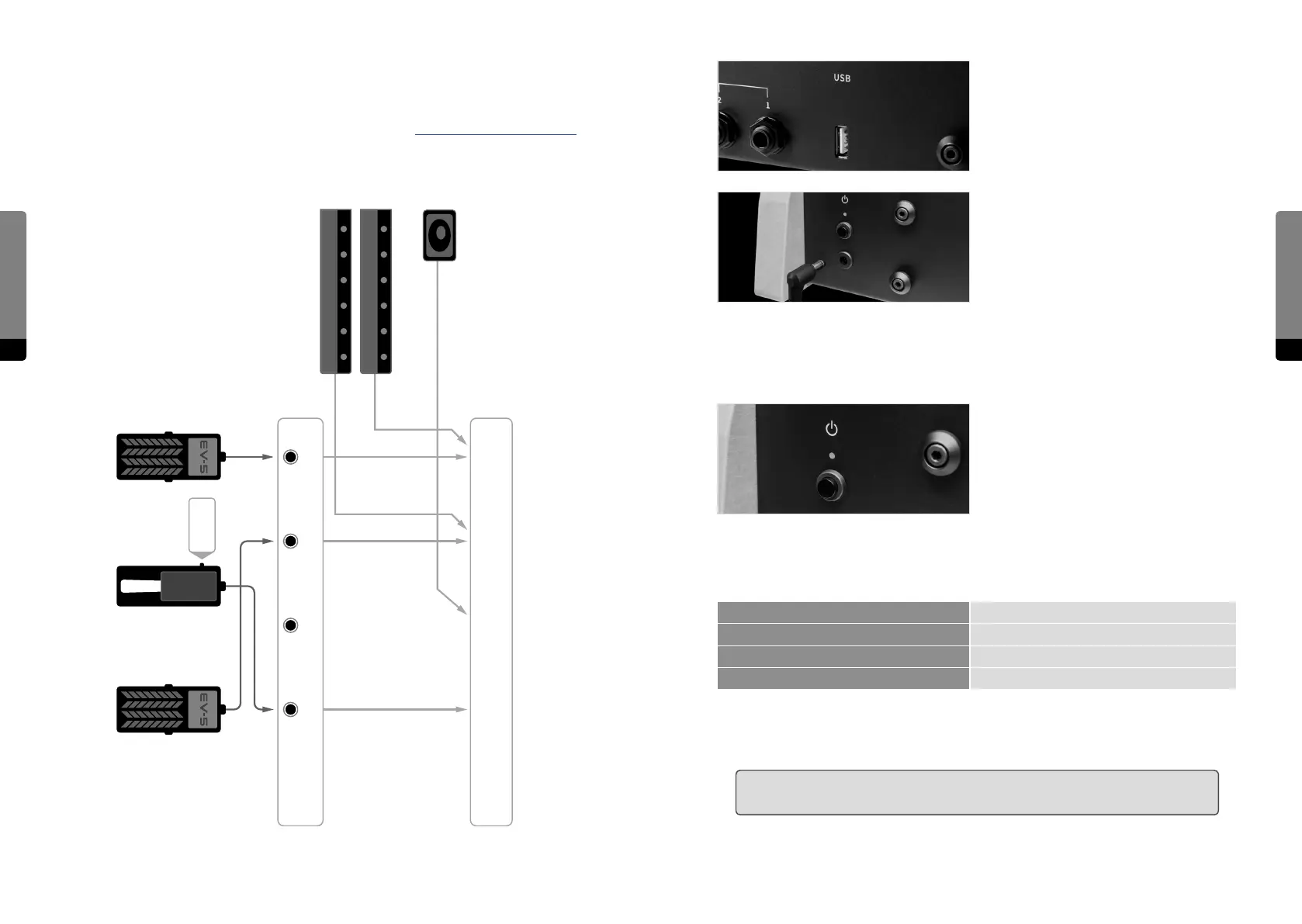
The USB connection allows for plugging
in the USB stick, which is part of the C15
package. Via USB, preset banks can be
transferred and updates can be installed.
The C15 comes with its own external power
adapter, which can be connected to the
corresponding appliance inlet. A small LED
next to the inlet indicates the power, boot
and shut-down states of the C15.
2.3 Start and Shutdown
Turn on the C15 by pressing the power
button and holding it for around a second.
The boot process will take several seconds
before the device is ready to use. The last
settings will be loaded on startup. To shut
down the C15, press the power button and
hold it for around a second. The shutdown process will take several seconds, storing the
current settings for the next startup, before the device will turn o. A small LED next to the
inlet indicates dierent operation states of the C15 as follows:
steady lit on/normal operation
slow blinking booting
fast blinking shutting down
flashing every 2 seconds Standby mode
A flickering LED indicates an irregular operation mode. It means for example the supply
voltage is too low.
߱ Ensure that the power supply is not interrupted when using the C15 (booting,
performance, shutdown) in order to prevent data loss.
Connecting Pedals and mapping Hardware Sources
Most factory presets use a mapping as shown below. For more information on Hardware
Sources and especially modulation aspects, refer to chapter 5.4 Using Hardware Sources.
Pedals
Macro
Controls
Continous
Mode !
Color 2
2
Color 1
1
Pitchbend
3
Sust Pedal
4
DP-10
Ribbons
Bender


 To Next Page