User Interfaces
User Interfaces
38 39
→ Graphical UI
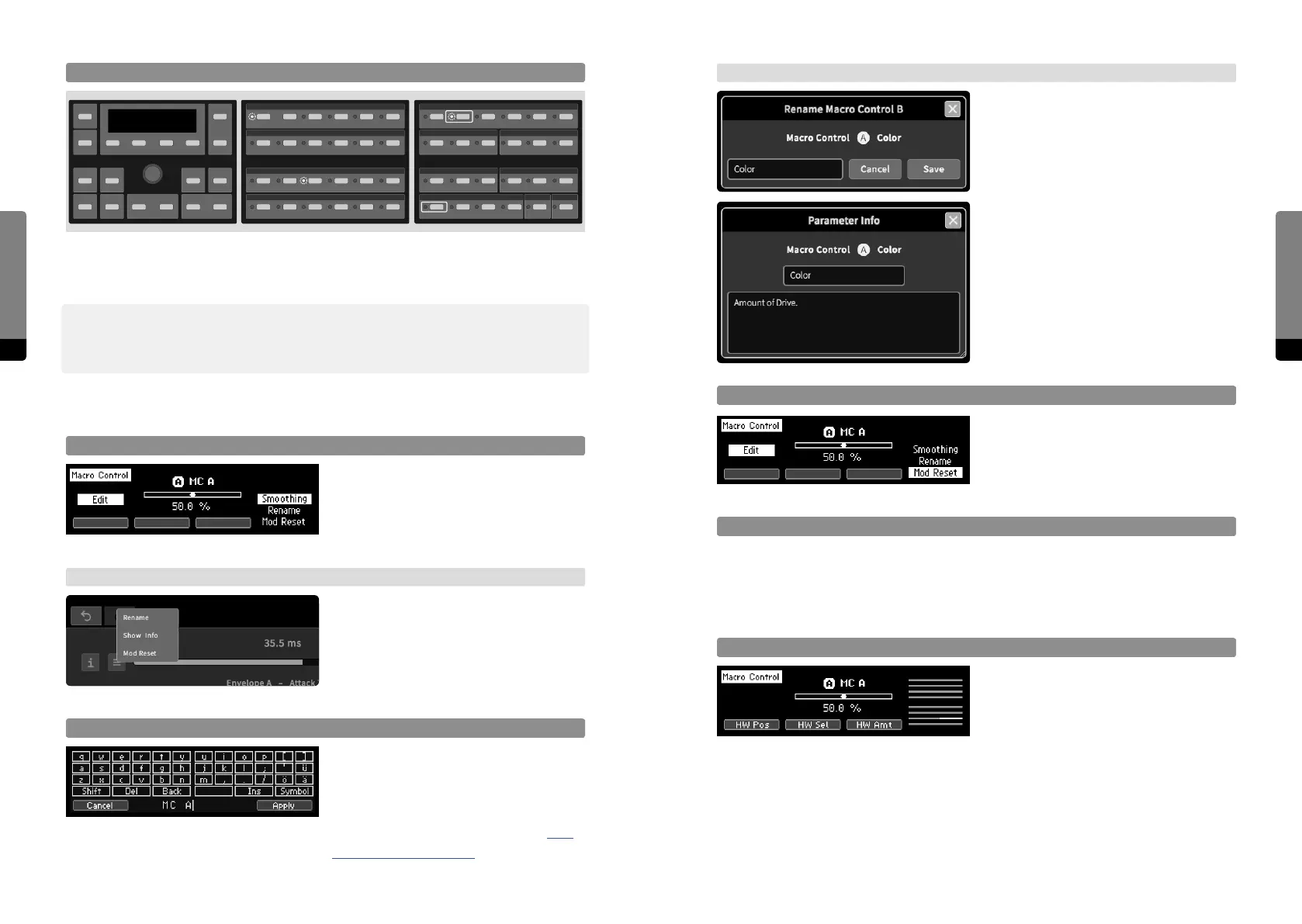
A rename dialog appears and the label can
be edited with mouse and keyboard.
The info window appears and the info text
can be edited with mouse and keyboard.
Mod Reset (clear Target Assignments)
Assignments to target parameters of a
selected Macro Control will be reset.
Adjust Macro Control Smoothing Time
not yet implemented
4.4.3 Assigning a Macro Control to Hardware Sources
Focus on Assignment Aspects
By default, the Macro Control position is
in focus. So Buttons 1 to 4 provide focus
navigation, pressing a button twice will
return to the default focus. One Hardware
Source can be selected, and its eect on the Macro Control can be edited. When Ribbon1
is in Edit mode, the selected aspect can be edited there as well (but selection is only
available on the Panel Unit).
Fast Mapping (Panel Unit only)
When the Selection button of a potential target parameter is pressed while the Selection
button of a Macro Control is held, the assignment can easily be switched on or o. This
only works for target parameters on top of the stack.
߰ This method only handles the actual mapping of target parameters to a Macro Control.
Modulation amounts have to be adjusted by focussing on each parameter. However, the
modulation amounts are preserved and will recall the last value they were adjusted to.
4.4.2 Macro Control Properties
Focus on Macro Control Properties
Press the Edit button in order to focus on
properties, provided by a stack on the right.
The stack can be cycled with So Button4.
When pressing the Enter button, the
selected property will be available in focus.
→ Graphical UI
In the Parameter tab, a menu icon can be
clicked. In the main area, a right click on a
Macro Control element will also invoke a
context menu providing access to Macro
Control properties.
Rename and edit Macro Control Info
The Rename screen provides a mechanism
in order to edit the label or info text of a
selected Macro Control. So Button1 can-
cels the process, So Button4 confirms
and applies the process (see chapter 4.10
The Rename Mechanism for further details).
Macro Controls



 To Next Page