38
Appendix Communication - Software
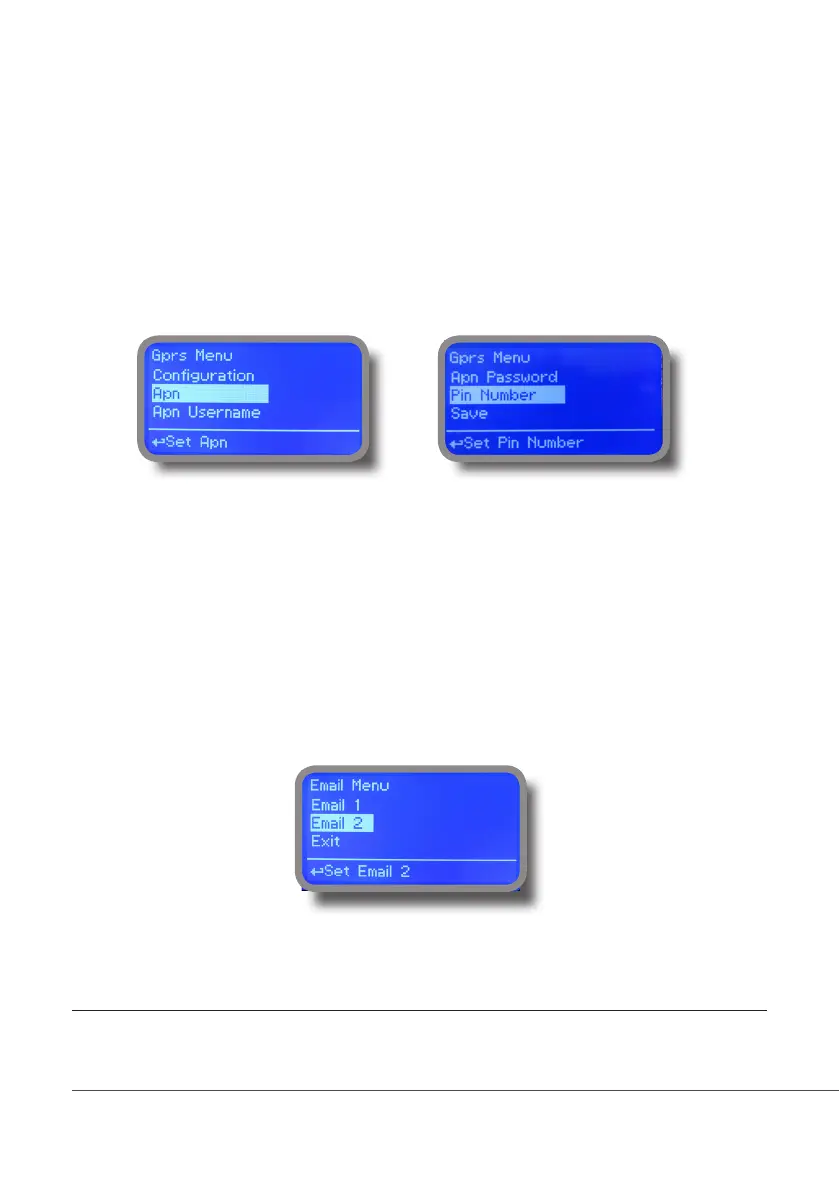
“GPRS” menu.
Instrument may be remotely operated using an embedded standard GPRS modem (sold as option). In order to activate
this service please ensure that the following steps are correctly completed:
- Make certain the antenna location is not shielded by metal objects or near sources of electrical ‘noise’.
- Make certain the distance from the antenna to the “Instrument” unit is within cable length.
- Do not route the cable where it could be pinched in doors, windows etc.
- Ensure that SIM into “Instrument” modem is correctly inserted, activated and within operator range.
Instrument can be set for ERMES services enabled (Conguration option set to “ERMES YES”) or messages only
(Conguration option set to “ERMES NO”) based on your SIM data access parameters. For manual conguration option
enter APN (access point name) and SIM phone number. Move wheel on “OK” to save and move on “ESC” to go back to
main menu.
Don’t forget to enter SIM CODE into PIN NUMBER menu to unlock SIM.
WARNING: THIS FUNCTION COULD NOT BE FREE OF CHARGE. DEPENDING ON YOUR OPERATOR CONTRACT IT
COULD GENERATE PAYING DATA TRAFFIC !
“Email” menu.
If Ethernet module or GPRS module is installed (sold as option) the instrument can be congured to send email alarm
messages up to two recipients. Click on “Email 1” or “Email 2” and enter email address.
Access point name (APN) identies an IP packet data network (PDN), that a mobile data user wants to communicate with. In addition to identifying a PDN, an
APN may also be used to dene the type of service, (eg connection to wireless application protocol (WAP) server, multimedia messaging service (MMS)), that
is provided by the PDN. APN is used in 3GPP data access networks, eg general packet radio service (GPRS), evolved packet core (EPC).



 To Next Page