32 Chapter 4 Working with mailboxes
P0919416 03
Changing a mailbox
After you add a mailbox, you can change the mailbox:
• password
•extension
• Class of Service
•display name
• appearance in the Company Directory
• Message Waiting Notification
• outdial route
• Alternate extension
• Express Messaging Line
• Call Screening
To change a mailbox
Note: Reset a password only if the mailbox owner forgets it or is “locked-out”. The
password for a reset mailbox is 0000. Mailbox owners cannot access their messages until
they change the default password. After you reset a mailbox password, tell the mailbox
owner to change the default password as soon as possible. While the mailbox has the
default password, the mailbox is vulnerable to unauthorized access.
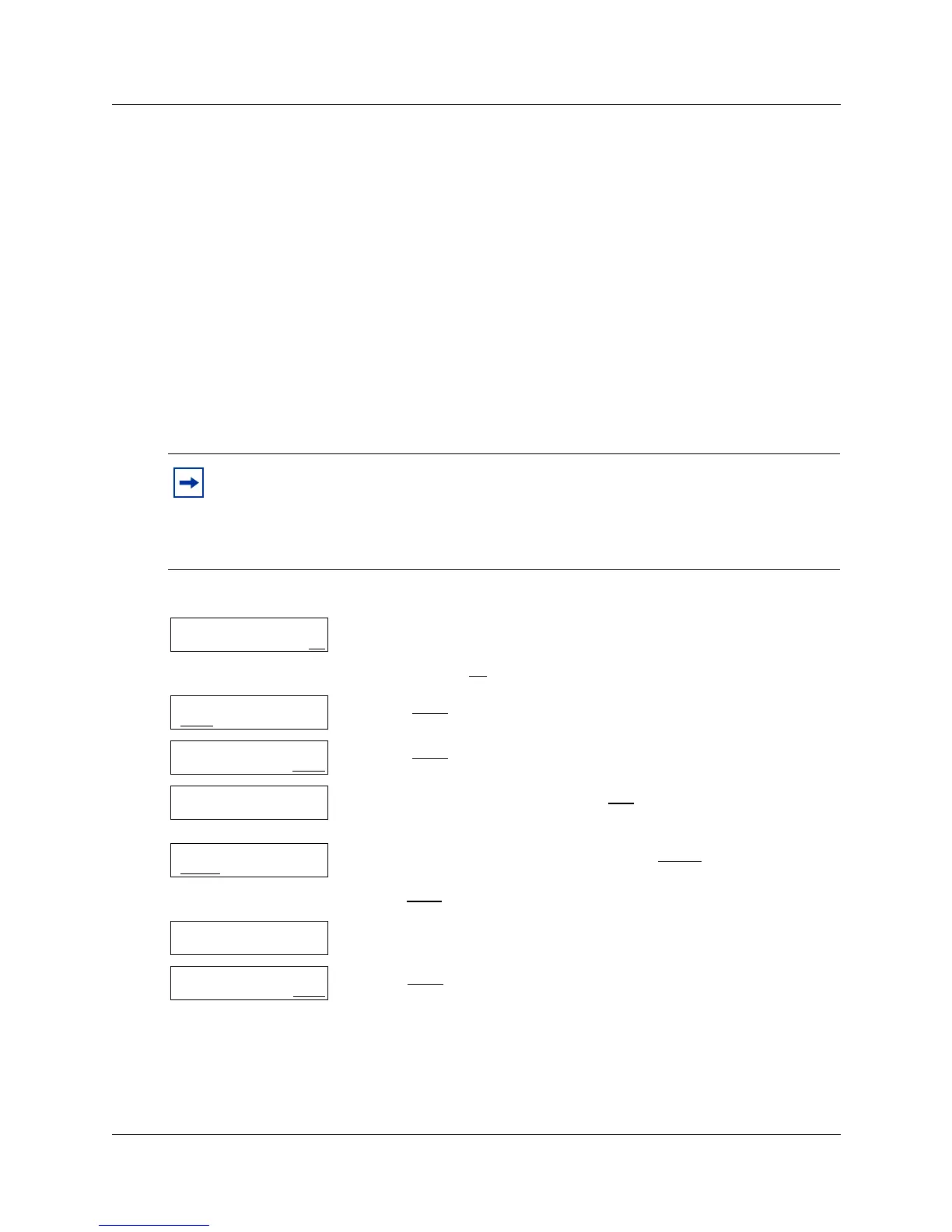
1 Press
≤·°‹.
Enter the System Administrator mailbox number and password,
and then press OK
.
2 Press MBOX
.
3 Press CHNG
.
4 Enter the mailbox number or press DIR
to use the Company
Directory.
5 If you want to change the password press RESET
or
press NEXT
to change other mailbox settings and go to step 8.
6 The password is reset.
7 Press NEXT
to change other mailbox settings
or
press ® to end the session.
Log:
QUIT RETRY OK
Admin
MBOX AA OTHR
Mailbox Admin
ADD DEL CHNG
Mbox:
DIR QUIT
Password
RESET NEXT
Password reset
Password
RESET NEXT



 To Next Page