70 Chapter 7 Working with CCR Trees
P0919416 03
Adding a Mailbox node
Adding a mailbox node gives callers a mailbox where they can leave a message or listen to an
Information message, depending on the mailbox type. You create a Mailbox node by giving it a
Path number and assigning a mailbox number. You can add a Mailbox node to a CCR Tree at any
time.
A mailbox cannot receive messages until it is initialized. For information on initializing mailboxes,
see “Initializing a mailbox” on page 24.
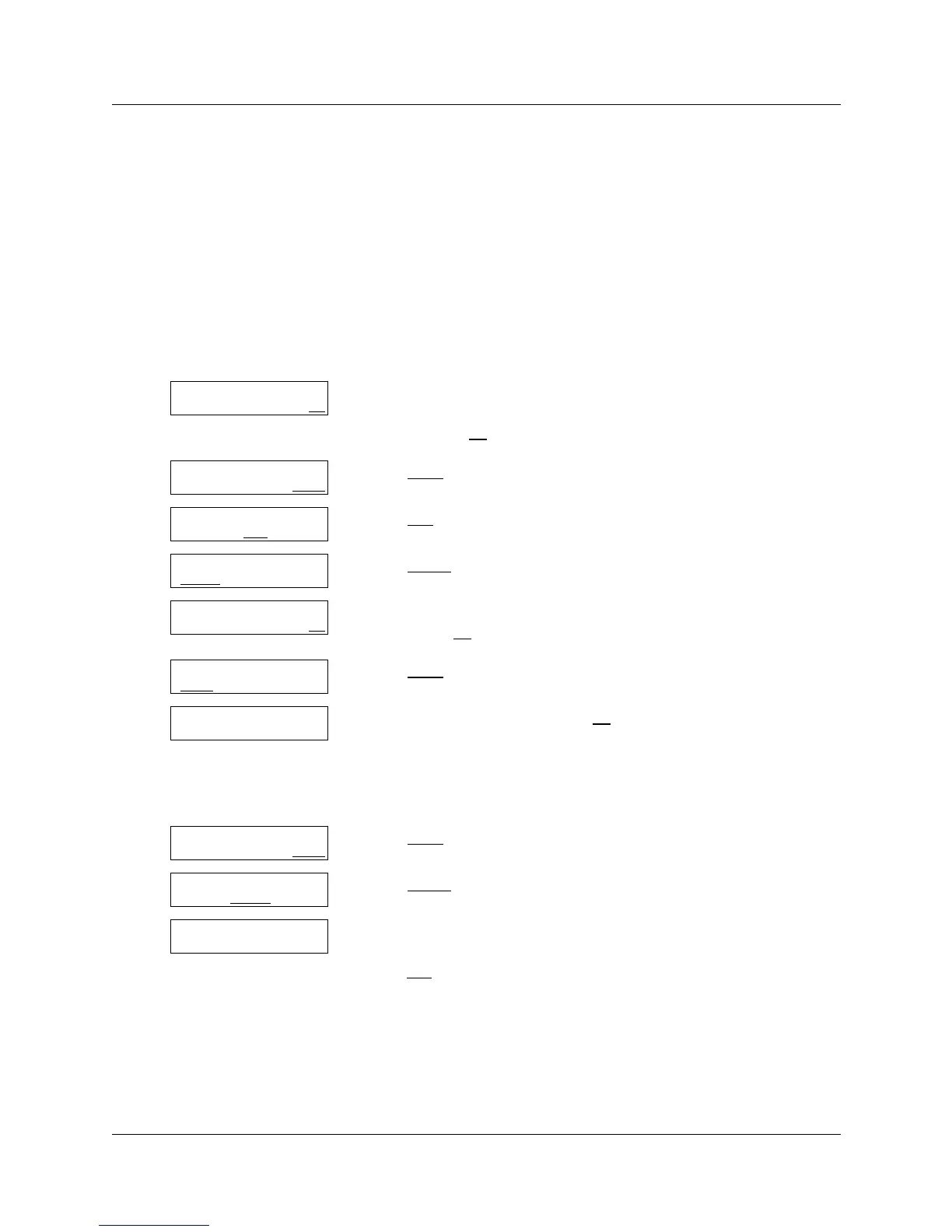
To add a Mailbox node
1 Press ≤·°‹.
Enter the System Administrator Mailbox number and password,
and then press OK
.
2 Press OTHR
.
3 Press CCR
.
4 Press ADMIN
.
5 Enter the number of the CCR Tree you want to add a Mailbox node
to and press OK
.
6 Press CHNG
,
7 Enter the Path number and press OK
.
For example, to create a Mailbox node on the second level of a CCR
Tree, enter ⁄⁄. The first 1 is the path of the first level Menu
node. The second digit is the path where you want to create the
Mailbox node.
8 Press OTHR
.
9 Press LVMSG
.
10 Enter the mailbox number
or
press DIR
to access the Company Directory.
Log:
QUIT RETRY OK
Admin
MBOX AA OTHR
Admin
GLIST CCR
CCR Admin
ADMIN
CCR tree:
RETRY OK
Tree: x
CHNG
PRINT QUIT
Path:
RETRY END OK
x
MENU INFO OTHR
x
XFER LVMSG
OTHR
Mbox:
DIR QUIT



 To Next Page