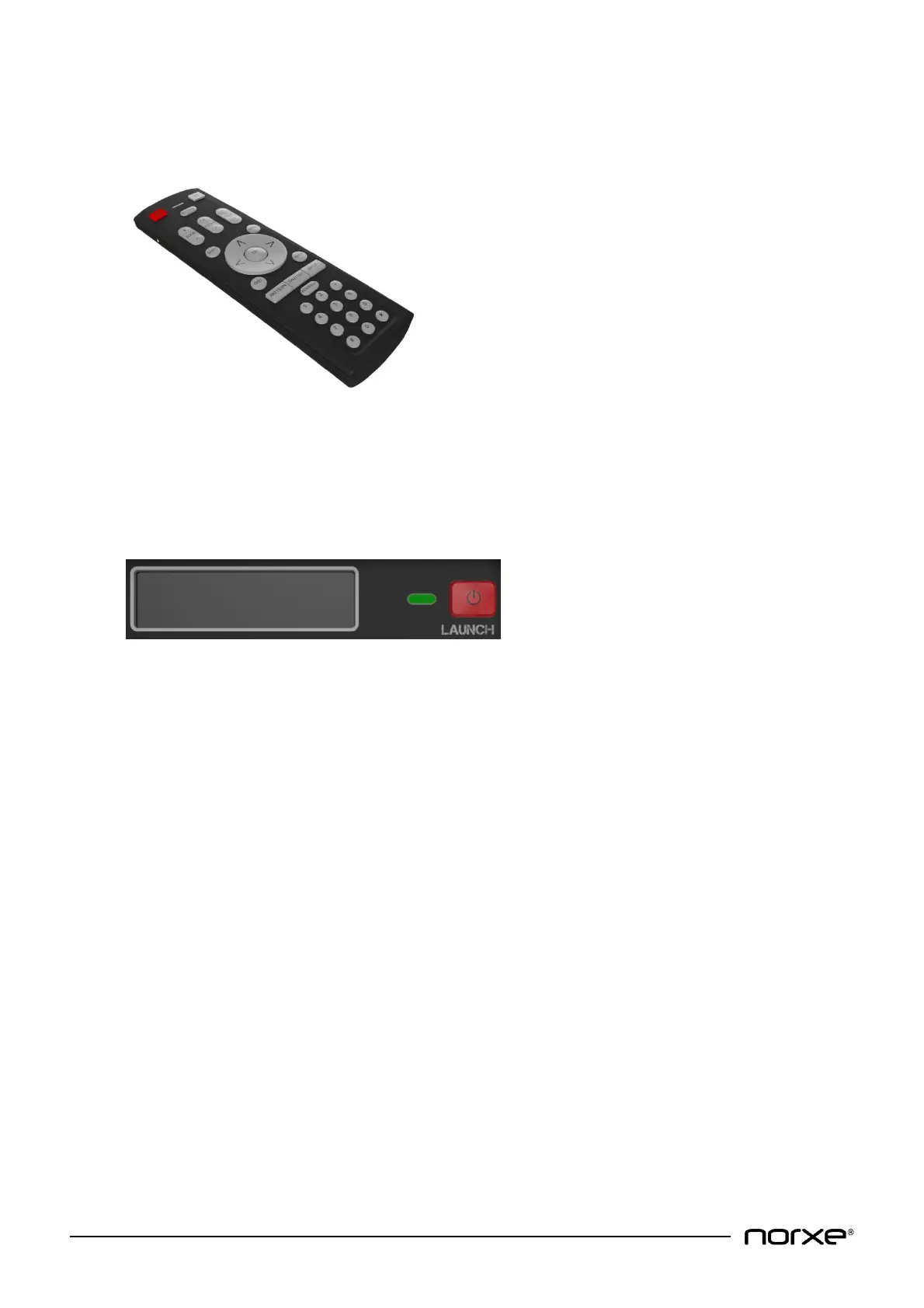
8.3 Remote Control
The projector is supplied with a Remote Control. The Remote Control can be used in infrared (IR) mode or in
wired mode. A wired lead with 3.5 mm Jack terminations is required for the latter mode of operation (wired lead
not supplied as standard).
Remote Control functionality mirrors that of the projector keypad.
8.4 Status Indicator Light Modes of Operation
The Status Indicator Light and LCD are integral to the projector Keypad. They are both positioned adjacent to the
LAUNCH (power on / off) button. The status indicator light is used to display projector status, the LCD is used to
display related additional information in certain circumstances.
Status Indicator Light Modes of Operation
- PERMANENT AMBER LIGHT: The projector light source is off. The projector is in standby / ready mode.
- PERMANENT GREEN LIGHT: The projector light source is on. The projector is active.
- PERMANENT RED LIGHT: Over temperature. Projector shut down (to standby).
- FLASHING AMBER LIGHT: The projector is in a transitional state between standby and active or alternatively
between active and standby.
- FLASHING RED LIGHT: Critical error and / or one or more cooling fans not working properly.
NOTE! - Critical error cause dependent the projector may shut down (to standby) and restart. It is
normal for the Status Indicator to flash red during this process.
NOTE! - Projector will shut down if over temperature.
LCD Modes of Operation
- ‘Warming up …’ Additional information message displayed in conjunction with flashing yellow status
indicator light.
- ‘Shutting down …’ Additional information message displayed in conjunction with flashing yellow status
indicator light. Message is displayed for approximately 2 minutes. The projector light source cannot be
restarted during this timeframe.


 To Next Page