9.8 Lens Adjustment
To adjust zoom, press the Zoom + or - button on the projector keypad or the remote control. Zoom can also be
adjusted manually by rotating the lens zoom adjustment ring.
To adjust focus press the Focus + or - button on the projector keypad or the remote control. Focus can also be
adjusted manually by rotating the lens focus adjustment ring.
To adjust lens iris press the Iris button on the projector keypad or the remote control.
9.9 Scheimpflug Adjustment
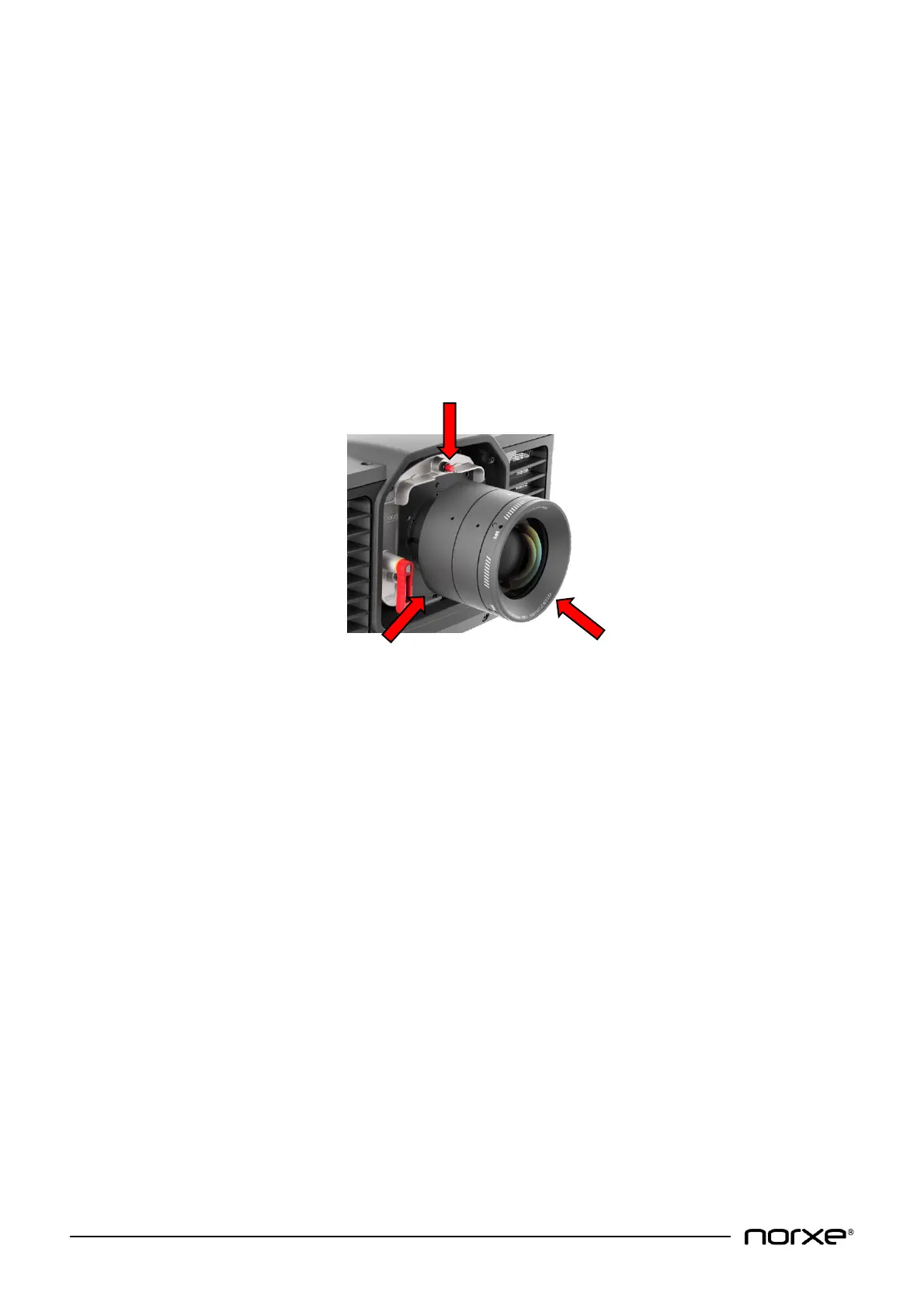
Three screws for Scheimpflug adjustment are provided on the lens interface plate. The screws are adjusted at
the factory to achieve a correct focus plane for a projection surface that is perpendicular to the optical axis.
NOTE! Do not adjust the Scheimpflug screws unless absolutely necessary! Changing the settings may
result in a partially unfocused image. Adjustments should only be performed by trained personnel.
To adjust, first loosen the three black 10mm locking nuts. Then adjust the red 6mm bolts as desired. Multiple
adjustments may be needed to find the proper alignment. When adjusted, carefully lock the black nuts.


 To Next Page