9 Basic Setup & Installation
NOTE! It is the responsibility of the system integrator to facilitate proper mounting of the projector in a
system according to relevant rules for safety.
9.1 Ventilation
NOTE! To ensure long life, make sure the ambient temperature is kept low, ideally around 20C / 68F.
NOTE! Air cleanliness must comply with that of a clean office environment (equivalent with cleanroom
standard ISO 14644-1 ISO Class 9).
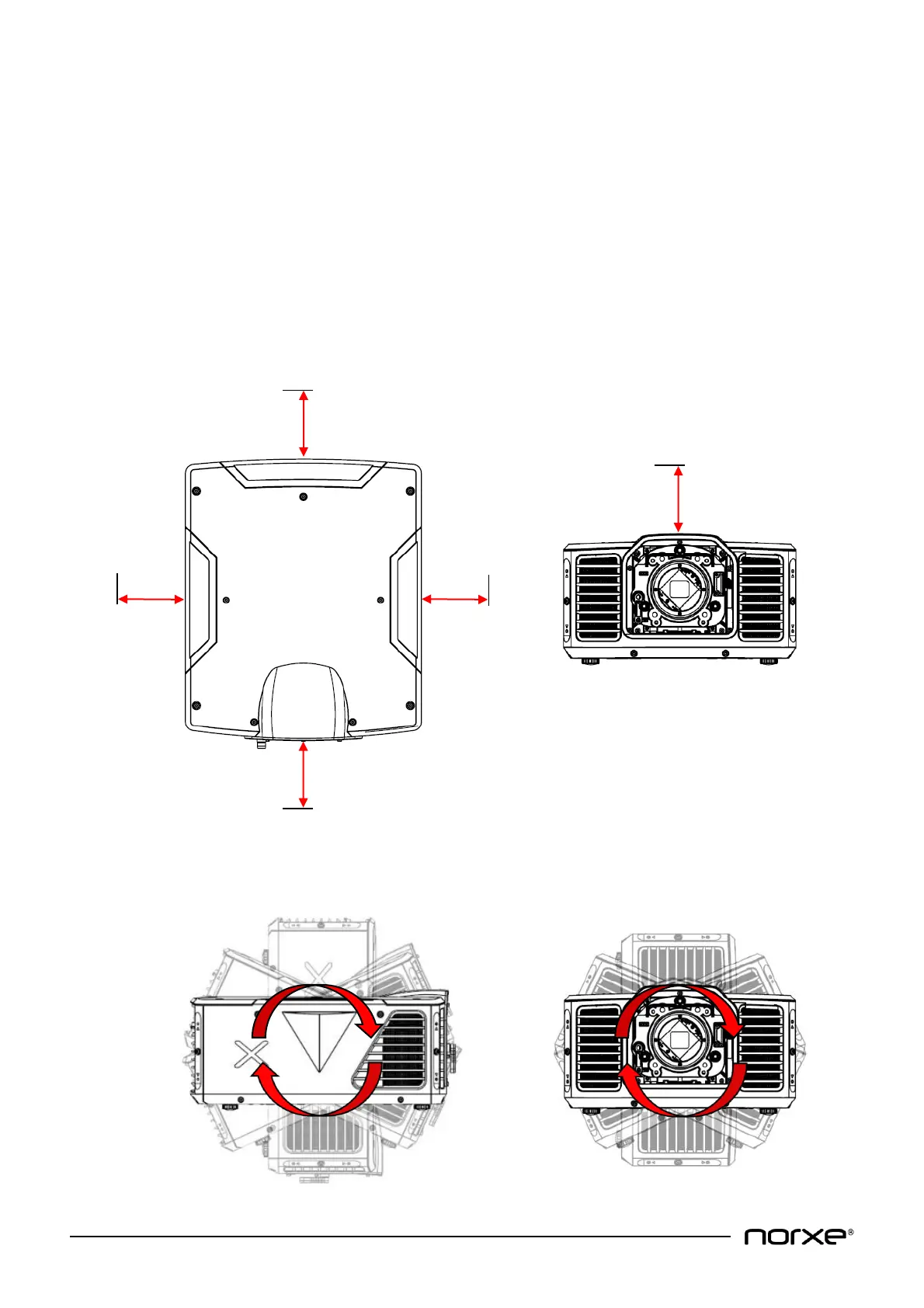
The projector is fan cooled and must be installed with sufficient cooling space around it. Cool air is drawn in at
the front & front sides of the projector, hot air is exhausted at the rear of the projector. The illustrations below
show minimum recommended clearance to a solid object.
9.2 Orientation
The projector can be installed in any orientation.


 To Next Page