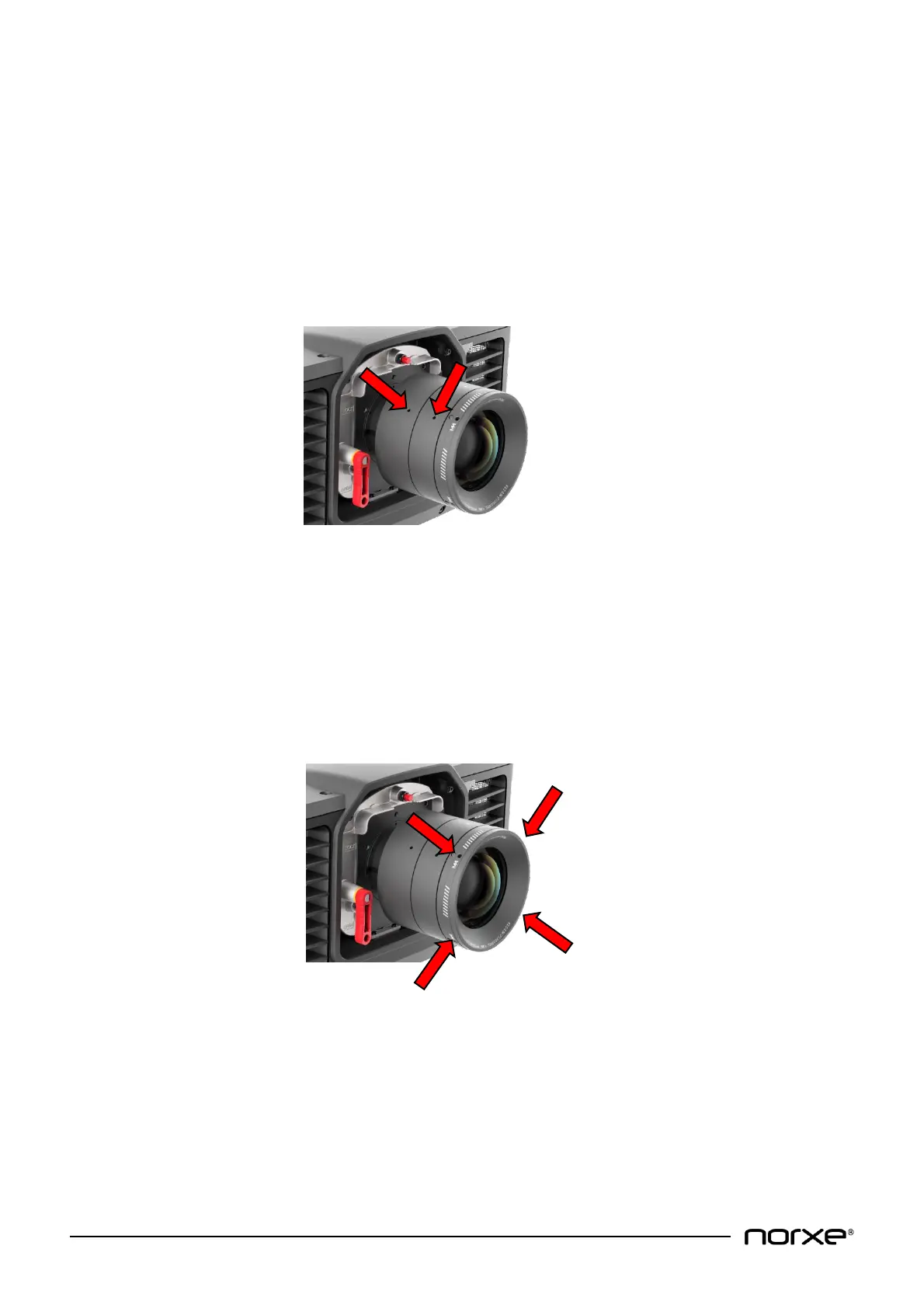
It is generally recommended to use the 4 x DIN912 M6x8 Allen bolts to secure the projection lens in place. This
is especially relevant to motion-based applications.
Lens removal is the opposite of fitment.
NOTE! For added protection remember to fit the lens plate back in place whenever a projection lens is
not mounted!
9.6 Locking Zoom & Focus
The zoom and focus rings on the projection lens can be locked into position using the 2 x DIN916 M3x3 Allen
studs (included with the projector) after setup.
NOTE! Do not operate the motorized zoom and focus controls after locking!
NOTE! It is recommended to disable the Lens motors function within the projector Menu to prevent
inadvertent lens motor operation after locking. For further information please refer to section 8.10.3 of
this User Guide.
9.7 Lens Support
The lens outer ring has four M4 mounting holes for additional lens-support. Maximum screw insertion length is
4 mm.
NOTE! Do not affix any accessories to the projection lens! Use only to support the lens if needed.



 To Next Page