VX600 All-in-One Controller User Manual
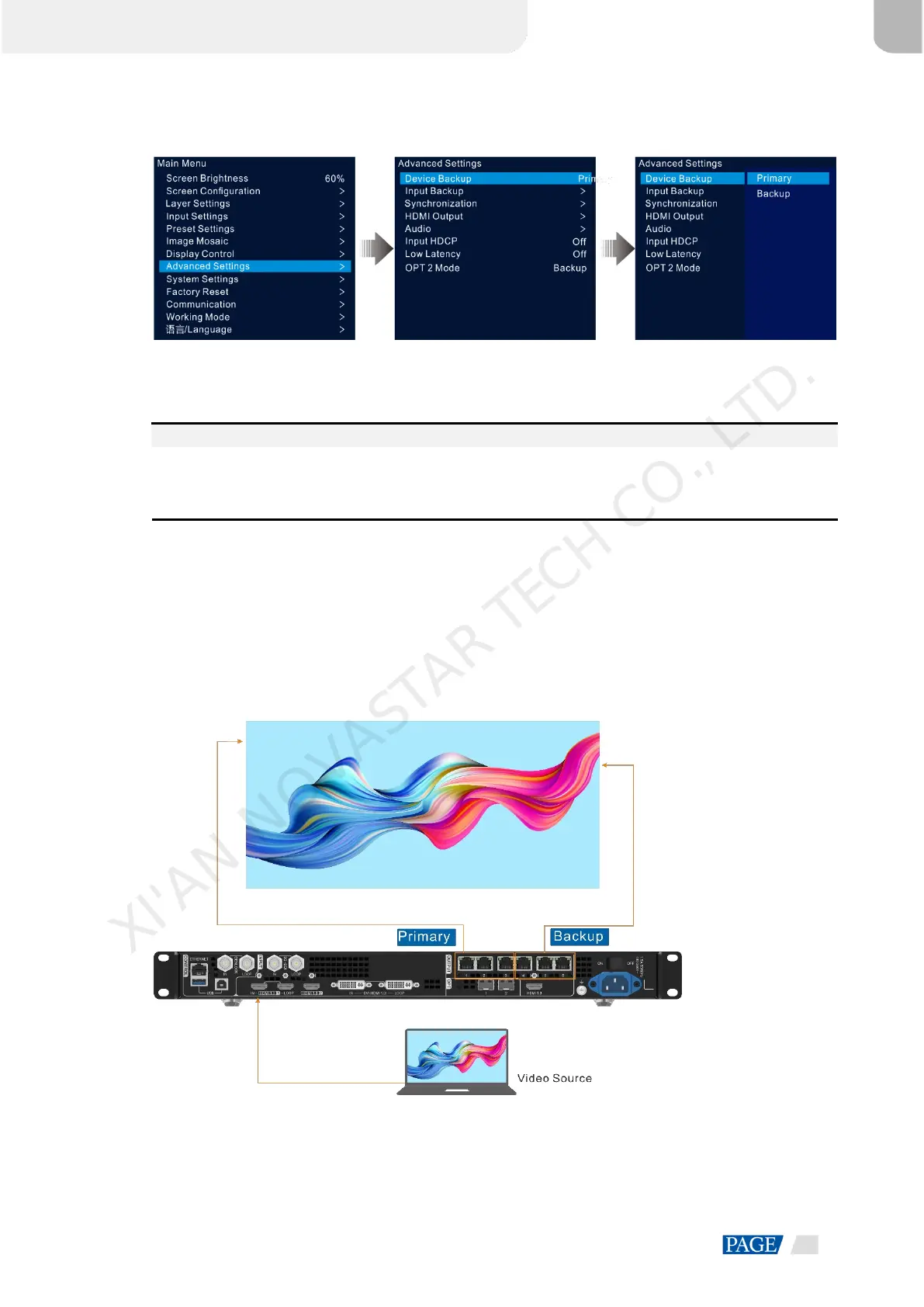
Figure 5-26 Device Backup
Step 2 Rotate the knob to select Primary.
Follow the same procedure to set the other device as Backup.
Notes:
In the device backup mode, the quantity of the cabinets loaded by each Ethernet port on both the primary
and backup devices must be the same, but their data flow must be in a reversed way.
The layers and layer property settings on both the primary and backup devices must be the same.
Backup between Ethernet Ports
Ethernet port backup allows you to set the backup relationship between two Ethernet ports. When the primary
port has a problem or the primary port's Ethernet cable fails, the backup port will take over the responsibilities
of the primary port seamlessly and continue to work well to ensure the LED screen will not go black. When
setting the backup between the Ethernet ports, you need to complete it in NovaLCT.
The connection diagram for the Ethernet port backup:
Figure 5-27 Ethernet port backup connection
XI'AN NOVASTAR TECH CO., LTD.



 To Next Page