VX600 All-in-One Controller User Manual
The setting procedure for the Ethernet port backup:
Step 1 Run the NovaLCT software. On the menu bar, go to User > Advanced Synchronous System User Login.
Enter the password and click Login.
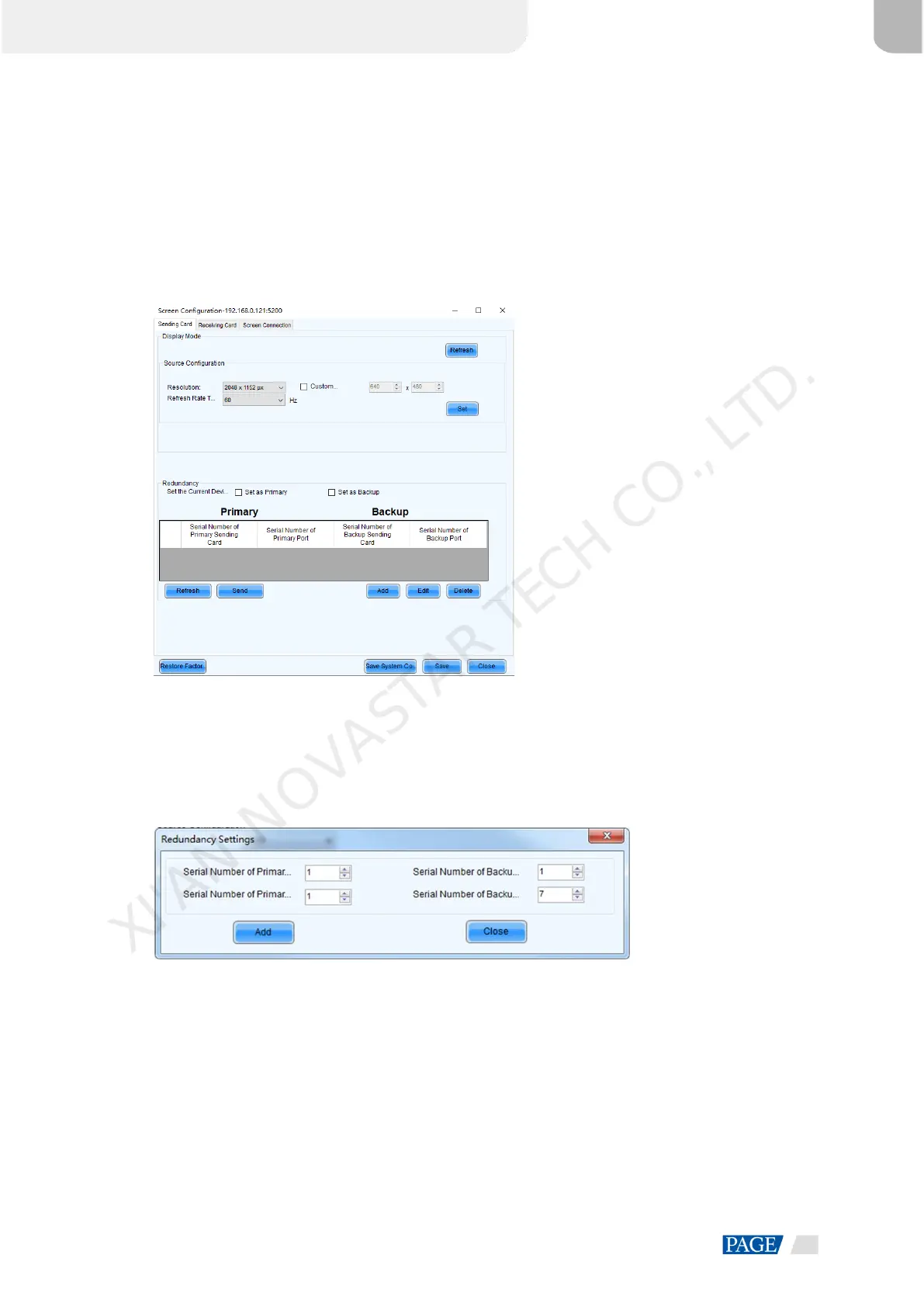
Step 2 Click Screen Configuration to enter the screen configuration page.
Step 3 Click Next to enter the screen configuration page.
Figure 5-28 Screen configuration
Step 4 Select the Sending Card tab, and then click Add in the Redundancy area.
Step 5 Set the serial numbers of both the primary device and backup device to 1.
Step 6 Set the serial number of the primary port and the serial number of the corresponding backup port.
Figure 5-29 Ethernet port backup
Step 7 Click Add to complete the backup settings of an Ethernet port, and the system will automatically list the
primary ports and backup ports.
XI'AN NOVASTAR TECH CO., LTD.



 To Next Page