ECR User`s Manual ECR User`s Manual
7
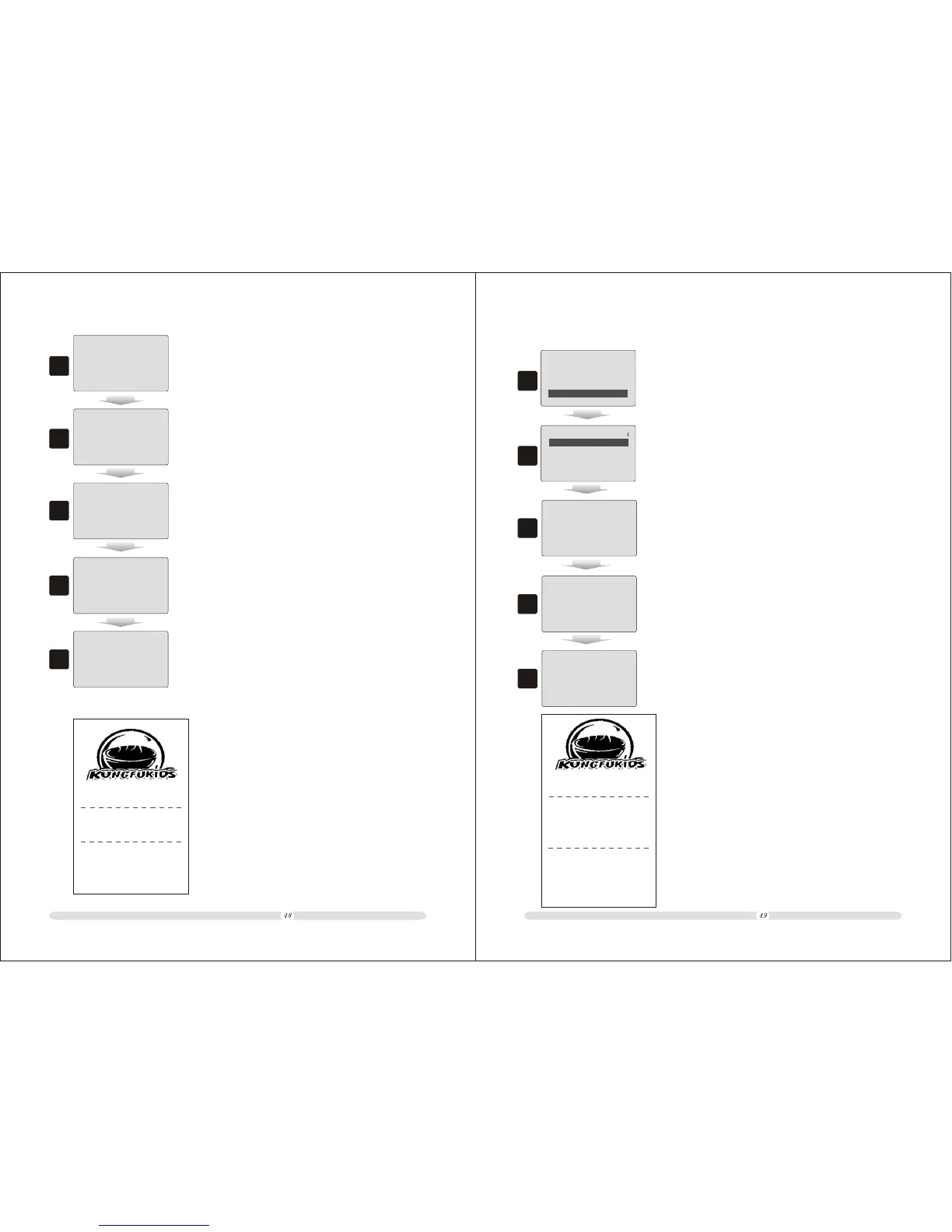
7. “Enter” to end the current transaction and got receipt below.
CASH
10.00
3
4
5
Input /ESC to Menu
04-04-2009 17:18:47
SIPCY
04-04-2009 17:18:47
1
12345678
POTATO CHI
==Total==
10.00
10.00
10.00
6
SIPCY
04-04-2009 17:18:47
1
3. In registration mode and before selling, key in the taste # “1”
to select taste “SPICY”;
5. Key in commodity code;
6. Press “PLU” to confirm the commodity;
4. Press “Dept01/Taste Message” to confirm. The following
commodity sold will be with taste “SPICY”;
POTATO CHIPS
1 10.00 10.00
SPICY
Item: 1
TOTAL 10.00
Cash 10.00
Receipt NO.: 0
04-04-2009 17:19 Saturday
Item Qty Price Amount
Cashier:Manager
MachNo:0000
4.3.12 Pay in Different Ways
1
=====
Pay Ways
=====
Name:USD
Foreign/Currency:
1: 7
Save...
1. Firstly users need to define a currency and the exchange rate.
rd
Here we take USD as the “3 Pay Way” for example;
2
rd
2. Users also need to define a hot key for “3 Pay Way”. Here we
rd
take “Dept01” as “3 Pay Way”;
== Set Function Key ==
4th Pay Way: 0
5th Pay Way: 0
6th Pay Way: 0
3rd Pay Way: 1
3
3. “Subtotal” to end selling commodities;
Subtotal
25.00
4
rd
4. Key in “10” and press “Dept01/3 Pay Way” to make it in USD.
Then system will automatically calculate the converted total
cash and ends the transaction and got change displayed;
Subtotal
10.00
5
5. The customer consumed RMB25 in total and paid USD10.
The change should be USD10 x 7 (exchange rate)
RMB25=RMB45.
Subtotal
45.00
HP PENCIL
1 10.00 10.00
HP PENCIL
3 5.00 20.00
Subtotal 25.00
Item: 4
TOTAL 25.00
USD 10.00
Convert Cash 70.00
Change: 45.00
Receipt NO.: 0
04-04-2009 17:22 Saturday
Item Qty Price Amount
Cashier:Manager
MachNo:0000



 To Next Page