ECR User`s Manual ECR User`s Manual
7.3 Taste Option
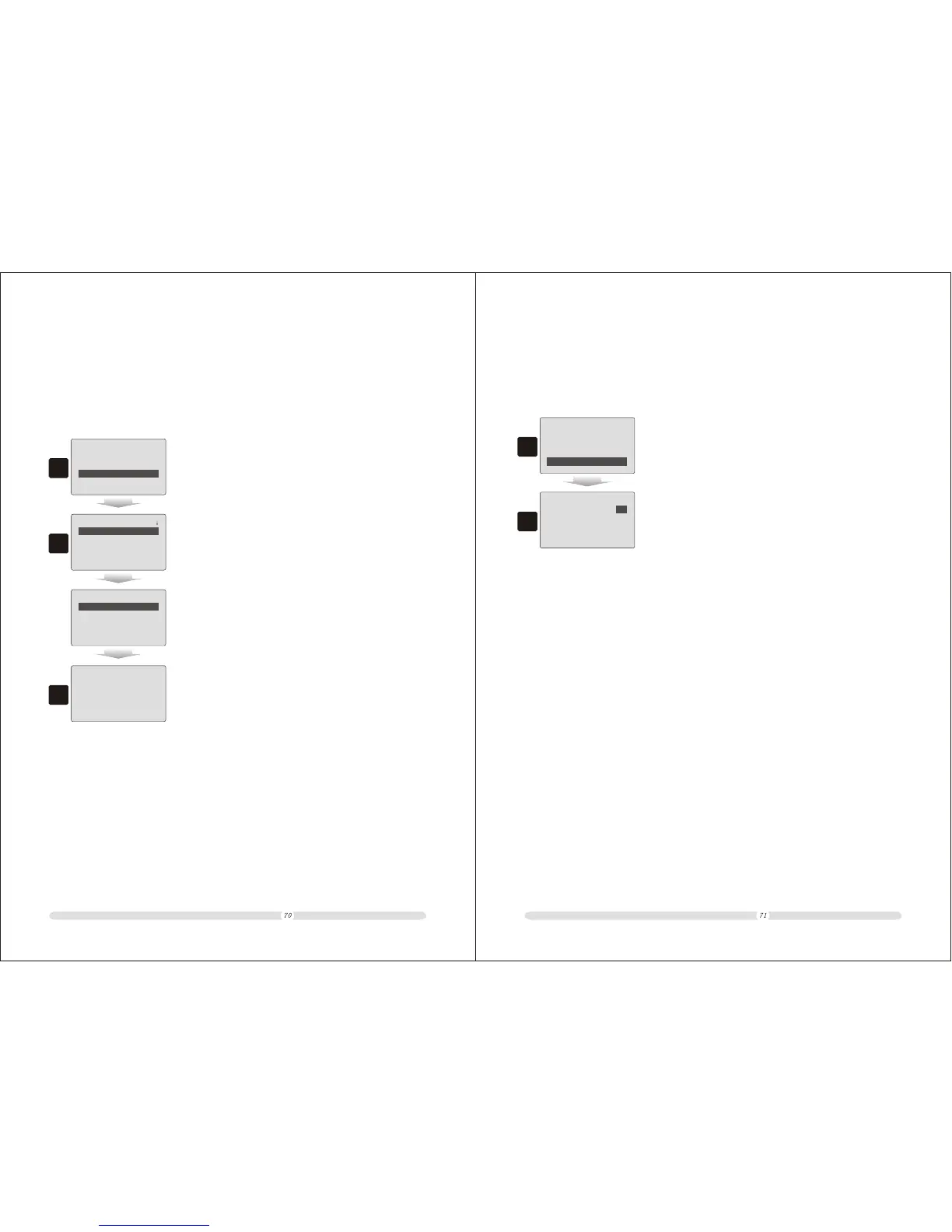
Different people may have different tastes to food. For a restaurant, the cash register provides
up to 8 tastes options. Below steps teach users to modify tastes.
1. In “Restaurant” page, move cursor to “Taste Option” and
press “Enter”;
Restaurant
====
Meal Set
Promotion
Service Charge
Taste Option
====
1
2. In “Taste Option” listing, select one taste and press “Enter”
to modify it;
Taste Option
====
1st Taste Name:
2nd Taste Name:
3rd Taste Name:
4th Taste Name:
====
2
Taste Option
====
5th Taste Name:
6th Taste Name:
7th Taste Name:
8th Taste Name:
====
3. Key in the taste name press “Enter” to confirm and end the
operating.
<Enter> Yes, <ESC> Exit
SPICY
ABC.: ( 5/32)
3
7.4 Service Charge
The cash register provides “Service Charge” function.
1. In “Restaurant” page, move cursor to “Service Charge”
option and press “Enter”;
Restaurant
====
Meal Set
Promotion
Taste Option
Service Charge
====
1
2. In “Service Charge” page, users could define the service
charge rate and whether to charge services. At the end, select
“Save…” and press “Enter” to save all changes.
Service Charge
===
Service Charge:
Rate: 0.0%
Save...
X
===
2



 To Next Page