ECR User`s Manual ECR User`s Manual
Chapter 7 Restaurant Management
The cash register provide “Restaurant” model special for restaurant resolutions. It provides
functions of meal set, promotion, tastes and service charge.
=== NTS ===
M Member
T TAX/VAT
R Restaurant
In main menu page, move cursor to “R Restaurant” option and
press“Enter” to go into restaurant applications.
7.1 Meal Set
In meal set directory, users could establish meal sets for selling. And other accessory functions,
such as modify and delete meal sets, and reports for meal sets.
======
Restaurant
Meal Set
Promotion
Taste Option
Service Charge
======
In “Restaurant” page, select “Meal Set” option and press
“Enter” to go into meal set directories.
1
====
Meal Set Info.
Create Meal Set
Modify Meal Set
Print Report
Del. Meal Set
2
Meal Set Info.
====
Number:
Name:
Price: 0.00
======
====
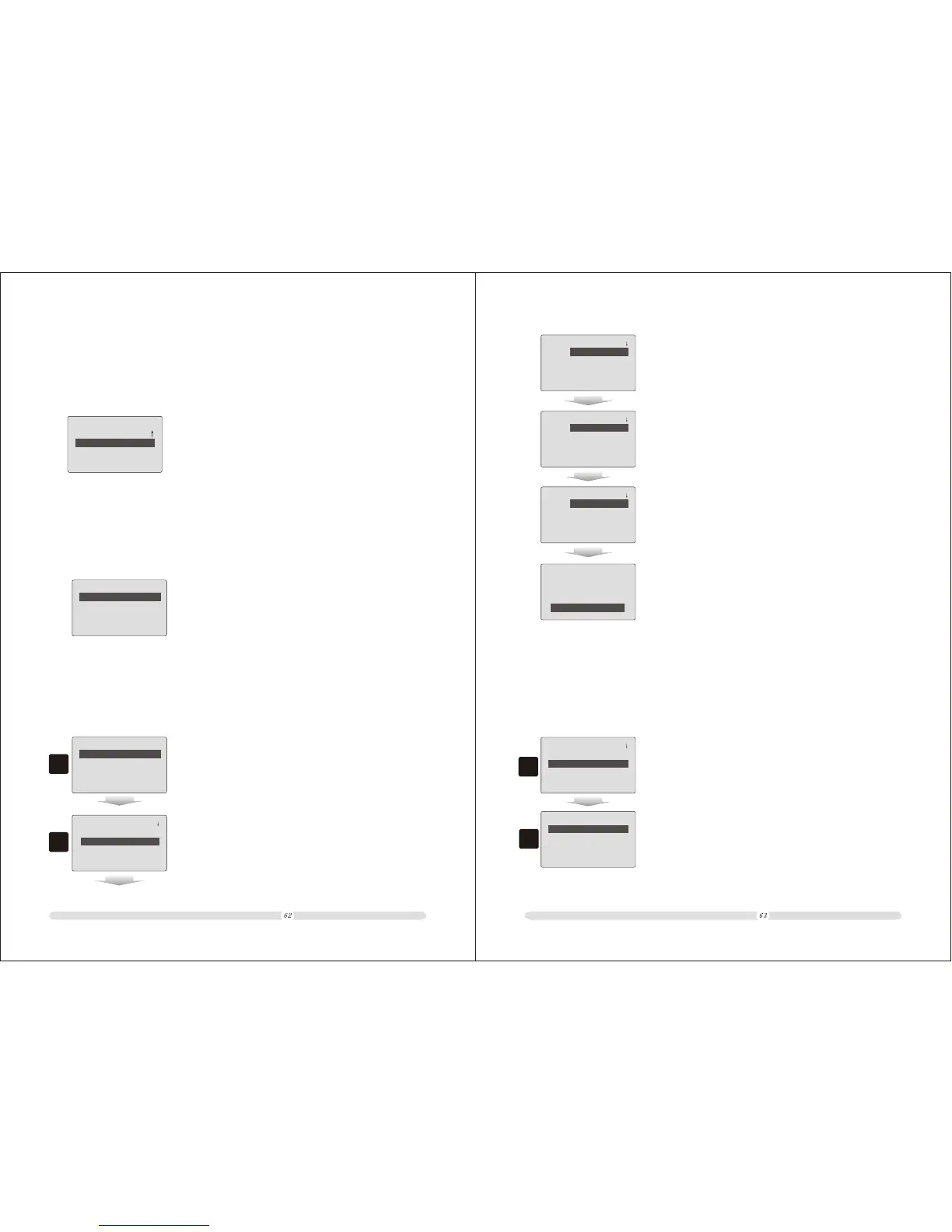
1. In “Meal Set Info.” Page, select “Create Meal Set” and press
“Enter” to confirm;
2. Then the system will prompt users to put in meal set
information. They are meal set code number, meal set name,
price and PLUs. The cash register provides 7 PLU for one
meal set. After all information confirmed, select “Save“ and
press “Enter” to confirm the meal set establishing.
7.1.1 Create Meal Set
Before selling a meal set, users need to create the meal set.
Meal Set Info.
====
Plu1:
Quantity: 0.000
Plu2:
Quantity: 0.000
====
Meal Set Info.
====
Plu3:
Quantity: 0.000
Plu4:
Quantity: 0.000
====
Meal Set Info.
====
Plu5:
Quantity: 0.000
Plu6:
Quantity: 0.000
====
Meal Set Info.
====
Plu7:
Quantity: 0.000
----- Save -----
====
7.1.2 Modify Meal Set
Users could search meal set and modify or delete it.
Meal Set Info.
====
Create Meal Set
Print Report
Del.Meal Set
Modify Meal Set
====
1. In “Meal Set Info.” Page, move cursor to “Modify Meal Set”
option and press “Enter” to confirm;
2
1
No.:
-
-
-
MEAL S-123456
2. Select the specific meal set and press “Enter” to confirm
selection;



 To Next Page