CNC Operation
en-938821/2 5 - 19
5
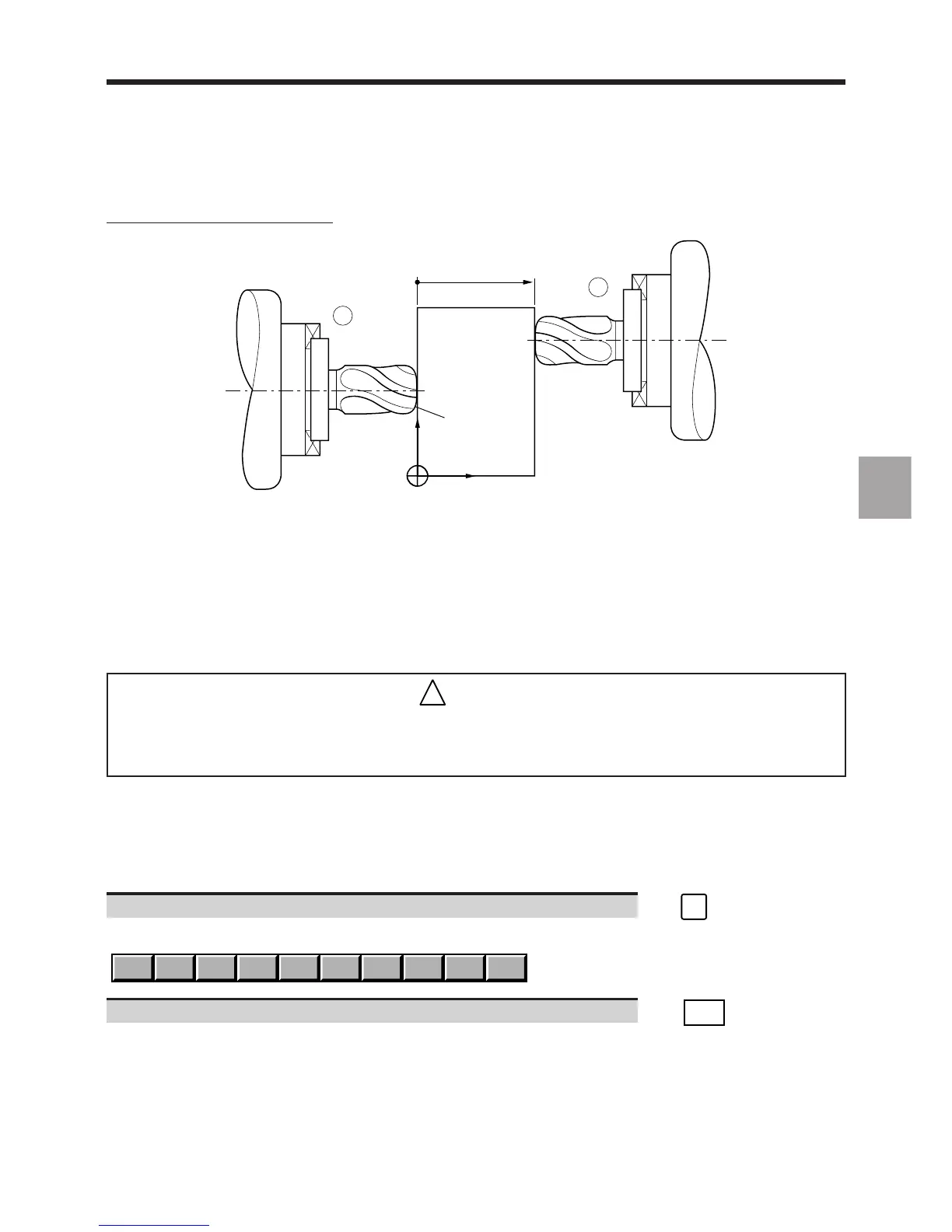
Measurement of L along the X axis
r = 1.1
Dimension in X
axis (second case)
Z
X
OP
2
1
Syntax:
1 D11 X - L (tool pointing in the opposite direction to the axis)
or
2 D11 X + L (tool pointing in the direction of the axis)
@ 1.1 can be omitted since it was transferred with R
5.2.2.2 Tool Dimension Entry via the Keyboard
This procedure is used to enter known tool corrections via the keyboard.
!
CAUTION
Remember that any tool corrections entered in this manner during machining may directly
affect the machining in progress.
Requirements
No mode being executed (except automatic, single or dry run modes).
Actions
Any page displayed, for each correction:
Select the Tool softkeys. ☞
TOOL
Display of the Tool softkeys at the bottom of the screen:
TLCOMP
WEAR + L or X R or Z WEAR 0
Select the tool dimension entry function. ☞
TLCOMP



 To Next Page