3 - 14 en-938821/2
3.3.1.3 Special Keyboard Keys
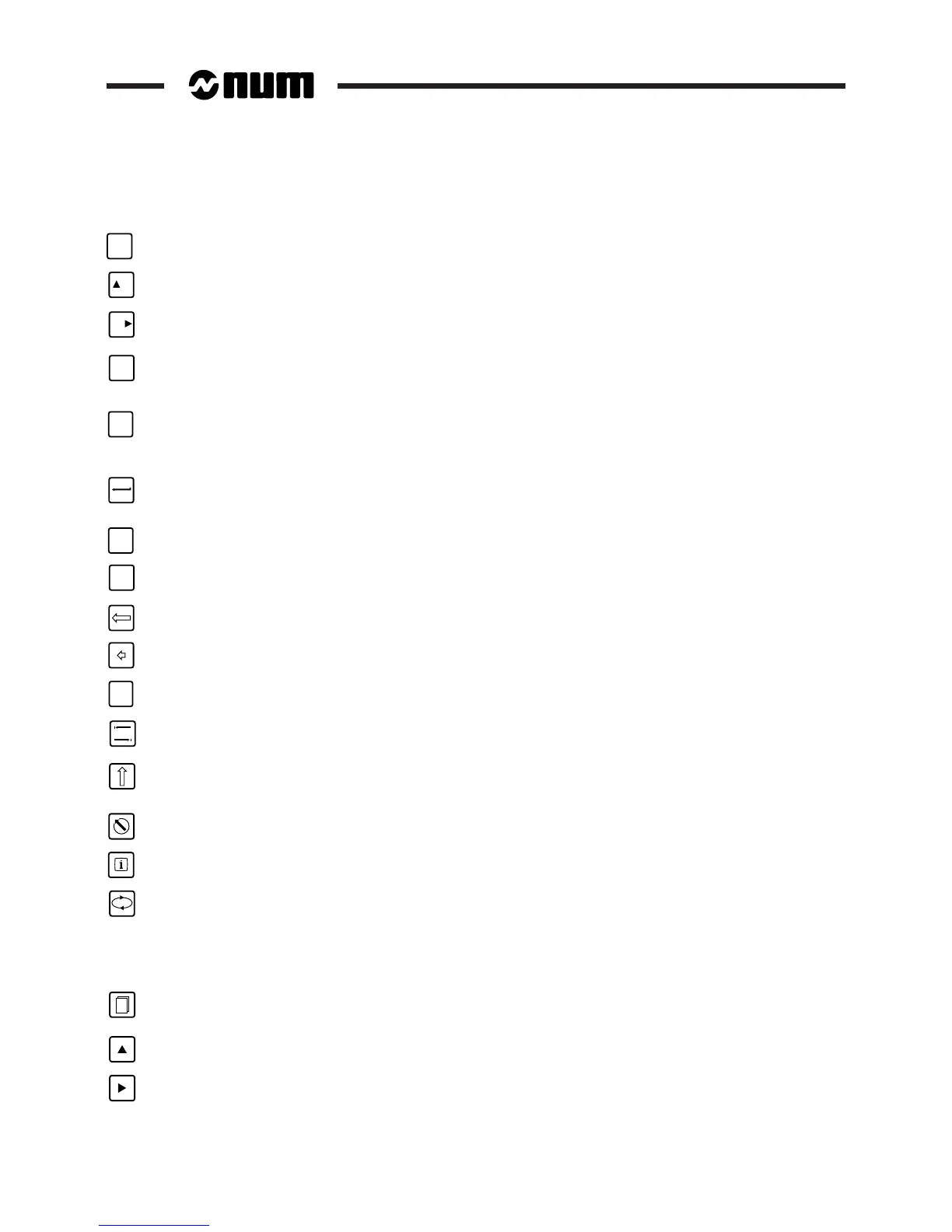
ESC
Escape key (QWERTY panel, not used).
F1
Key to access previous softkeys (50-key panel).
F12
Key to access next softkeys (only used for the Mode softkeys which are displayed in two parts).
CTRL
Control key: access to special characters (Xoff) and, on 50-key panels, to the characters engraved in the
bottom right-hand corner of the keys.
SHIFT
SHIFT key, held depressed to:
- access upper case characters and the second character on certain keys (QWERTY panel),
- access the characters in the top right-hand corner of the keys (50-key panel).
Enter key of the QWERTY panel (equivalent to the Valid key): confirms the dialogue line or selection in a
menu.
ENTER
Enter key of the 50-key panel: confirms the dialogue line or selection in a menu.
ALL
CAPS
Upper/lower case key (QWERTY panel).
Key used to delete current line (QWERTY panel).
Key used to delete previous character.
ALT
Alt key used on the PCNC (QWERTY panel).
Tab key used on the PCNC (QWERTY panel).
Shift key: hold this key depressed to use the characters engraved in the top right-hand corner of the character
keys and the second function of the programmable function keys (compact panel).
Escape key (compact panel).
Help key: press to display the remaining error messages (compact panel).
Context key, used to:
- Return to the basic softkeys (QWERTY panel)
- Toggle between contexts (50-key panel)
- Return to the Root softkeys (compact panel).
2
Context selection keys: gives access to the contexts defined with MMITool.
Key to access previous softkeys (compact panel).
Key to access next softkeys (compact panel).



 To Next Page