Display System Utilization
en-938821/2 4 - 19
4
Perform the desired operations (See table below).
Operation to be performed Softkey Real machining equivalent
Select automatic mode (mode key depressed)
Automatic mode
Select single step mode (mode key depressed)
Single step mode
Execute machining simulation (programme executed up to
"CYCLE" button on
M02 in automatic mode or one block executed in single mode) machine panel
Interrupt simulation
"FEED STOP" button on
(restart via "CYCLE") machine panel
Stop simulation and reset
Interrupt or restart tool path trace
(trace function active when key displayed in inverse video)
Clear or display current position coordinates
(display enabled when key is depressed)
Display of tool paths
Select the simulation function. ☞
START
CYCLE
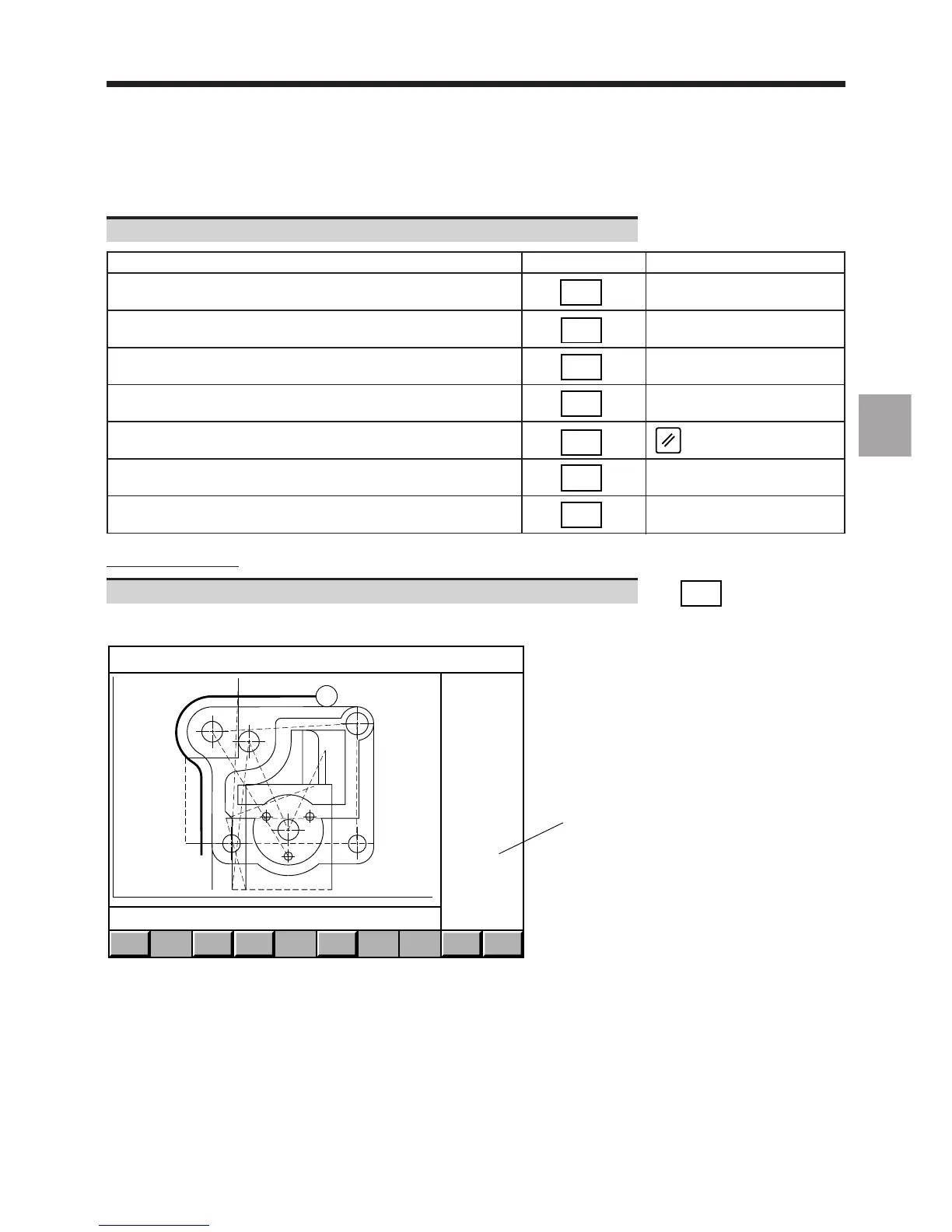
Display of the tool path trace in simulation mode:
EXIT
X : -61.202 162.202 Y + 25.4 - 145.0
1
END
SIMULN.
SINGLE
BLOCK
HOLD
CYCLE
AUTO
MODE
TOOL
PATH
START
CYCLE
Y
X
STATUS
Prog %20
X:+ 94.278
Y:+ 124.
Z:+ 5.
Contour roughing
N80 G1 X121 EB13
1 - Current position coordinates
Display of tool paths.
Without radius correction (G40), the tools are represented by a cross.



 To Next Page