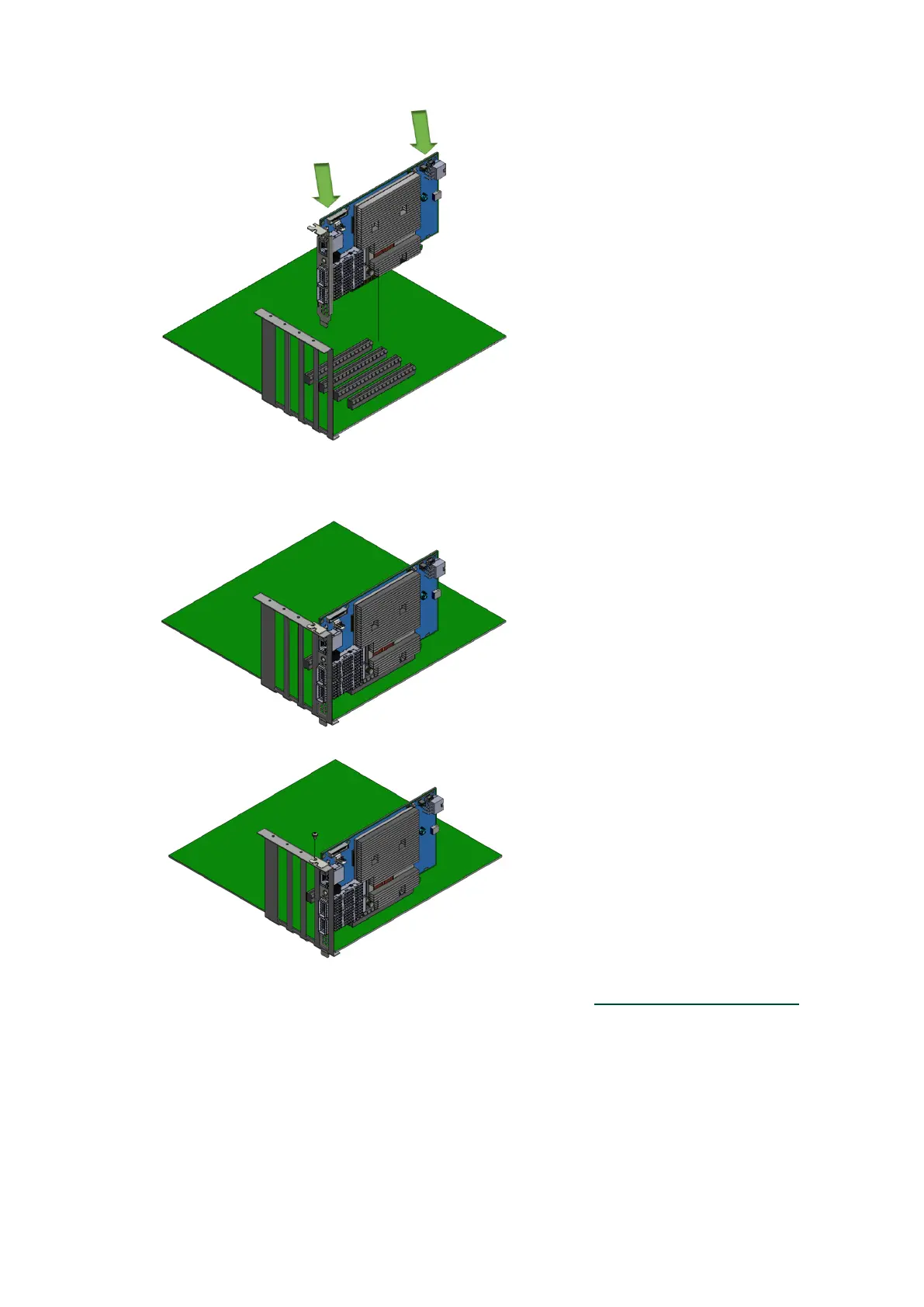
4.
5.
6.
7.
When the DPU is properly seated, the port connectors are aligned with the slot opening, and
the DPU faceplate is visible against the system chassis.
Secure the DPU with the screw.
Close the system case.
Install the networking cables. For instructions, please refer toNetworking Cable Installation.
5.10.2 Uninstalling the DPU/SuperNIC
Safety Precautions


 To Next Page