124
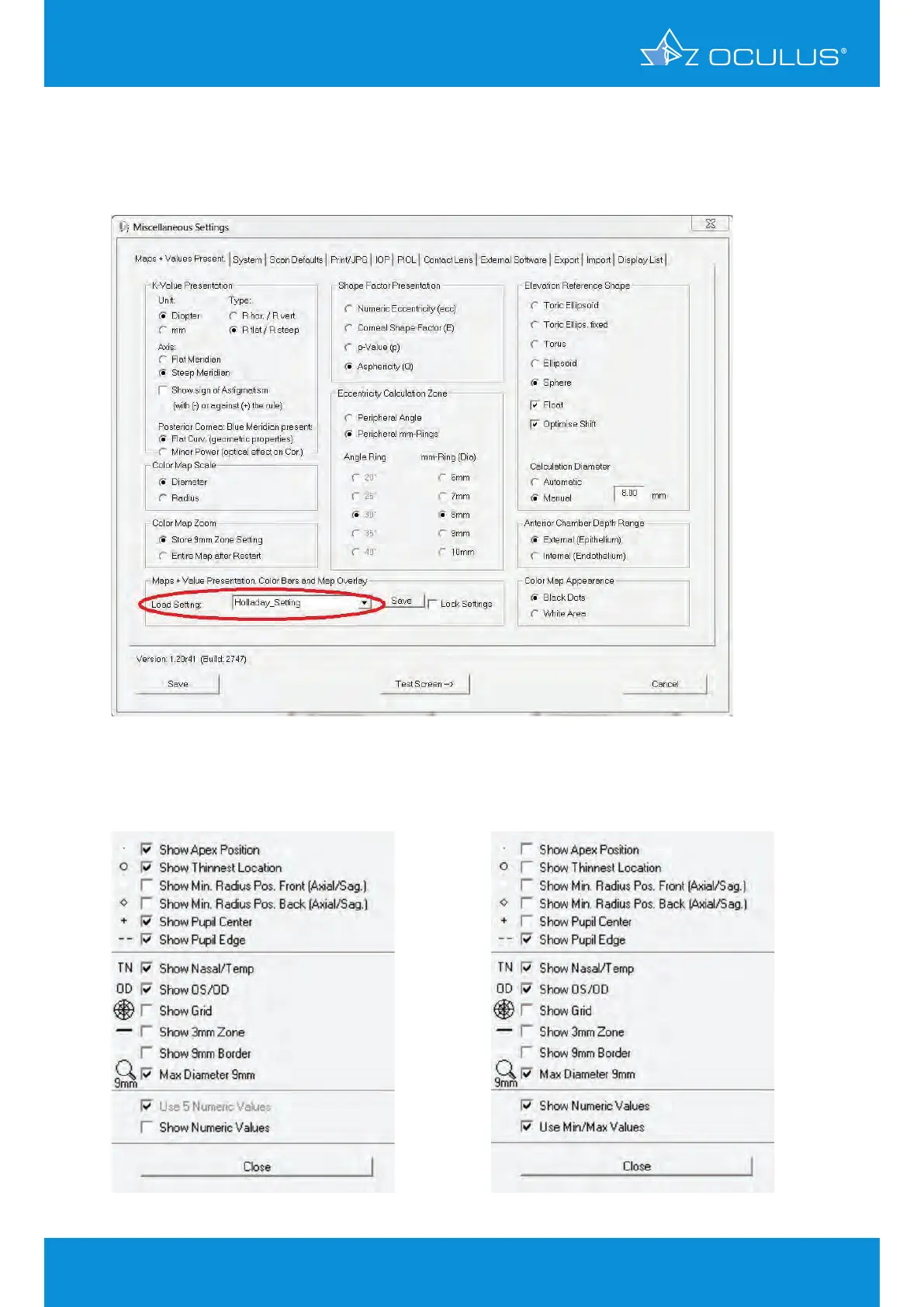
Then click “Miscellaneous Settings” to confirm all of the other settings. To keep these settings, select
“Holladay_Setting” (Figure 154) in the "Load Setting" pull-down menu, then click “Save” and check
the “Lock Settings” box.
Figure 155 shows the map overlay for the corneal thickness map and Figure 156, the overlay for the
other 5 maps.
Figure 154: Miscellaneous settings menu
Figure 155: Corneal thickness map overlay
Figure 156: Overlay for the 5 other maps
17 Holladay Report & Holladay EKR65 Detail Report


 To Next Page