Configuring your machine... > 57
Network
Menu (cont.)
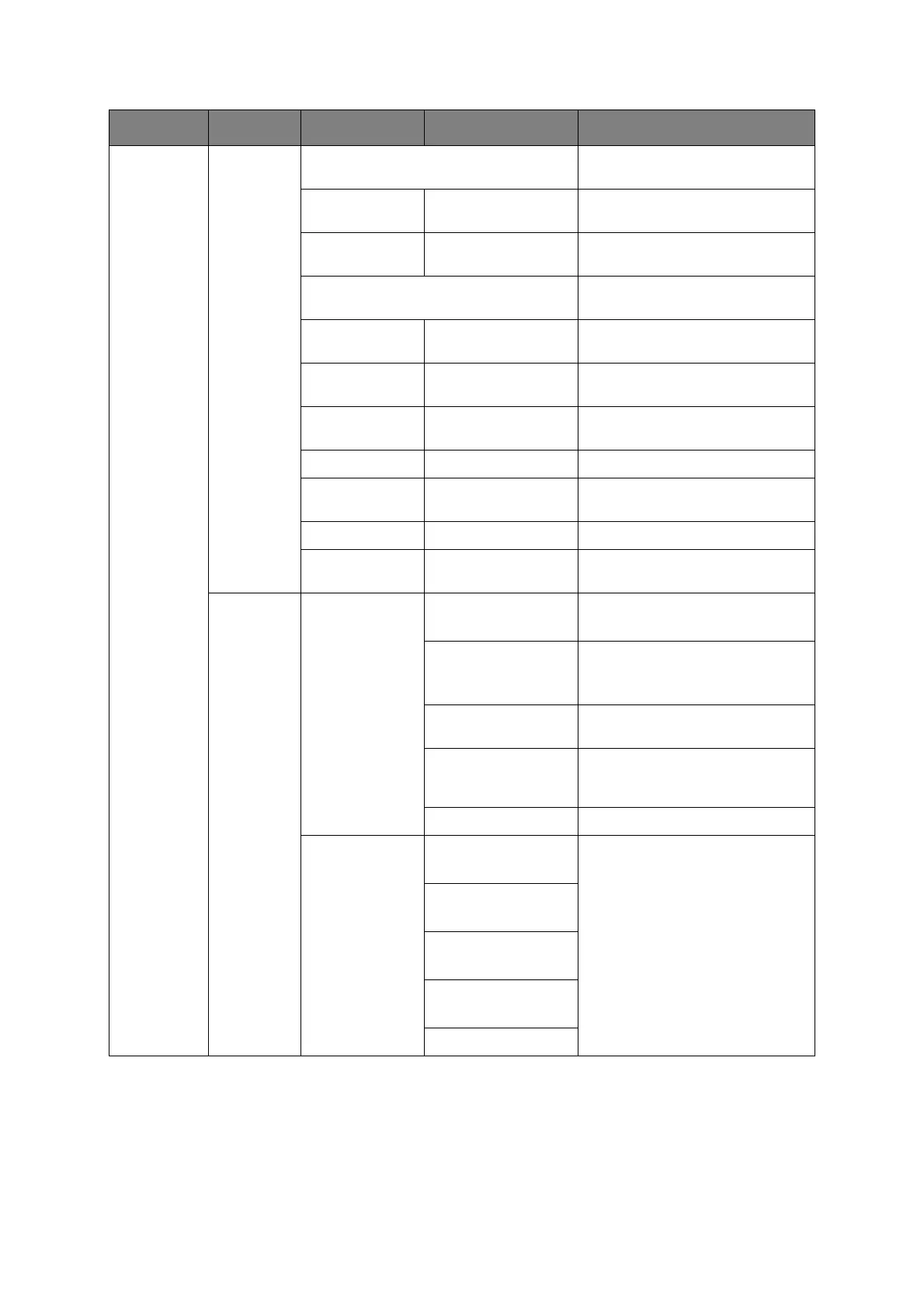
Mail Server
Setup
SMTP server Set the host name for the SMTP
server.
SMTP Port 00001 ~ 00025 ~
65535
Set the port number.
SMTP
Encryption
None, SMTPS,
STARTTLS
Select encryption method.
POP3 server Set the IP address or host name
for the POP3 server.
POP3 Port 00001 ~ 00110 ~
65535
Set the port number.
POP Encryption None, POP3S,
STARTTLS
Select encryption method.
Authentication
method
None, SMTP, POP Set the authentication method.
SMTP User ID User defined Set a user ID for the SMTP server.
SMTP password User defined Set a password for the SMTP
server.
POP User ID User defined Set a user ID for the POP3 server.
POP password User defined Set a password for the POP3
server.
LDAP
Server
Setting
Server Setting LDAP Server:
user defined
Set the host name for the LDAP
server.
Port No.:
00001 ~ 00389 ~
65535
Set the port number.
Timeout:
010 ~ 030 ~ 120
Enter the LDAP server timeout in
seconds.
Max. Entries:
005 ~ 100
Set the maximum number of
search results from the LDAP
server.
Search Root: Enter the desired root.
Attr Name1:
cn
Edit the LDAP search attribute if
required.
Name2:
sn
Name3:
givenName
E-mail Address:
mail
Addnl Filter:
FEATURE OPTION DESCRIPTION



 To Next Page