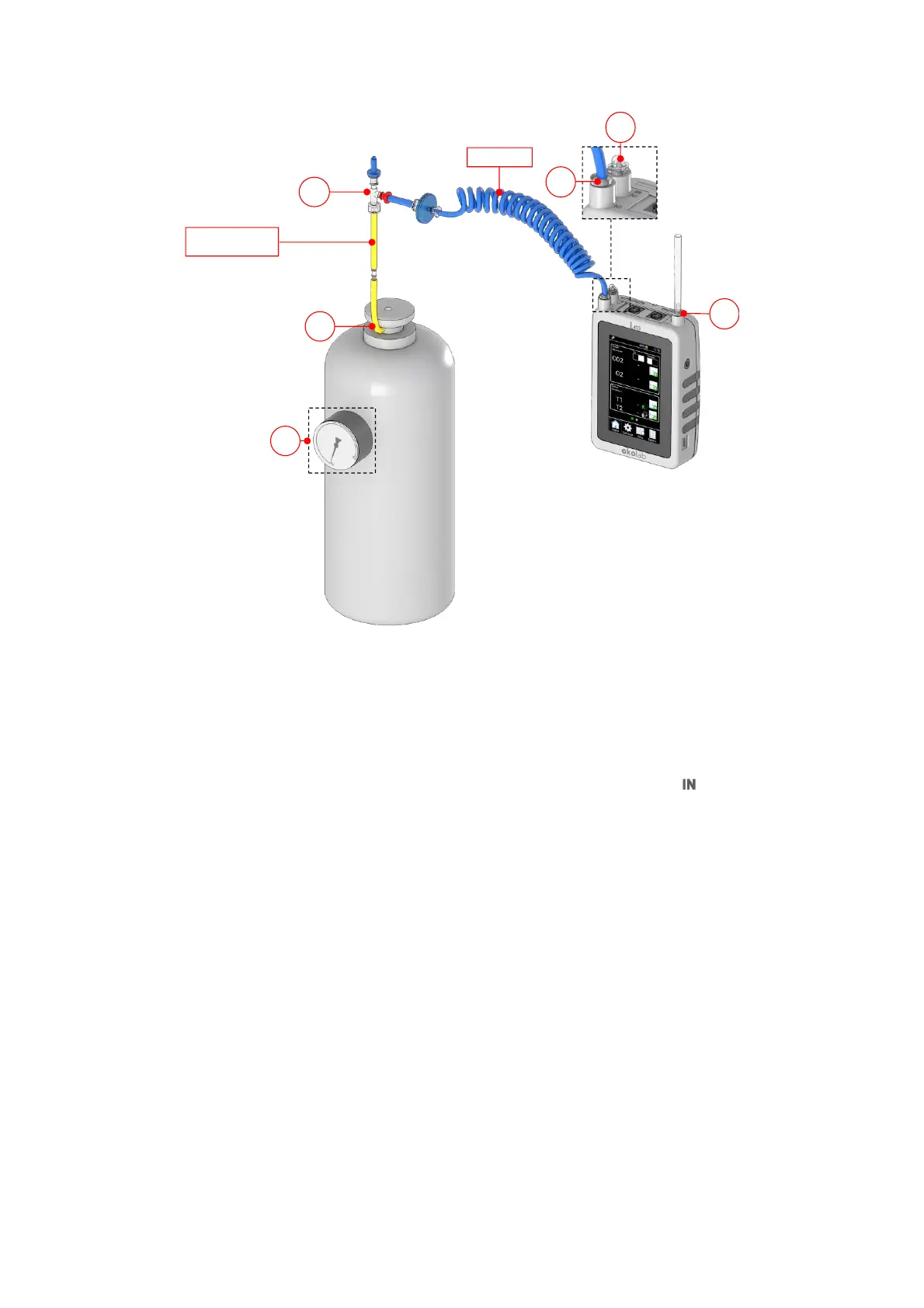
Figure 79. How to connect LEO to the gas cylinder with pressure regulator.
13.2.1.2 Span Gas Cylinder with Flow Regulator
Tube-A and Tube-B are required to connect LEO to a span gas cylinder equipped with a flow regulator.
Follow the instructions below to connect LEO to the gas cylinder with flow regulator:
1. Connect the clear connector of Tube-A to LEO gas inlet port labeled with icon (1 in Figure 59).
2. Put the cap on LEO gas inlet port labeled with icon (2 in Figure 59).
3. Connect the red connector of the Tube-A to the green connector of Tube-B (3 in Figure 59)
4. Connect the end of Tube-B to the span gas cylinder regulator (4 in Figure 59).
Tip ►Use the fitting tubes or additional tubes in order to allow the compatibility of the supplied tubing with
the gas port of your gas cylinders.
5. Okolab recommends the use of a purge tube attached to LEO gas outlet port (5 in Figure 59). The
purge tube has to be placed in a well ventilated environment. You can use the supplied additional tube
as tube for purging.
6. Open the span gas cylinder regulator by using the valve (6 in Figure 80). Set the flow rate in the range
0.1 -0.3 l/min. Do not exceed the maximum flow rate of 0.4 l/min.



 To Next Page