66
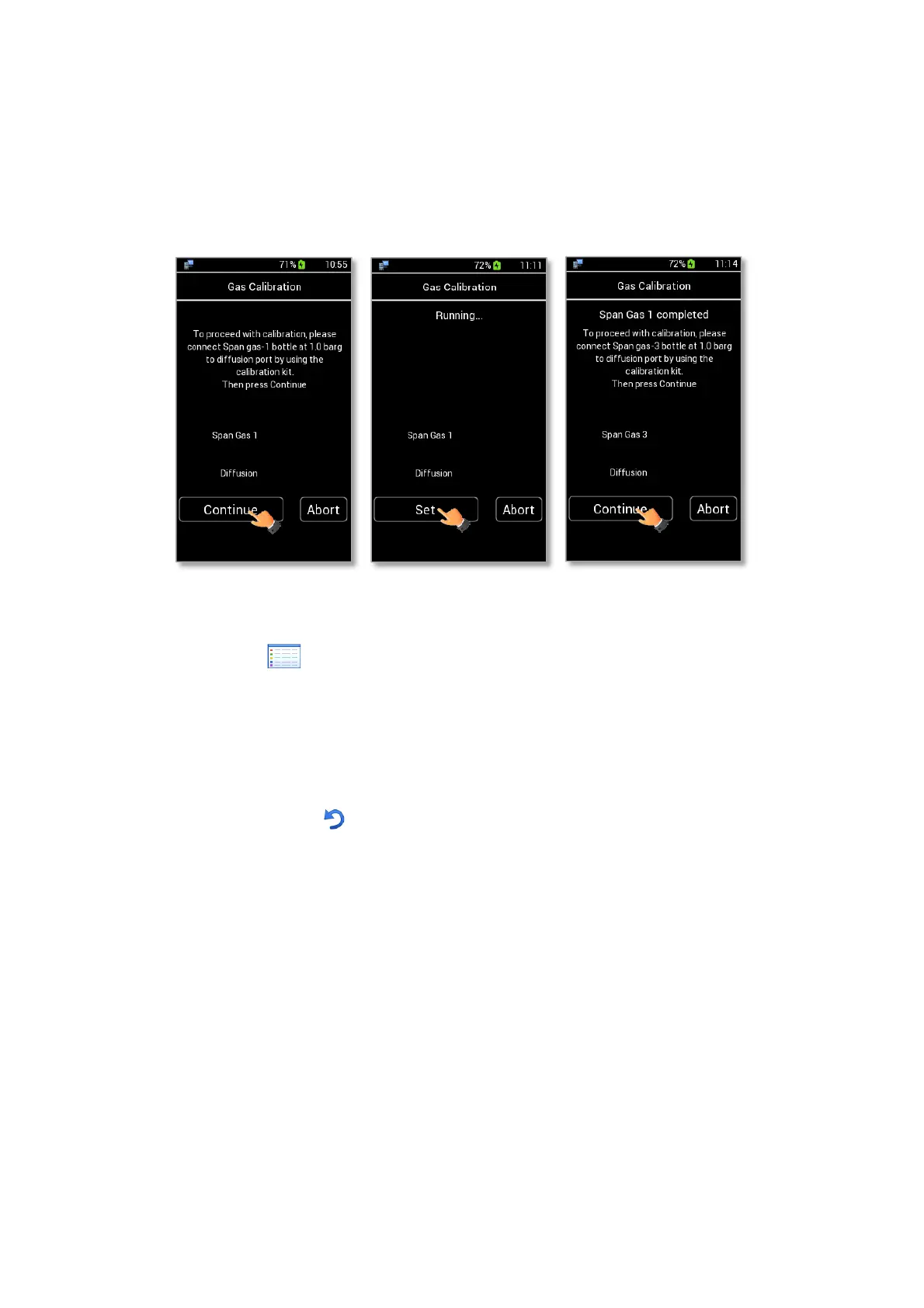
When the CO2 and O2 readings are stable press Set as shown in Figure 88 b.
When Span Gas 1 is completed the message shown in Figure 88 c appears. If you have Span Gas 2 and/or
Span Gas 3, you have to connect Span Gas 2 / 3 bottle, then press on Continue.
When calibration is completed, CO2 and O2 offset values are shown as in Figure 87. Then press Save to
save the offsets or Cancel to undo.
Figure 88. How to set Manual Gas Calibration (a – b - c).
View Current icon to view the CO2/O2 User Calibration data.
13.3 Factory
LEO allows to delete the last CO2/O2 User Calibration and to restore the factory values.
To reset the current sensors calibration:
5. Press the Factory icon (see Figure 89 a).
6. Flag the checkbox of the variables for which you want to delete the CO2/O2 User Calibration (see
Figure 89 b).
Tip ►The reset can be done on CO2 and O2 sensors contemporary or only on CO2 or O2 sensor.
7. Press Reset to confirm or Cancel to undo.



 To Next Page