Installation
|
Installing Optional Devices
18
2.
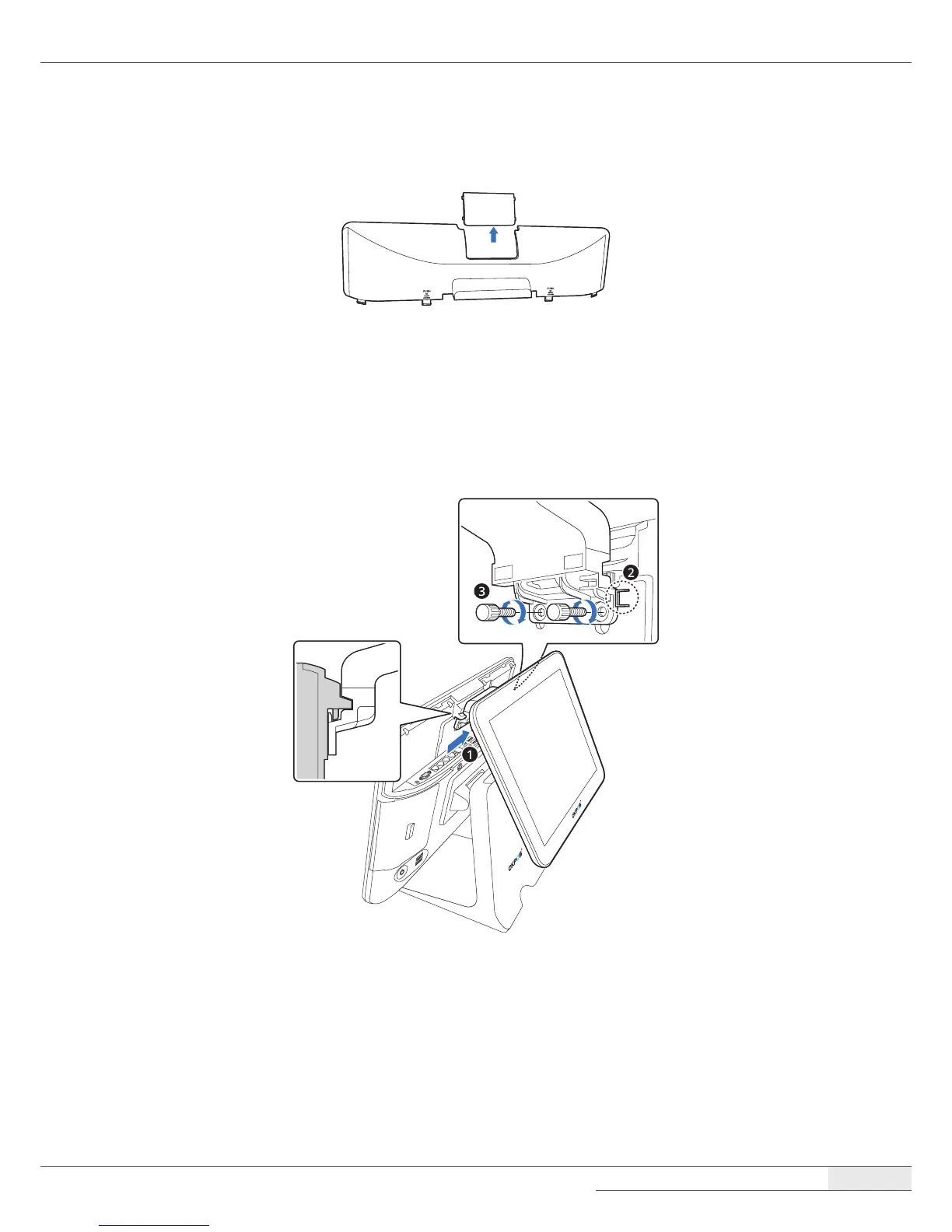
Detach the plate on the I/O port cover to make space for installing the LCD customer display.
NOTE:
⦁
Completely remove the plate, ensuring that no sharp parts remain. There is the risk of injuring yourself if the
sharp edges are not completely removed.
3.
Place the LCD customer display and tighten it with two thumbscrews.



 To Next Page