Installation
|
Installing Optional Devices
19
4.
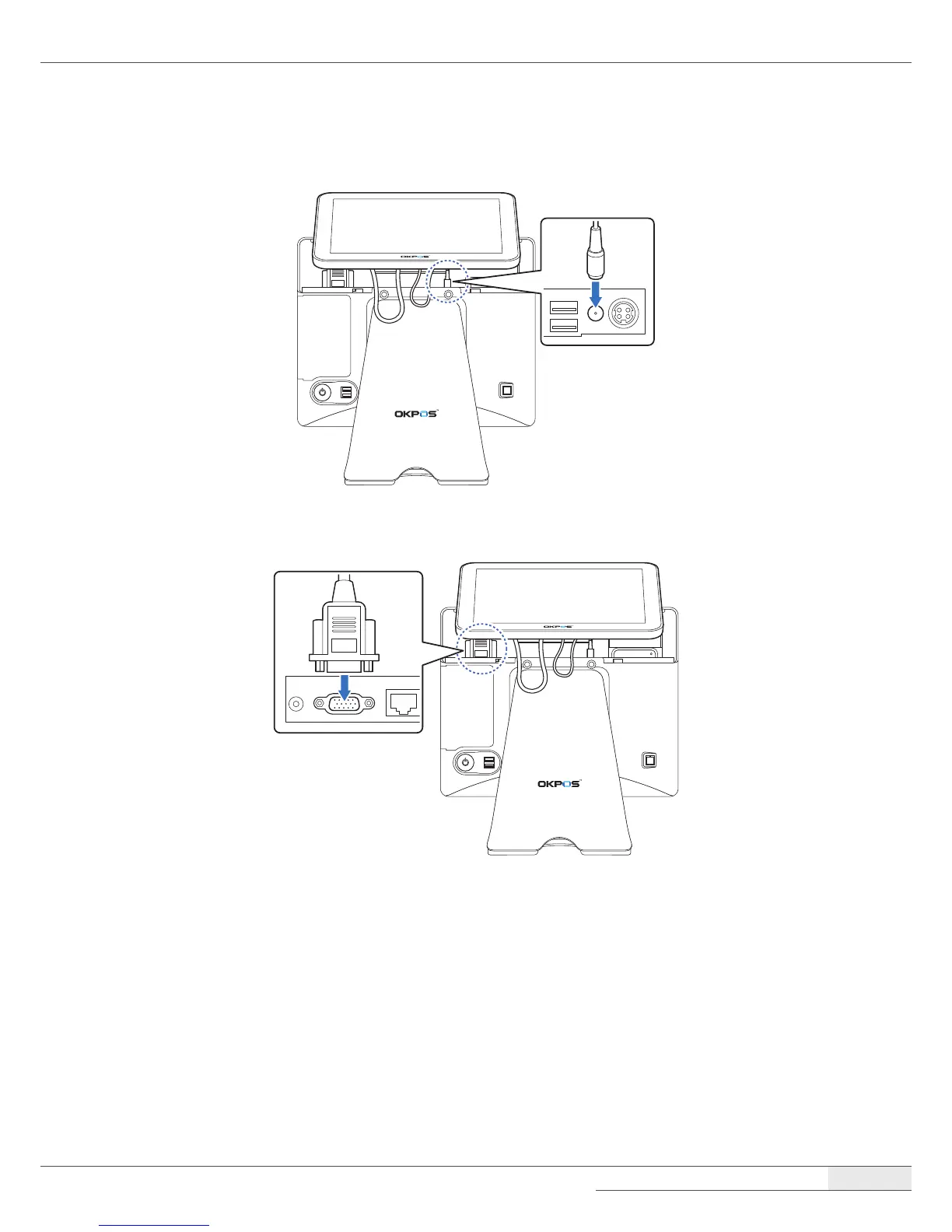
Connect the power cable of the LCD customer display to the power (12V DC-OUT) jack.
5.
Connect the VGA cable of the LCD customer display to the VGA port.
6.
Replace the I/O port cover by following the instructions in “Replacing the I/O port cover“ on
page 12.
Removing the LCD Customer Display
You can remove the LCD customer display by following the steps in the installation procedure in
reverse order.



 To Next Page