34
General (1/2)
Temp. unit: Celsius
OOff mmr: O
r: Off
Back light: Lighter
Time&Date: Enter
3 4
1
2
8. MAIN MENU
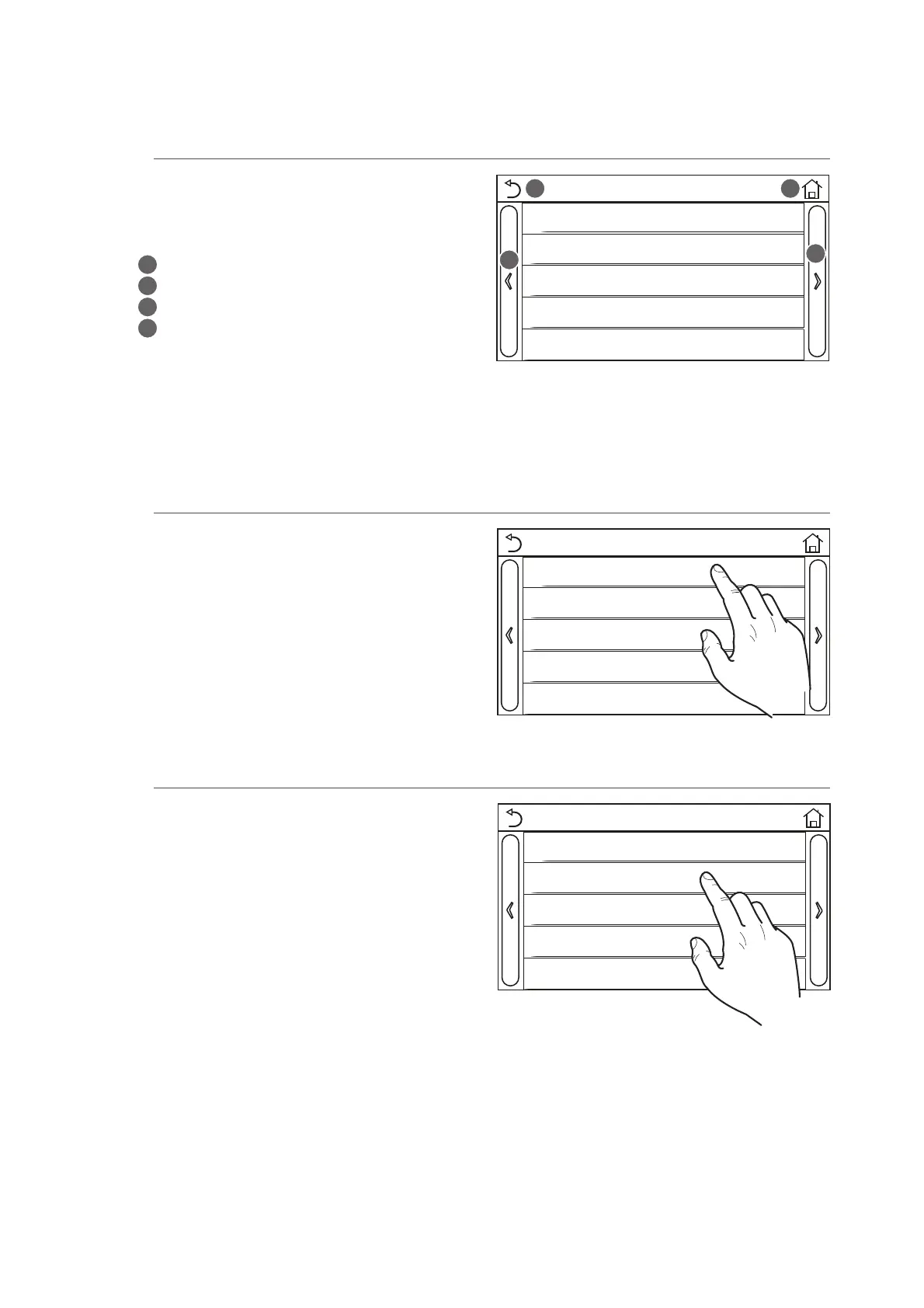
8.1. Navigating the menu
This menu is used to set the machine adjustment
values. The following keys are used to navigate this
menu:
T (
1
) Move back to the previous page
T (
2
) Move on to the next page
T (
3
) Go back to the higher level menu
T (
4
) Go back to the main page (Home);
T To access a function, click on the text of that
function.
NB: while navigating the menu pages, the current page of the selected menu will be displayed in the
header (i.e. in the darker upper area).
Click on the "Temp. unit" label to change the unit of
measurement used for temperature (Celsius or Fahr-
enheit).
General (1/2)
Temp. unit: Celsius
OOff mmr: O
r: Off
Back light: Lighter
Time&Date: Enter
8.2. Setting the unit of measurement (Temp. unit)
General (1/2)
Temp. unit: Celsius
OOff mmr: O
r: Off
Back light: Lighter
Time&Date: Enter
NB: if this option is activated, after a power failure the unit will automatically resume the values set and
saved in the memory.
8.3. Activating/deactivating the memory (On/o memory)
Click on the "On/off memory" label to activate or deac-
tivate the saving of parameter/function settings.



 To Next Page