1
INSTALLATION
PACKAGE CONTENTS...
In addition to the machine with its power cord and this
manual, in the package you will find:
• Telephone connection cord
• An extension plug
• The package containing a print head (Starter Car-
tridge)
• The handset
• The support for feeder paper
• Nationalized template for operator panel.
In the packaging of the multi-use model, you will find
the following:
• Parallel cable for connecting to your PC
• The CD containing the installation software of the
“LinkFax 10 Plus/Linkfax Color Printer” module
• Promotional leaflet
• Print head container.
INSTALLING...
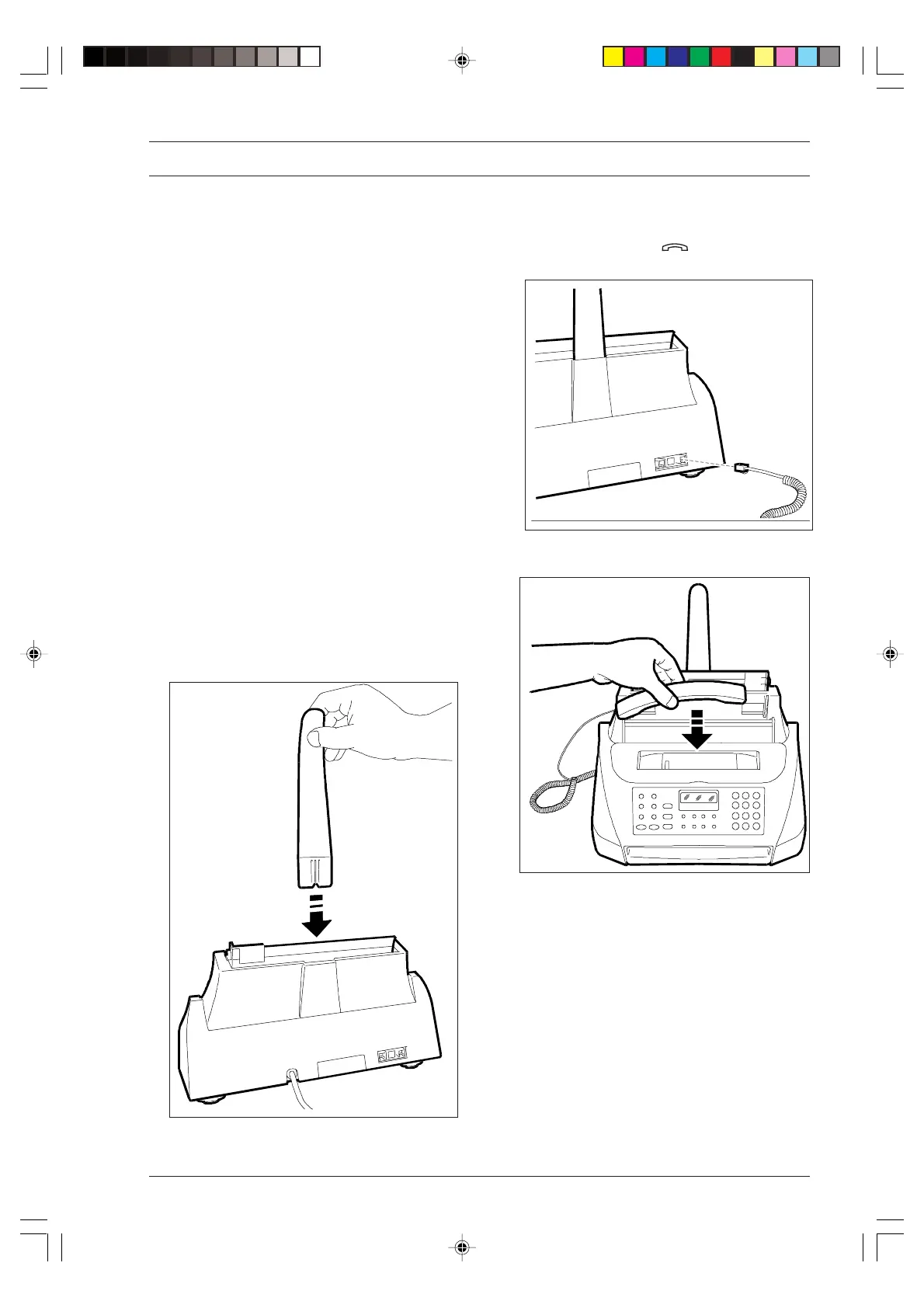
1. Insert the paper support in the appropriate slot, push-
ing it until it clicks into position.
2. Insert the handset cord connector into the socket
marked with the symbol on the rear of the fax
machine.
3. Place the handset in its cradle.
-1--1-10.p65 02/04/01, 9.171



 To Next Page