59
CLEANING THE ELECTRICAL CONTACTS
OF THE PRINT HEAD ...
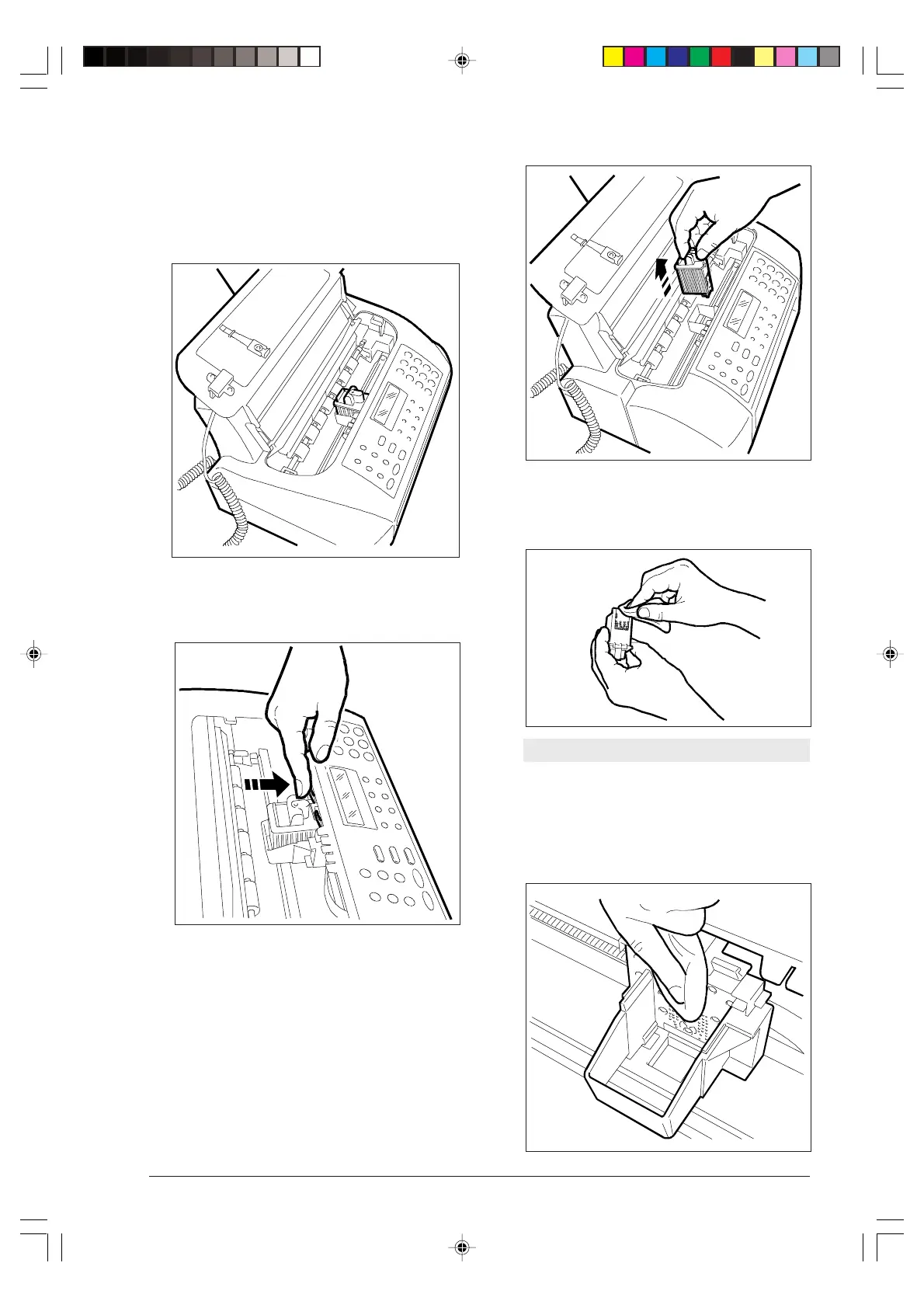
1. With the fax machine switched off, lift the head
compartment cover, positioning your finger in the
centre recess.
2. Release the print head (including the cartridge, if it is
an interchangeable ink cartridge head) using the le-
vers.
3. Remove the print head.
4. Clean the electrical contacts using a slightly damp
cloth.
Do not touch the print head nozzles.
5. With a slightly damp cloth, also clean the electrical
contacts of the print head carriage, then reinsert
the print head and close the print head compart-
ment cover.
-8-55-66.p65 02/04/01, 9.2359



 To Next Page