27
• Power failure report: always printed automati-
cally if a power failure occurs during a reception or
transmission operation.
When normal operating conditions are restored, the
fax machine can behave in two different ways:
- If power failed while the fax machine was trans-
mitting or receiving, it will automatically print a
report with the data for that transmission or re-
ception.
- If the power fails during or after a transmis-
sion or memory reception, a report will auto-
matically be printed out showing the number of
pages (in transmission or reception) cancelled from
the memory after the power failure.
• Activity report (journal): contains the data refer-
ring to the last 32 transactions (transmissions and
receptions); the fax machine stores them and the
report is printed automatically (after 32
nd
opera-
tion, with subsequent deletion of the stored data) or
upon your request.
• Last transmission report: contains the data re-
ferring to the last transmission. You can pro-
gramme it to be printed automatically after each
transmission or upon your request.
• Failed transmission report: also contains the data
referring to the last transmission but it is printed
automatically only after an unsuccessful trans-
mission attempt. The fax machine is set to print
automatically this report; if you want to disable it, see
the corresponding paragraph.
• Last broadcasting transmission report: it con-
tains data on the last broadcasting report. This
can be programmed to be printed always and auto-
matically after every broadcasting transmission.
• Caller’s identification report: this can only be
printed out at your request and contains the follow-
ing information:
• Caller’s name. The following can be displayed
under this description:
- Your caller’s name or
- PRIVATE: if the caller has chosen not to reveal
his identity
- NOT AVAILABLE: if the caller is connected to a
telephone exchange which does not have this
service.
• Caller’s telephone number. The following can
be displayed under this description:
- Your caller’s telephone number, or
- PRIVATE: if the caller has chosen not to reveal
his identity
- NOT AVAILABLE: if the caller is connected to a
telephone exchange which does not provide this
service.
• Date/time
- Date and time at which you have received the
call.
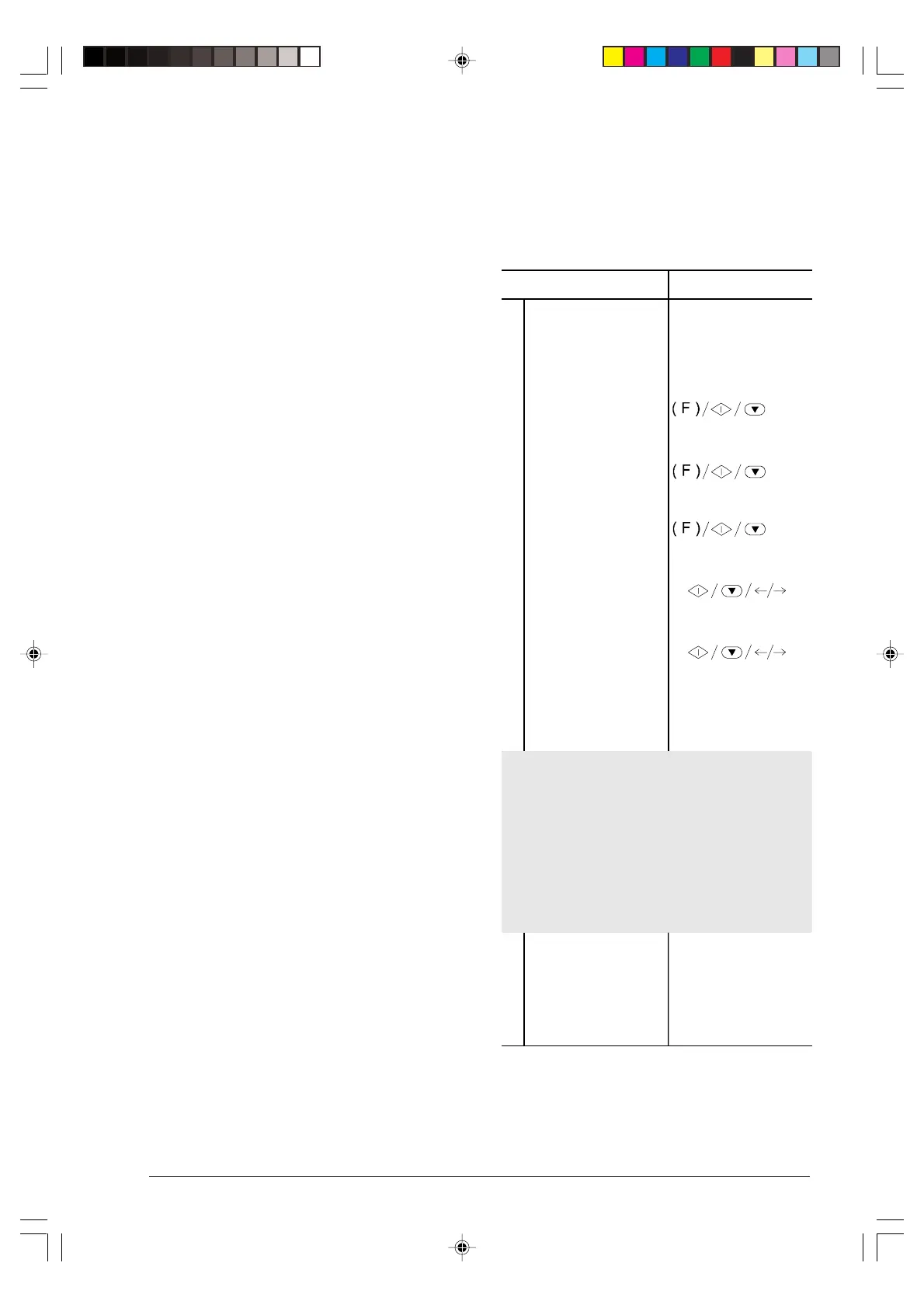
Enabling/disabling automatic printing of
transmission report and error report ...
Procedure DISPLAY
1
Make sure that the
display shows the initial
waiting mode with date
and time.
AUTOMATIC RX
02-03-99 10:48
2
Press the FUNCTION
key until the display
shows --->
FAX SET-UP
3
Press the START key. DATE AND TIME
4
Press the FUNCTION
key.
VARIOUS SETTINGS
5
Press the START key
until the display
shows --->
FAILED TX REPORT
6
Press the </> keys to
show the other two
options available: "TX
REPORT:ALWAYS" and
"TX REPORT:OFF" (in
the example: "TX
REPORT:ALWAYS").
TX REPORT:ALWAYS
Selecting "FAILED TX REPORT", you set your fax to
automatically print a report only after an unsuccessful
transmission.
Selecting "TX REPORT: ALWAYS", you set your fax to
automatically print a report after every transmission
regardless of its outcome.
Selecting "TX REPORT: OFF", you set your fax not
to print any reports.
7
Press the START key
to confirm your choice
then press the STOP
key to restore your fax
to the initial waiting
mode.
AUTOMATIC RX
02-03-99 10:48
-3-13-31.p65 02/04/01, 9.1927



 To Next Page