58
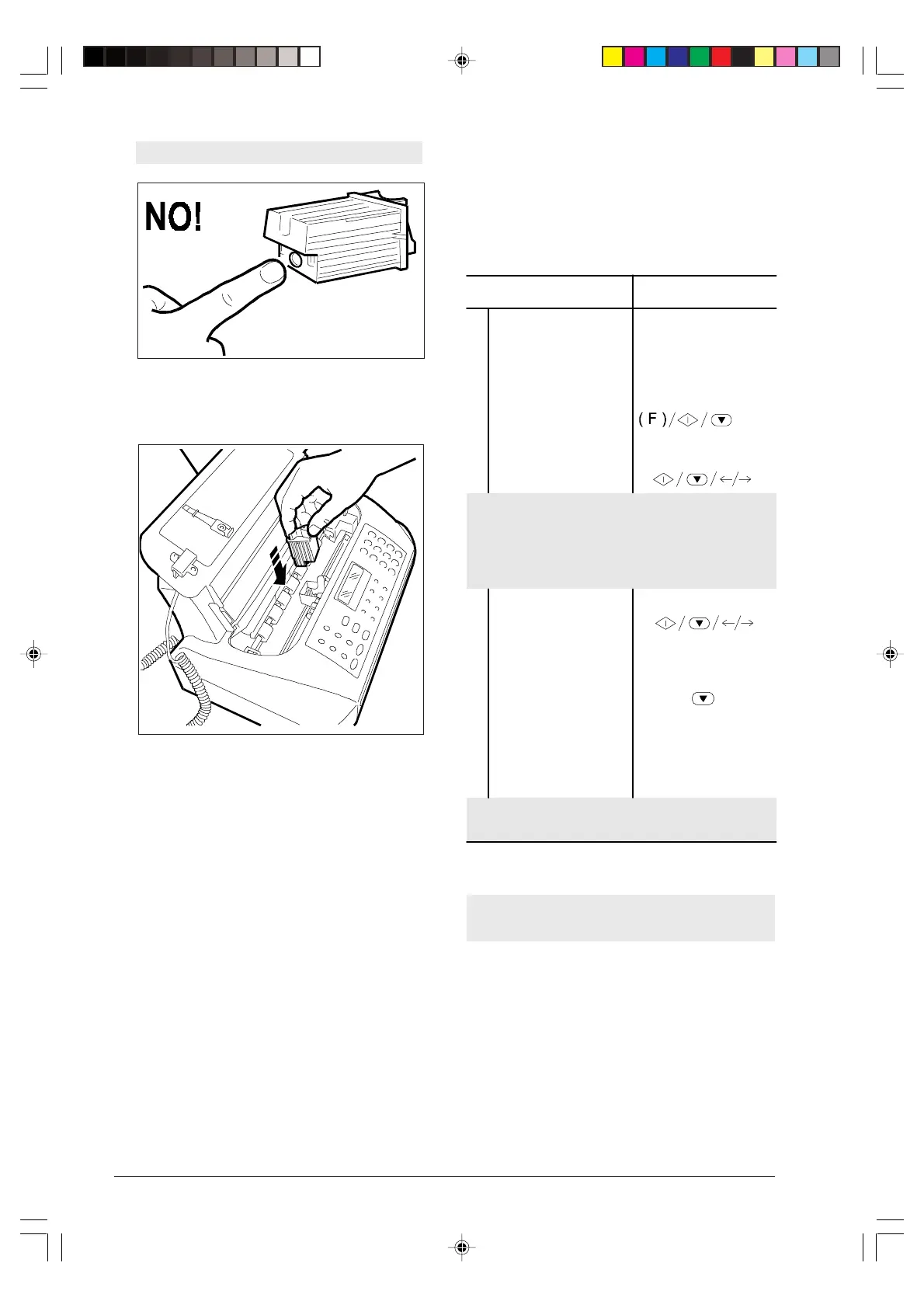
Avoid touching the inked area.
5. Immediately insert the cartridge in its housing and
press it until you hear the click confirming its correct
insertion. Close the print head compartment cover.
PRINT HEAD CLEARING AND MANUAL
NOZZLE TESTING ...
If the printing quality deteriorates you can quickly
clear the print head and test the nozzles with a printout
showing their condition.
Procedure DISPLAY
1
Make sure that the
display shows the initial
waiting mode
with date and time.
PHONE/FAX RX
10-03-99 12:55
2
Press the FUNCTION
key until the display
shows --->
HEAD MAINTENANCE
3
Press the START key. NEW HEAD: ON
If the print head is new, press the
START
key. The
fax machine automatically initiates the print head re-
activation and nozzle testing operation, printing its
diagnostic result.
If the print head is not new, follow the steps below.
4
Press the </> key to
display the other
available option: “NEW
HEAD: OFF”.
NEW HEAD: OFF
5
Press the START key
twice. The fax machine
initiates the print head
re-activation and nozzle
testing operation,
printing its diagnostic
result.
CLEANING: ON
By pressing the STOP key you bring the fax machine
to the initial waiting mode.
To interpret the diagnostic print, see the “Installa-
tion” chapter.
-8-55-66.p65 02/04/01, 9.2358



 To Next Page