4
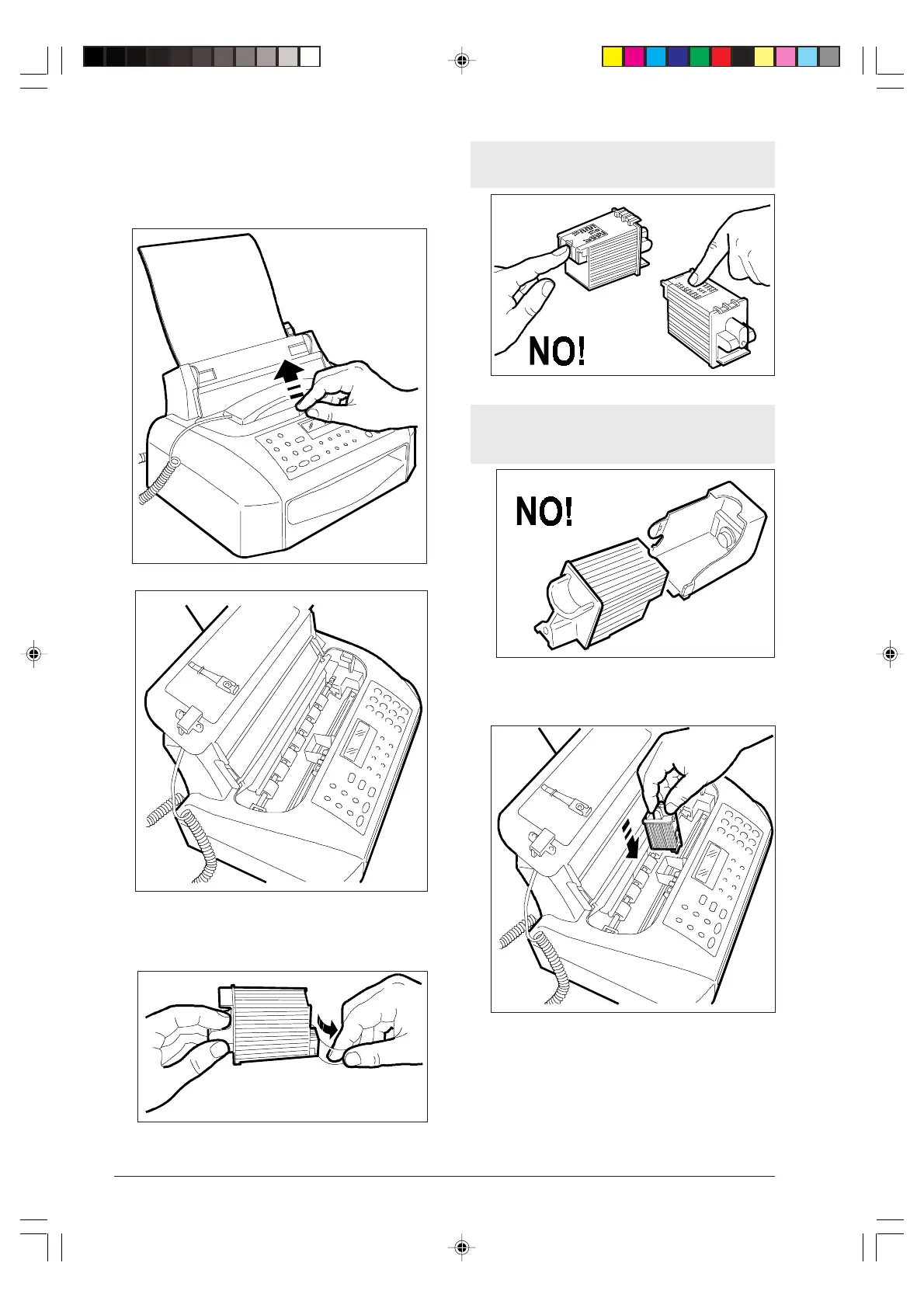
INSTALLING THE PRINT HEAD ...
1. Lift the cover of the print head compartment, placing
your finger in the centre recess.
2. Remove the print head from its box and, holding it by
its finger grip, remove the protective film from the
print nozzles.
Avoid touching the nozzles and the electrical
contacts.
If the print head has an interchangeable ink car-
tridge, do not remove the cartridge from the
print head.
3. Insert the print head in its housing with the electri-
cal contacts towards the front part of the fax ma-
chine.
-1--1-10.p65 02/04/01, 9.174



 To Next Page