23
In the "TAD FAX/RX" reception mode, in some countries,
you can also access the service for the recognition of the
dial tone frequency. See chapter "For a more sophisti-
cated use".
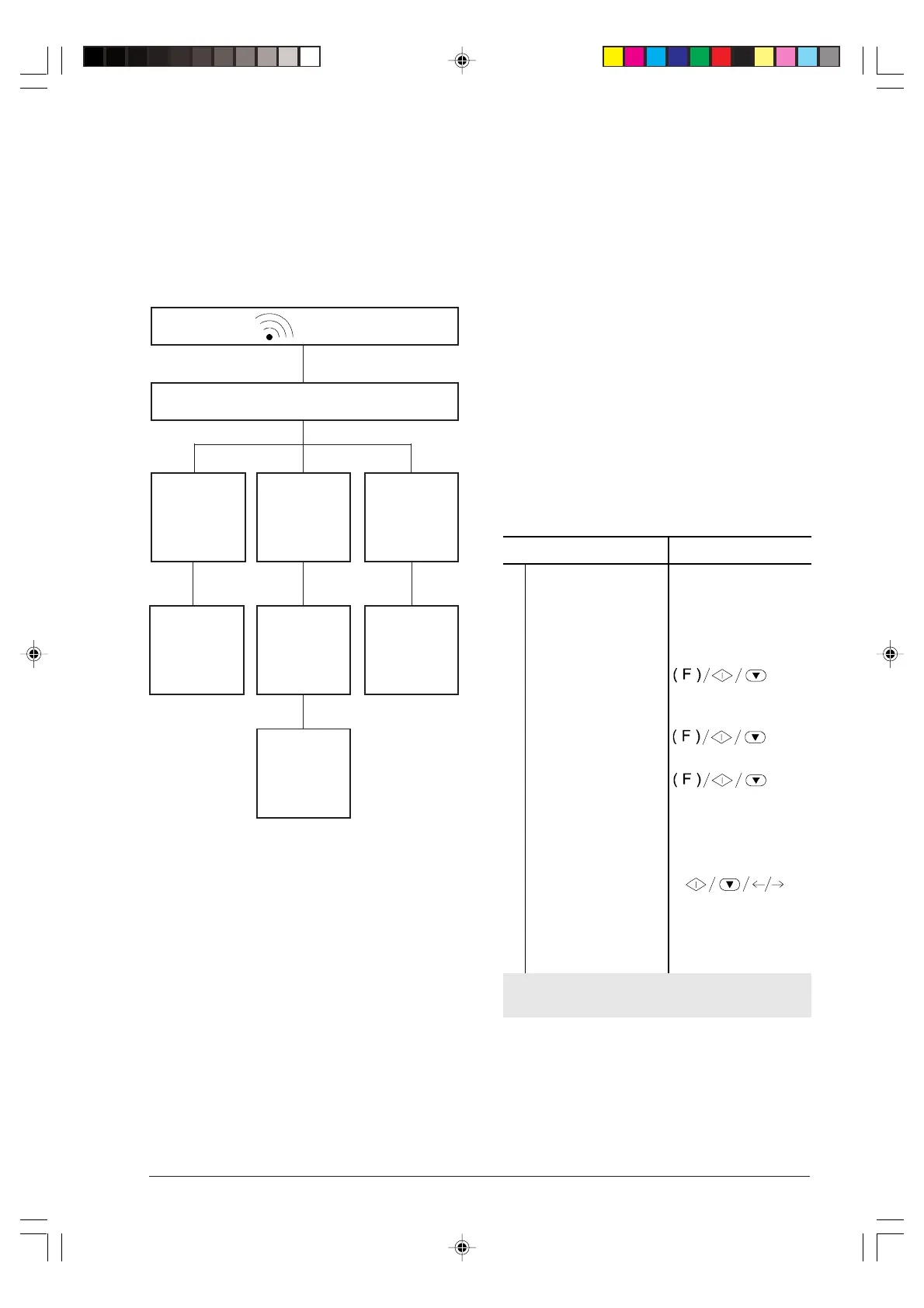
Either way, in this reception mode, the behaviour of
your fax machine depends on the caller, as shown in
the next diagram:
PROGRAMMING ONE-TOUCH DIAL AND
SPEED DIALLING ...
As illustrated in “Particular dialling cases”, you can
program the fax machine to carry out the following rapid
dialling procedures:
• One-touch dial
• Speed dialling
One-touch dial...
You can associate a fax number, a name and a tel-
ephone number to each of the 10 one-touch dial nu-
meric keys (0 - 9). The number/name stored will be
selected automatically when you press the correspond-
ing key.
Associating a fax number:
Procedure DISPLAY
1
Make sure that the
display shows the initial
waiting mode with date
and time.
AUTOMATIC RX
26-03-99 17:45
2
Press the FUNCTION
key until the display
shows --->
FAX SET-UP
3
Press the START key. DATE AND TIME
4
Press the FUNCTION
key until the display
shows --->
ONE TOUCH DIAL
5
Press the START key. TYPE ONE TOUCH
KEY: 0-9
6
Press the one-touch
dial numeric key to
which you want to link
a fax number (e.g. 1).
FAX NO.
7
Press the
START
key. 1: FAX NO.
_
If a fax number has already been stored under this key,
it will be displayed.
The remote party who called listens to the prerecorded
message on the answering machine
If a remote party
called to talk.
If a FAX
MACHINE called.
If a remote party
called to send a
fax.
Your fax machine
is automatically
set for reception.
The remote party
leaves a mes-
sage after the
beep.
The remote party
presses the trans-
mission start key.
Your fax machine
is automatically
set for reception.
After the number of rings of the answering machine
☞
-3-13-31.p65 02/04/01, 9.1923



 To Next Page