35
Once the connection is set for access, press the key once if the fax machine is connected to a public line and twice
if connected to a private line, before dialling the fax or phone number required. The “manager's name” message is
displayed for a few seconds, followed by the acronym you have memorized which will remain on display.
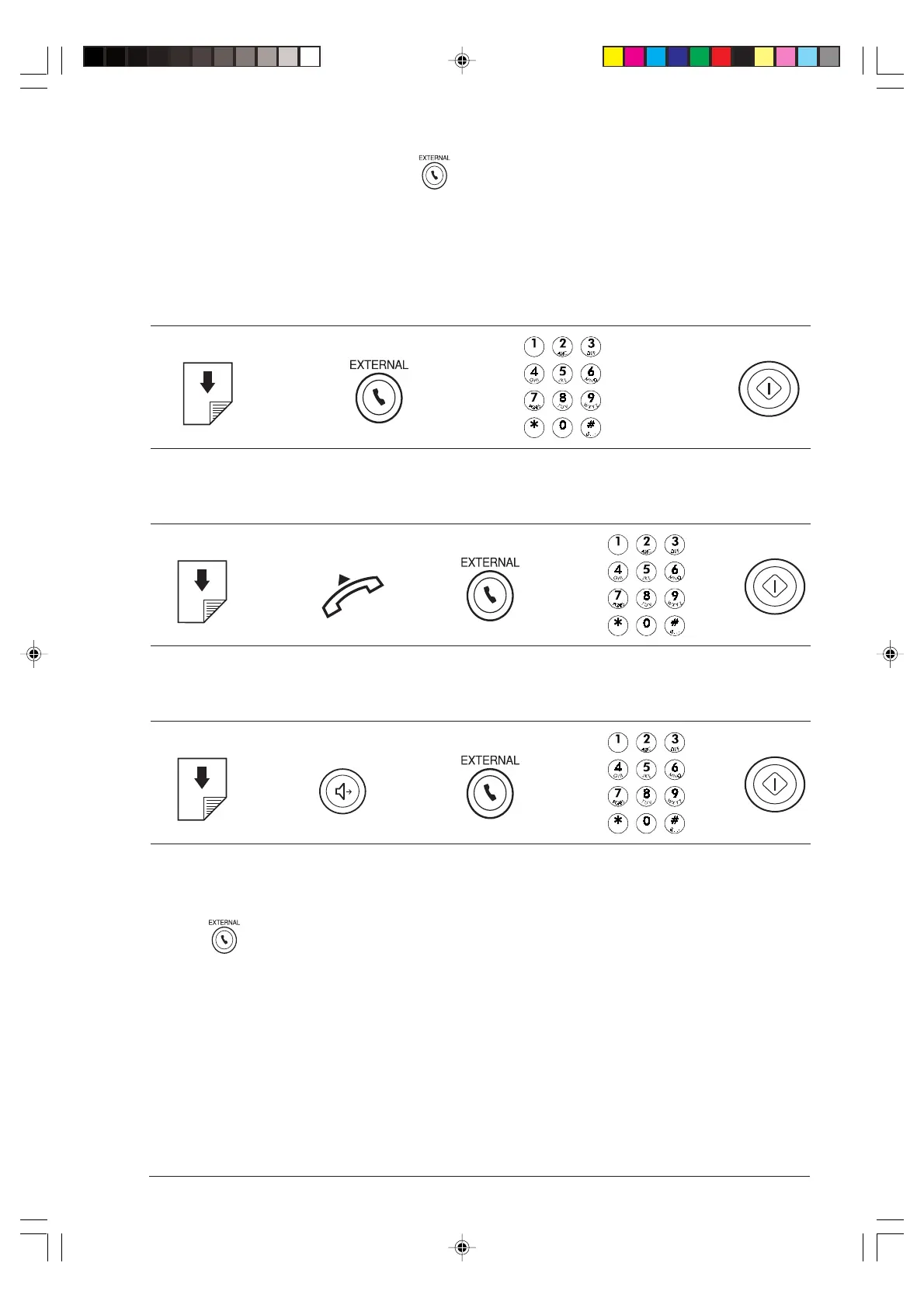
The diagrams that follow should be used as a guide to make a fax transmission or a phone call in any dialling mode.
Remember not to insert the original into the ADF for phone calls.
1 To dial the number directly from the numeric keypad
è è è
2 To dial the number from your phone set
è è è è
3 To listen to dial tones when dialling without lifting the handset (handsfree)
è è è è
In order to use the quick dialling procedures, such as one-touch dialling and speed dialling, it is necessary, when
programming them, (see “Programming one-touch and speed dialling”, in the “For everyday use” chapter) to
press the key once if the fax machine is connected to a public line and twice if it is connected to a private line before
dialling the number required.
-5-34-35.p65 02/04/01, 9.2035



 To Next Page